
Movavi Video Editor
Create awesome videos easily
The decision of which video editing software to choose – between Premiere® Pro vs. PowerDirector – is primarily based on the level of your needs. The former is designed to offer professional-level editing capabilities, color correction, team-based workflow, and intricate timelines. On the other hand, the latter is easier to use, faster to learn, and usually suits creators who prefer to have powerful editing software without having that studio-like atmosphere. In terms of PowerDirector vs. Premiere® Pro, remember that while the latter allows more control, the former allows you to act sooner.
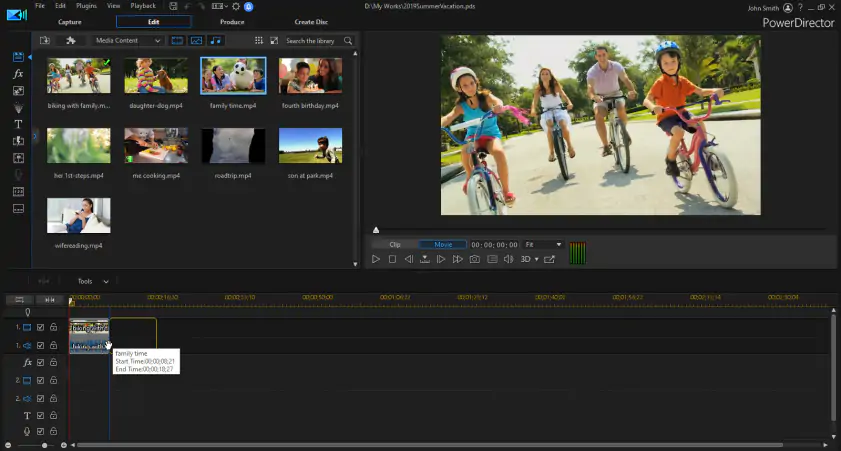
Using Premiere® Pro (now Adobe® Premiere®) for the first time comes across as quite formal. You start the program, and before long, you find yourself surrounded by panels, bins, timelines, audio levels, workspaces, and numerous buttons which expect you to be aware of their function. This, of course, is not an inherent problem with the program, as this piece of software was created with a focus on allowing its users absolute control over the editing process. After getting used to the interface, however, you will appreciate how flexible and efficient it is.
In comparison, PowerDirector comes off as more straightforward. It offers everything that an editing program should have – a proper timeline, effects, titles, transitions, media bins, etc. The difference is that it does not take itself too seriously during the first attempt at editing. Tools are much easier to locate, and the program focuses on providing plenty of presets and other similar options. If you are producing video content for a platform such as YouTube, creating commercial advertisements, or editing TikToks, this becomes particularly relevant.
Finally, when it comes to onboarding, Premiere® Pro relies on tutorials and practice, whereas you will be able to figure out PowerDirector on your own.
Winner: PowerDirector. Premiere® Pro is learnable, but PowerDirector is simply easier to start using.
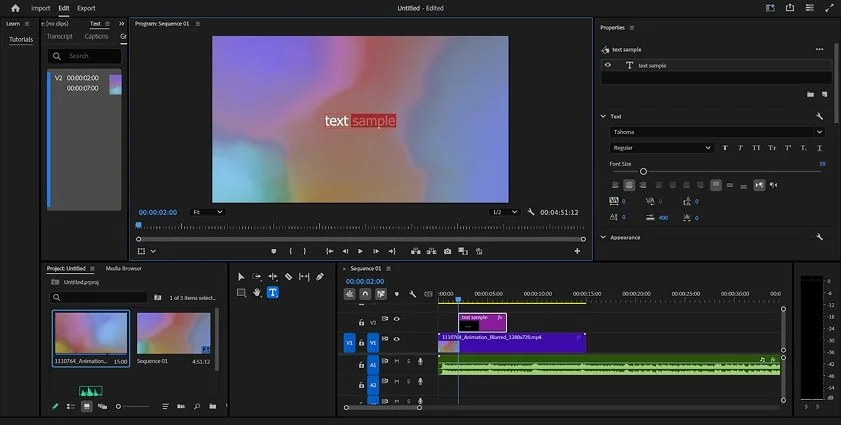
This is where Premiere® Pro and PowerDirector begin to separate more clearly.
Premiere® Pro is the superior editor. The timeline features are accurate, and it works better with layered editing. Multi-camera editing is its strong point, particularly for interviews, podcasts, concert performances, classes, and filming using multiple angles. It’s better for color grading too. With Lumetri Color, one gets an appropriate space to correct and stylize footage, while the professional workflow of Premiere® Pro is better for working with footage, advanced audio, and exporting needs.
The audio editing capabilities are also great. Premiere® Pro has tools for dialog cleanup, mixing, and even applying various audio effects. In cases where advanced audio editing is needed, Premiere® Pro has built-in support for transferring the project to Adobe® Audition®. The same goes for motion graphics. If you are already using After Effects®, Photoshop®, Illustrator, or Frame.io, then Premiere® Pro will be a perfect addition.
There are some unique advantages of PowerDirector software as well. This video editor does not seek to be a post-production station in the same way as other programs. The main advantage of this editor is fast work and user-friendliness. However, there are also such features as time editing tools, effects, transitions, motion titles, screen recording function, templates, and various useful tools for creators. This program can easily deal with all kinds of projects that regular users may need.
Premiere® Pro works better when it comes to support of codecs and workflow management. PowerDirector excels when it comes to pre-made effects and creative functions.
Winner: Premiere® Pro. PowerDirector is capable, but Premiere® Pro offers deeper professional control.
Performance depends on a number of factors such as your computer specs, footage, length of the project, and export options. Cutting a simple 1080p clip with only basic edits is very different from a complex multicam 4K project packed with various visual effects and color grading.
Adobe® Premiere® Pro works well on a powerful machine. The software uses GPU acceleration, is designed to handle demanding editing tasks, but it feels resource-intensive on outdated laptops and computers with less RAM memory. Also, long projects should be managed efficiently through proxies, organized bins, appropriate hardware and other techniques used by professional editors. This is common practice among pros, but it might look like additional work to an ordinary user.
PowerDirector often works better for everyday creatives. This application typically feels lightweight when you are editing small projects, applying templates, and exporting content for social networks. Besides, the application is famous for fast rendering that helps when creating several video clips within a week.
Stability is harder to compare broadly because every editor has occasional bugs. Premiere® Pro is better suited to large professional projects when configured properly. PowerDirector can feel more responsive for lighter, quicker jobs.
Winner: PowerDirector for everyday speed; Premiere® Pro for heavy professional projects. If we have to pick one for general users, PowerDirector takes this round.
Premiere® Pro utilizes Adobe®’s subscription service. One may subscribe to Premiere® Pro alone, or take advantage of the Adobe® suite by purchasing a Creative Cloud® subscription with the other applications in mind. While this makes more sense for users who require various applications from the Adobe® portfolio (After Effects®, Photoshop®, Audition®, Illustrator®), it might be more expensive if one is to edit merely a few videos per month.
CyberLink PowerDirector also has paid subscriptions, like PowerDirector 365, which seem more affordable than professional packages by Adobe®. However, depending on the application and its platform, CyberLink also provides free or partially functional programs. Free exports can have some limitations (watermarks, feature restriction, etc.), but current pricing can be found on their official site.
In conclusion, the distinction between the two is quite obvious. Premiere® Pro is a costly option for a long time ahead. PowerDirector will suit most users better than Premiere® Pro.
Winner: PowerDirector. It’s generally the more budget-friendly choice.
Premiere® Pro runs on Windows and Mac. That covers most professional editing setups, and Adobe®’s ecosystem is well established on both platforms. It’s the safer choice if you’re working with teams, agencies, or clients who already use Adobe® tools.
PowerDirector is available for Windows and Mac, with mobile versions also available for creators who edit on phones or tablets. That gives it a broader casual-creator feel. Someone can start a simple edit on a laptop or use the mobile app for quick content.
Winner: PowerDirector for flexibility; Premiere® Pro for professional desktop workflows.
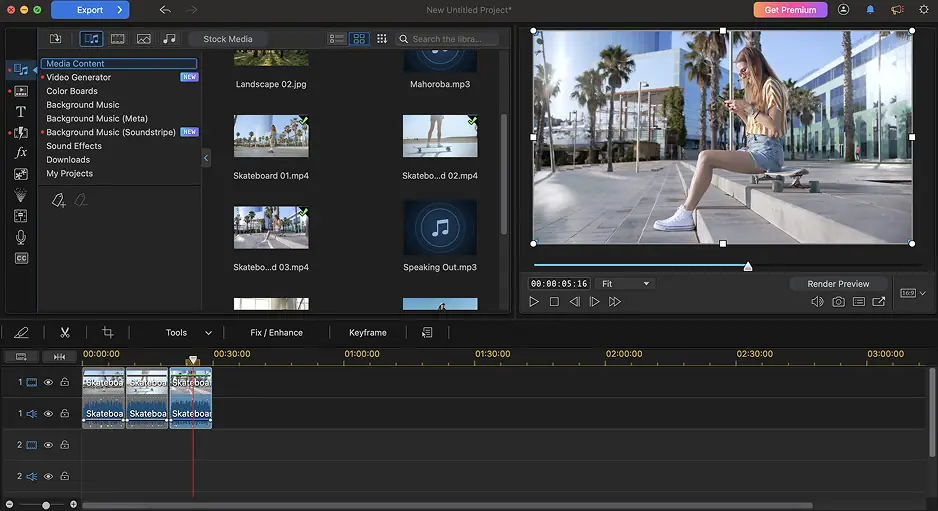
Both editors now include AI features, but they use them in slightly different ways.
The AI capabilities of Premiere® Pro are geared towards making things easier while editing professionally. Captioning tools, audio enhancement, automatic reframing, color correction help, and generative clip extension are helpful in cases where the user is already engaged in editing their timeline. These tools do not replace the need for an editor but reduce the tediousness surrounding editing.
The AI capabilities of PowerDirector seem to be more tailored towards creators. CyberLink focuses on providing AI effects, fast enhancements, object tools, audio capabilities, generative capabilities, and auto storytelling features. This would work well for social media content where one can have a better look without creating all effects by hand.
Winner: Tie. Premiere® Pro has stronger professional AI workflow tools, while PowerDirector makes AI easier for quick creative edits.
Premiere® Pro pros
Excellent for professional editing workflows
Advanced timeline control
Strong multicam editing
Deep color grading tools
Good audio tools and Adobe® Audition® integration
Works well with After Effects®, Photoshop®, and Frame.io
Broad codec and export support
Premiere® Pro cons
Steeper learning curve
Subscription cost may be too much for casual users
Can feel heavy on older machines
Best results often require workflow knowledge, not just editing taste
PowerDirector pros
Easier to learn
Fast for common creator projects
Good selection of effects, templates, and titles
Useful AI tools for quick edits
Often more affordable
Good fit for YouTube, TikTok, and casual business videos
PowerDirector cons
Less advanced for professional color workflows
Not as strong for complex post-production pipelines
Free or limited versions may include restrictions
Fewer high-end collaboration options than Premiere Pro
The PowerDirector and Premiere® Pro comparison has no universal winner. Premiere® Pro is the stronger editor for professionals, advanced projects, detailed color work, and Adobe®-based workflows. PowerDirector is the better choice for users who want a faster start, a friendlier interface, and plenty of creative tools without the same learning curve.
Choose Premiere® Pro if editing is part of your job or you want to grow into professional post-production. Choose PowerDirector if you want to make good-looking videos quickly and don’t need every advanced control under the sun.
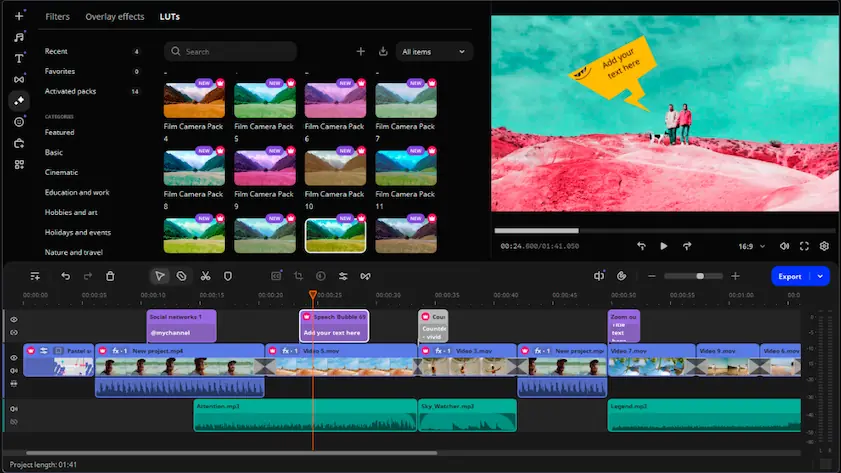
In case none of these options suit you fully, you should look into Movavi Video Editor. The editor occupies a perfect intermediate position – it is easier to handle than Adobe® Premiere® Pro, does not contain an overload of options that some other complex editors do, but is nonetheless powerful enough to make a decent movie.
The editor is aimed at users that need an efficient way to edit their videos – to cut the video, add captions, apply transitions and effects, handle audio tracks, work with subtitles, and finally produce a result without having spent a week on getting familiar with the program. This product would be suitable for any hobbyist, small business owner, teacher, student, or YouTuber.
There is no question of using this program as your professional editor replacement. This was never intended. But there is an advantage of opening the program and instantly understanding how to move forward.

Premiere® Pro suits best for professional editing, color grading, multicam editing, and workflow. In comparison, PowerDirector suits well for those who require an easy editor with creative capabilities and quicker learning.
Yes. Unlike Premiere® Pro, PowerDirector is beginner-friendly with its straightforward UI, templates, and functions that ease up the most usual edits.
In contrast, professionals prefer using Premiere® Pro due to their work in agencies, commercial content, YouTube creation, and post-production industry. At the same time, PowerDirector can be utilized in other cases for small businesses and freelancers.



1.5M+ users already subscribed to our newsletter