
Movavi Video Editor
Create awesome videos easily
Final Cut Pro vs. iMovie is a common comparison for Apple users looking for a video editor. While both applications are part of Apple's creative ecosystem, they are designed for different types of creators. iMovie focuses on simplicity, accessibility, and quick editing, whereas Final Cut Pro delivers professional-grade tools for advanced workflows. In this comparison, we'll examine features, performance, pricing, AI capabilities, and overall value to help you decide which editor best fits your needs.
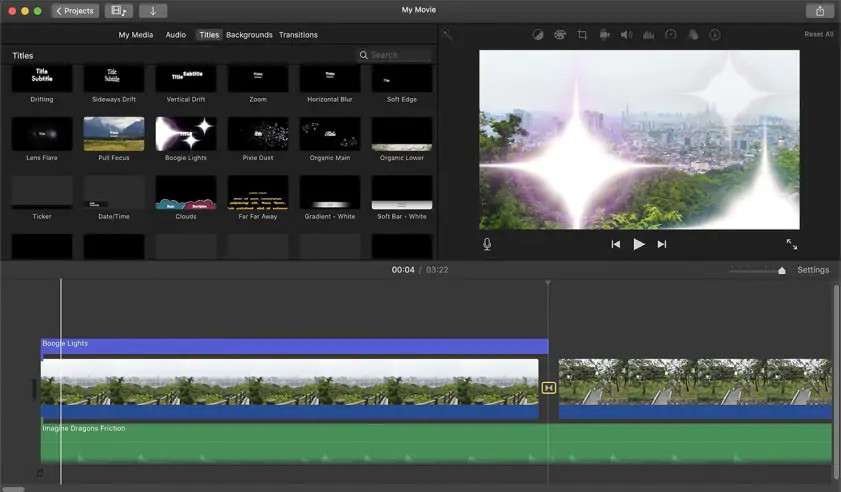
iMovie targets beginners with a clean layout, straightforward controls, and a drag-and-drop workflow. Features such as Storyboards and trailer templates help users create videos quickly, even without prior editing experience. Core tools are easy to find, which keeps the learning curve low.
Final Cut Pro offers a more sophisticated editing environment aimed at professional creators. The Magnetic Timeline, customizable workspaces, and advanced editing controls provide greater flexibility, but they also require more time to learn.
Winner: iMovie. Most newcomers achieve results faster with iMovie thanks to its intuitive interface and guided workflow, while Final Cut Pro demands a deeper understanding of professional editing tools.
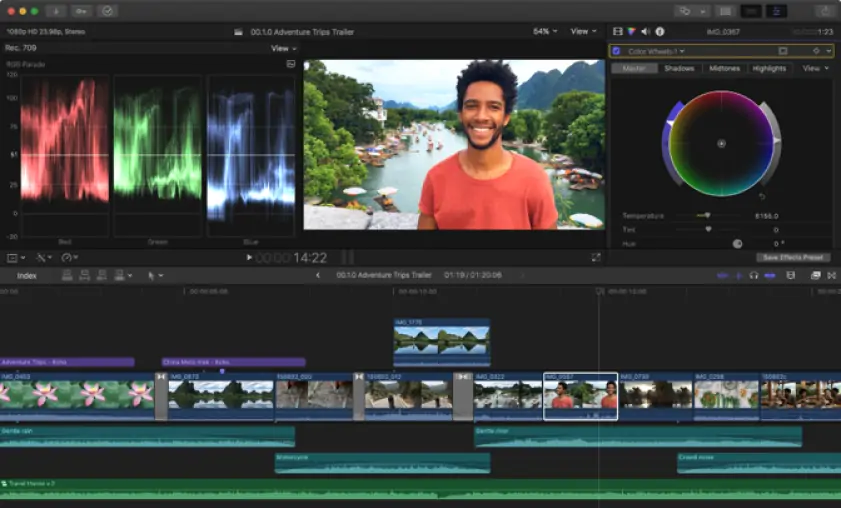
Both applications include the core tools required for video editing, but the scope of those tools differs considerably. iMovie offers clip trimming, transitions, titles, green-screen effects, picture-in-picture layouts, and basic audio and color adjustments. These features are suitable for personal projects, presentations, and social media videos.
Final Cut Pro extends these capabilities with tools designed for more demanding productions. Editors can work with synchronized footage from multiple cameras, apply detailed color corrections, mix and organize audio with greater precision through audio roles and advanced controls, and track objects within a scene. The software also supports custom titles, generators, and effects, with additional design options available through Apple's Motion app.
Another distinction lies in format support and project management. Final Cut Pro works with professional codecs such as ProRes and includes libraries, keyword collections, metadata filtering, and other organizational tools designed for large projects. In contrast, iMovie focuses on widely used consumer formats and a simpler project structure.
Several capabilities available in Final Cut Pro, including multicam editing, object tracking, professional color grading tools, and advanced media management, are not available in iMovie.
Winner: Final Cut Pro. Final Cut Pro provides a deeper toolset for creators who require precision, scalability, and greater creative control over the editing process.
Rendering speed becomes increasingly important as project complexity grows. iMovie exports standard HD and 4K videos efficiently, but Final Cut Pro is better equipped for demanding workloads thanks to deeper GPU acceleration and extensive optimization for Apple Silicon.
The gap widens when working with large projects. Final Cut Pro remains responsive when handling lengthy timelines, multiple video streams, multicam footage, and professional codecs such as ProRes. iMovie performs reliably with smaller projects but lacks many of the tools designed for large-scale productions.
High-resolution workflows also favor Final Cut Pro. The software supports advanced 4K, HDR, and professional delivery formats, giving creators greater flexibility during post-production. This can translate into faster turnaround times for content creators, filmmakers, and video professionals who regularly work with complex media assets.
Winner: Final Cut Pro. Its stronger hardware optimization, superior handling of large projects, and support for professional workflows make it the more capable performer overall.
Cost is one of the clearest differences between these editors. iMovie is free for Mac, iPhone, and iPad users and includes all features without watermarks. There are no subscription fees, upgrade tiers, or feature restrictions to consider.
Final Cut Pro is available as a standalone purchase for $299.99. Apple also offers access through its Creator Studio subscription. New subscribers receive a one-month free trial, after which the service costs $12.99 per month or $129 per year. Eligible students and educators can subscribe at a reduced rate of $2.99 per month or $29.99 per year.
Winner: iMovie for affordability. No purchase or subscription is required.
Winner: Final Cut Pro for professional value. Its pricing reflects a feature set designed for professional production and post-production work.
iMovie has a broader device range. It runs on Mac, iPhone, and iPad, so users can start a project on a mobile device and continue on a desktop through Apple's ecosystem.
Final Cut Pro is available for Mac, with a separate iPad version for tablet-based editing. This setup suits users who prefer Apple hardware but need a more advanced workspace than iMovie provides.
Neither editor supports Windows or Android. For Apple users, iMovie offers more mobility across everyday devices, while Final Cut Pro provides a stronger desktop and iPad editing environment for complex projects.
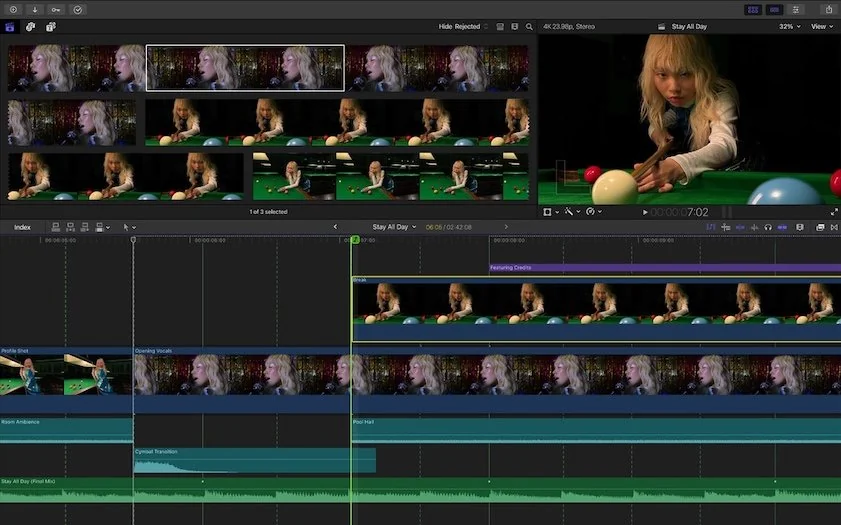
Final Cut Pro includes several AI-assisted editing tools, while iMovie relies primarily on templates and guided workflows. As a result, the difference between the two editors is particularly noticeable in this area.
iMovie
These features help users organize clips and assemble videos more quickly, especially when working on simple projects or editing for the first time.
Final Cut Pro
These tools can reduce the amount of manual work required during editing. For example, Magnetic Mask can isolate subjects automatically, while Transcribe to Captions generates captions from spoken dialogue. Enhance Light and Color analyzes footage and applies corrections automatically, and Voice Isolation can improve speech clarity with minimal adjustment.
For beginners, AI features in iMovie simplify project creation and speed up the editing process. Final Cut Pro uses AI in a broader range of tasks, helping editors save time on captioning, audio cleanup, visual adjustments, and subject isolation.
Final Cut Pro pros
Professional editing tools
Advanced color grading capabilities
Multicam editing support
AI-assisted features for faster workflows
Final Cut Pro cons
Requires a paid license or subscription
Steeper learning curve
Available only on Apple devices
iMovie pros
Free for Apple users
Easy to learn and navigate
No watermark on exported videos
Well suited to beginners
iMovie cons
No multicam editing or object tracking
Basic color correction tools
Limited codec, export, and media management options
The differences between Final Cut Pro and iMovie become clearer when viewed through the types of content creators typically produce.
In the iMovie vs. Final Cut Pro comparison, the right choice depends largely on the scope of your projects. iMovie covers the essentials and offers a straightforward way to edit personal videos, school assignments, and social media content. Final Cut Pro is better suited to productions that require greater control over footage, audio, color, and delivery formats.
Users who edit occasionally may find everything they need in iMovie. Those working on commercial, long-form, or technically demanding projects are more likely to benefit from Final Cut Pro's broader capabilities and professional toolset.
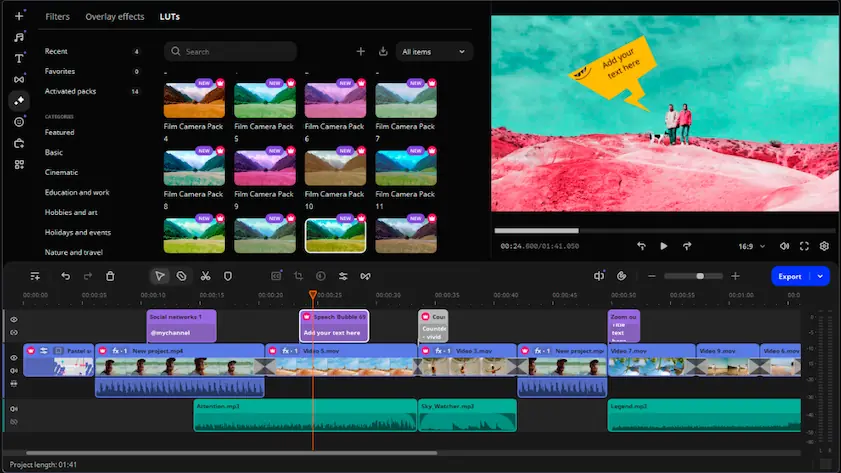
If you find iMovie too restrictive but have no need for the extensive toolset of Final Cut Pro, Movavi Video Editor is worth considering. It is easier to learn than Final Cut Pro while offering a broader editing toolkit than iMovie, including effects, transitions, titles, templates, and advanced editing tools.
The software also includes AI-powered features such as background removal, motion tracking, noise reduction, and automatic enhancements. Unlike iMovie and Final Cut Pro, which are limited to Apple's ecosystem, Movavi Video Editor is available for both Windows and Mac, giving you more flexibility when working across different devices.

Not necessarily. Final Cut Pro offers more advanced tools, broader format support, and professional editing capabilities. However, iMovie may be the better choice for users who need a simple editor for everyday projects.
Yes. Many users start with iMovie and later move to Final Cut Pro as their editing needs grow. The transition is relatively straightforward because both applications are developed by Apple and share some workflow concepts.
Yes. iMovie provides the tools needed for many YouTube videos, especially vlogs, tutorials, and personal content. More complex productions may benefit from Final Cut Pro's additional capabilities.



1.5M+ users already subscribed to our newsletter