Starting this Premiere® Pro vs. After Effects® comparison, one thing must be immediately noted. Both of these powerful video editing products are brought to the world by Adobe®. They share the same creative ecosystem, but they target completely different mindsets.
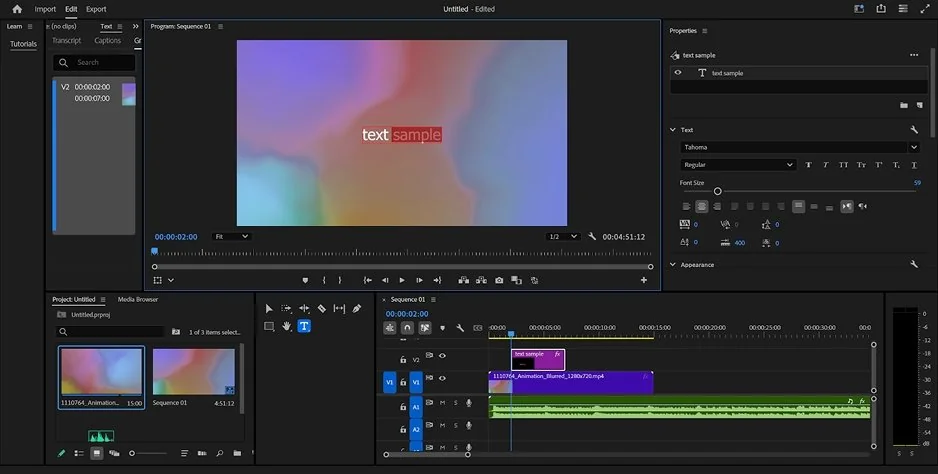
Premiere® Pro is a timeline software tool for a video editor’s post-production workflow. With it, you cut, arrange, and fine-tune existing video footage. The interface centers heavily around a track layout where anyone can easily drop clips and build sequences. Onboarding is not stressful, so beginners can pick it up fast.
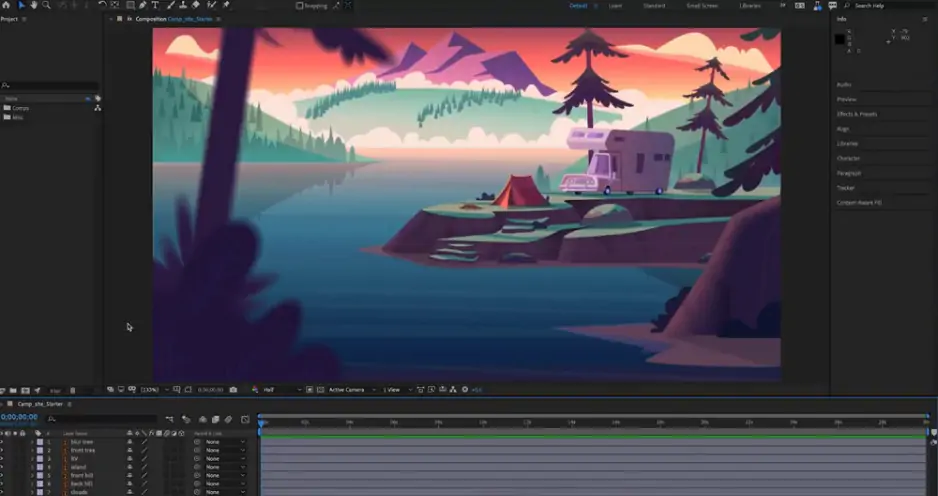
If Premiere® is made for cutting, arranging, and enhancing things you’ve already shot, After Effects® is more about creating pro-looking motion graphics and visual effects to your videos. An industry-standard desktop software, it creates motion graphics and visual effects from scratch. Its layer layout requires immense patience and tutorials because you must manage independent layers, vectors, and keyframes instead of stitching media files sequentially.
Both programs share a core purpose. They manipulate video clips into a movie. They also overlap when you add basic text or correct raw color. However, their obvious distinctions set them apart. Premiere® Pro lays clips out horizontally in a sequence to shape a narrative over time. This design makes simple storytelling highly approachable. After Effects® stacks elements vertically in layers to build up a single, complex composite shot. This structure introduces a much steeper learning curve for newcomers.
Winner: Premiere® Pro because its editing workspace is significantly easier to learn.