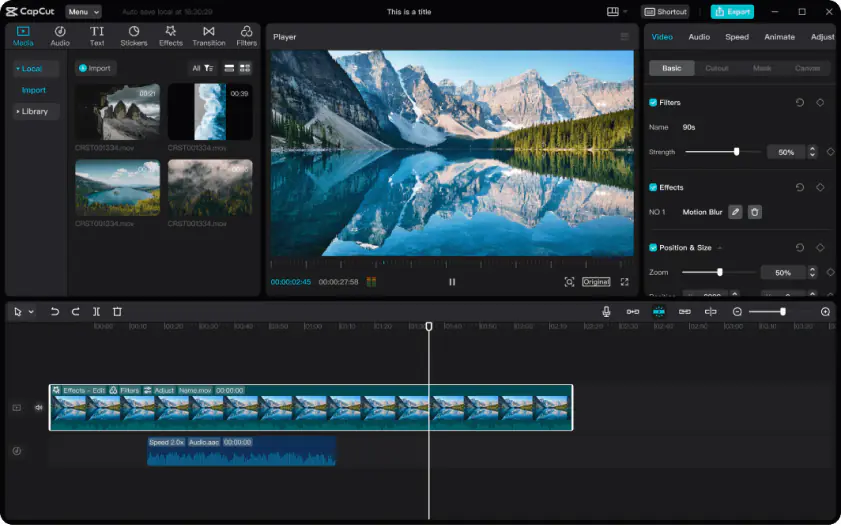
CapCut prioritizes speed and platform-specific content tools. The editor includes a large collection of prebuilt templates, animated text styles, social media transitions, filters, and viral effects designed for TikTok, Shorts, and Reels. Auto-captions and subtitle generation are integrated directly into the timeline and support multiple languages with relatively accurate speech recognition. Vertical video presets, aspect ratio switching, and platform-oriented export settings are also handled more efficiently than in traditional desktop editors.
Motion graphics in CapCut rely heavily on presets and automated animation systems. The workflow favors quick publishing over manual customization. Audio controls cover the basics, including voiceovers, music syncing, noise reduction, and automatic beat alignment.
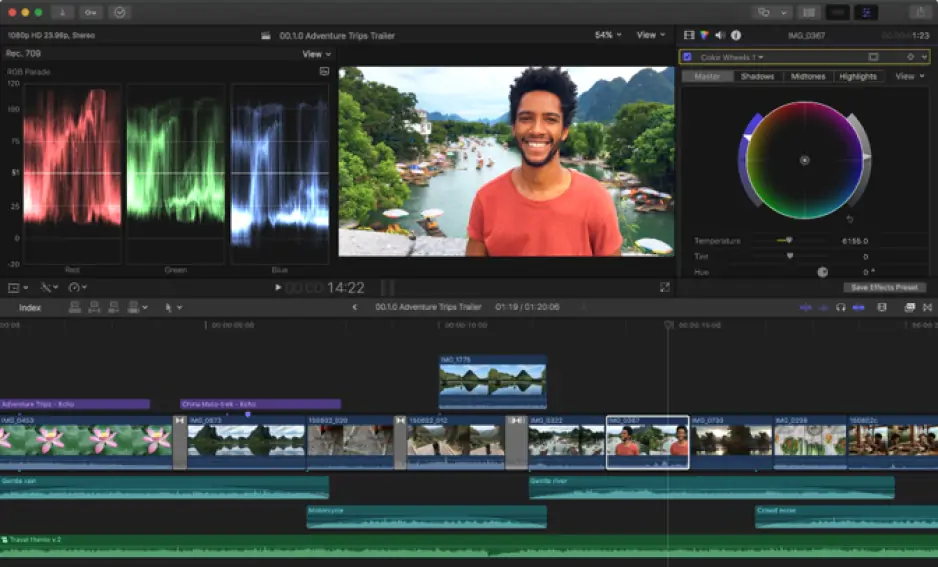
Final Cut Pro offers a more advanced editing environment. Multi-track timeline management is significantly stronger, particularly for large projects with layered footage, external audio, and multicam sequences. The software also supports advanced color grading, object tracking, keyframing, HDR editing, and deeper export customization through ProRes, HEVC, and XML workflows. Motion graphics integration through Apple Motion provides substantially more control than CapCut’s template system.
Winner: CapCut is stronger for short-form publishing workflows, while Final Cut Pro provides broader editing precision and post-production control.