
Movavi Video Editor
Create awesome videos easily
Final Cut Pro vs. After Effects® may seem like a straightforward battle between two softwares. Yet there's more to consider than meets the eye. Final Cut Pro is a streamlined and speedy video editor for Macs that allows you to edit, color grade, sort and export completed videos. After Effects® is a motion design and visual effects package that enables animation, compositing, tracking, masking and other fancy pixel stuff.
Hence, in terms of After Effects® vs. Final Cut Pro, it really depends on what needs doing. For example, if you are working on a YouTube clip, an interview, or anything else that involves video editing, then go with Final Cut Pro. But if you're designing animations, visual effects, or screen replacement, After Effects® would probably suit you better.
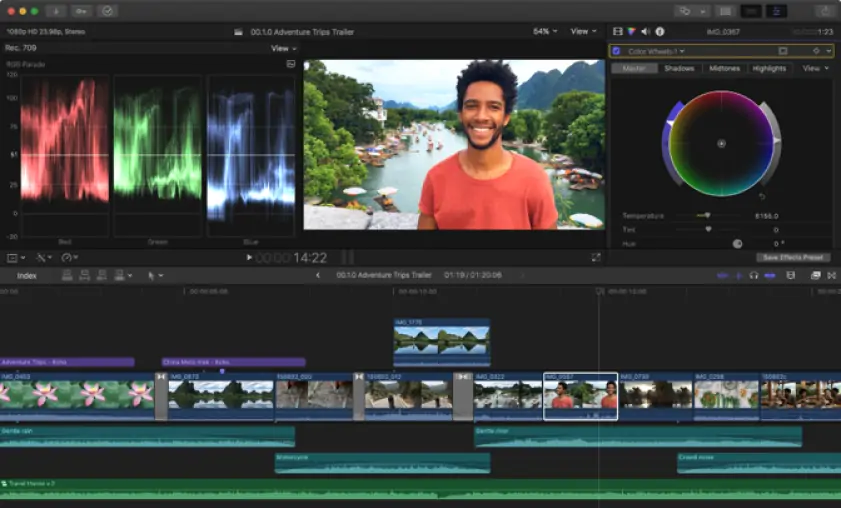
Final Cut Pro feels like it wants you to keep moving. The Magnetic Timeline, skimming, clean media organization, and fast trimming tools make it practical for editors who need to get from raw footage to finished export without too much ceremony.
That doesn’t mean it’s beginner software. You still need to understand libraries, events, compound clips, roles, codecs, proxies, captions, and delivery settings. But the learning process feels tied to actual editing. You try something, adjust it, play it back, and move on.
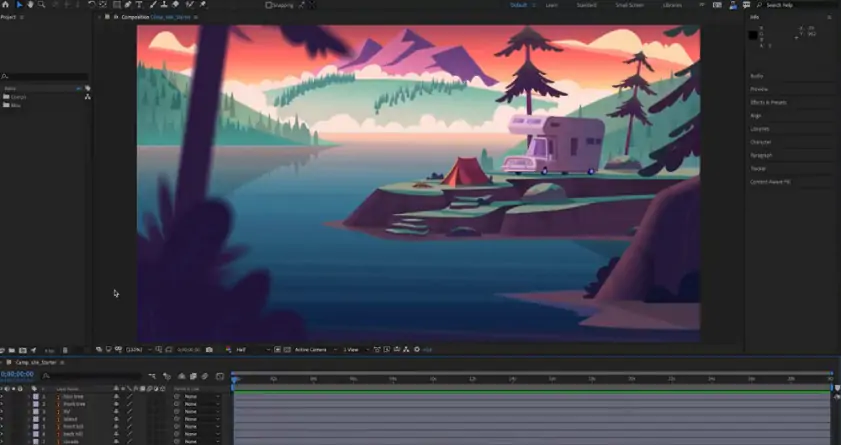
After Effects® is a different creature. It thinks in layers, compositions, masks, keyframes, effects, precomps, tracking, and expressions. That’s brilliant when you’re animating a logo or building a stylized title sequence. It’s less charming when you just want to trim a talking-head clip and add music underneath.
The interface reflects that difference. Final Cut Pro feels like an editing room. After Effects® feels like a workshop where every drawer contains another drawer.
Winner: Final Cut Pro. It’s easier to learn for video editing and much faster for everyday creator work.
It is here that Final Cut Pro and After Effects® cease to be competitors and become specialists.
Final Cut Pro is a non-linear video editor. It offers timeline editing, trimming, multi-camera editing, captions, color correction, audio adjustments, effects, titles, and professional exporting. The Magnetic Timeline might seem unusual if you are accustomed to working with standard tracks, but it will speed things up once you get the hang of it.
Its AI tools are also practical. Magnetic Mask can isolate people or objects without a green screen. Automatic captions help with spoken audio. Visual Search and Transcript Search make it easier to find material inside larger projects. Object tracking lets you attach titles or effects to moving subjects.
After Effects® is not trying to be a classic editor. It’s built for motion graphics, compositing, animation, and visual effects. You can animate typography, track a screen, create lower thirds, build product animations, remove objects, or create a visual scene that would be painful to build in a standard video editor.
For codec and export workflows, Final Cut Pro is strong inside Apple’s ecosystem, especially with ProRes, HDR, and Compressor. After Effects® usually works through Render Queue or Adobe® Media Encoder, which fits neatly into Adobe® Creative Cloud® workflows.
Winner: Final Cut Pro for video editing. After Effects® for motion graphics and VFX.
Final Cut Pro has one huge advantage: Apple optimization. On Apple silicon, it often feels quick in a way that’s hard to ignore. Playback is smooth, exports are fast, and long timelines tend to behave well if your media is organized properly.
After Effects® is heavier because the work is heavier. A simple text animation may preview smoothly. A composition with 3D layers, motion blur, effects, tracking, particles, and nested precomps can slow down even a solid computer. RAM previews, cache settings, GPU acceleration, and storage speed all matter.
That’s not a flaw as much as a trade-off. After Effects® gives you microscopic control, but microscopic control is rarely lightweight.
Winner: Final Cut Pro for speed and everyday editing performance.
Final Cut Pro can be bought once and forever at $299.99, or it can be used through the Apple Creator Studio program. This way, Final Cut Pro comes in subscription form if you prefer this approach.
Adobe®'s app relies on subscriptions. The single app price is $22.99 per month. Moreover, you can buy one of the Creative Cloud® packages, which include After Effects®. This is perfect if you use Premiere® Pro, Photoshop®, Illustrator®, or Media Encoder. Otherwise, the monthly price can be challenging if you use this tool from time to time.
Both software programs provide trial versions. None of them can be called free editing tools, nor do they apply any watermark to videos even in the paid version. The duration of the trial period may vary, so check out the latest prices directly from Adobe.
Winner: Final Cut Pro if you don't like subscription-based pricing; After Effects® if you work in Adobe® Creative Cloud®.
Final Cut Pro is Apple-only. It runs on Mac, with an iPad version available too. That’s great for editors already working with MacBooks, iPhones, iPads, ProRes, and Apple displays. It’s less useful if your team edits on Windows.
After Effects® runs on Windows and macOS, which makes it easier for mixed teams, agencies, schools, and freelancers who don’t want to be locked into one hardware ecosystem.
Winner: After Effects® for broader compatibility.
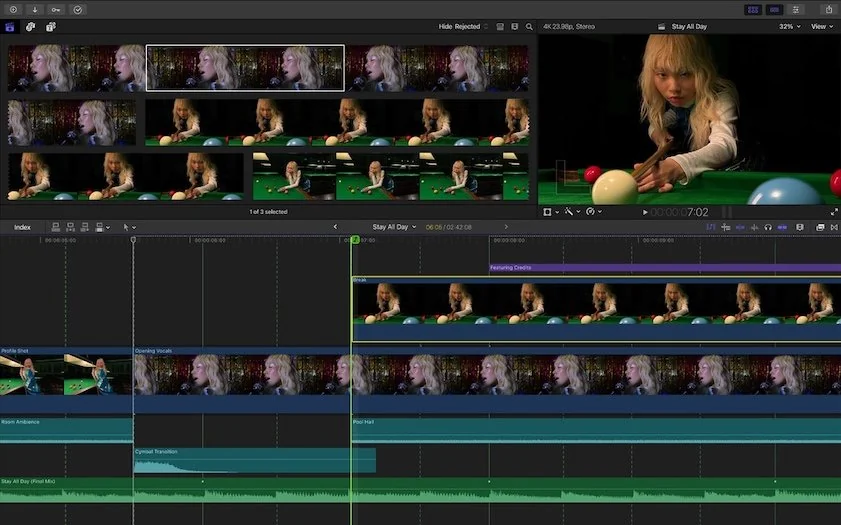
Final Cut Pro’s AI tools are aimed at editors. Magnetic Mask, automatic captions, Visual Search, Transcript Search, object tracking, and machine-learning color features all solve everyday production problems. They’re not flashy just for the sake of being flashy; they remove boring work from the edit.
After Effects® also has AI-assisted workflows, especially around masking, tracking, and Adobe®’s broader Firefly® ecosystem. Still, After Effects® remains a manual-control app at heart. Its magic lives in keyframes, layers, timing, and visual detail.
Winner: Final Cut Pro for practical editing AI. After Effects® for AI-assisted motion and VFX workflows.
Final Cut Pro pros
Fast performance on modern Mac hardware
Strong professional editing workflow
Excellent color tools for editors
One-time purchase option
Useful AI features for masking, captions, search, and tracking
Good fit for YouTube, client videos, documentaries, and social content
Final Cut Pro cons
Desktop version is Mac-only
Magnetic Timeline can feel unusual at first
Advanced motion graphics usually require another tool
Less convenient for Windows-based teams
After Effects® pros
Industry-standard motion graphics and VFX tool
Deep control over animation and compositing
Strong integration with Adobe apps
Runs on Windows and macOS
Excellent for titles, screen replacements, tracking, and animated brand assets
Huge plug-in and tutorial ecosystem
After Effects® cons
Steep learning curve
Not ideal as a primary video editor
Subscription-only pricing
Heavy projects can demand strong hardware
Rendering and previewing can take patience
Casual editing might be too difficult for one of these two options.
Though both After Effects and Final Cut Pro are legitimate tools for video editing, they are targeted at two different people on two different Tuesdays.
Use Final Cut Pro when it comes to editing full videos from beginning to end, particularly in Apple-based environments. On the other hand, go for After Effects® if your project requires compositing, motion graphics, animations, or even VFX.
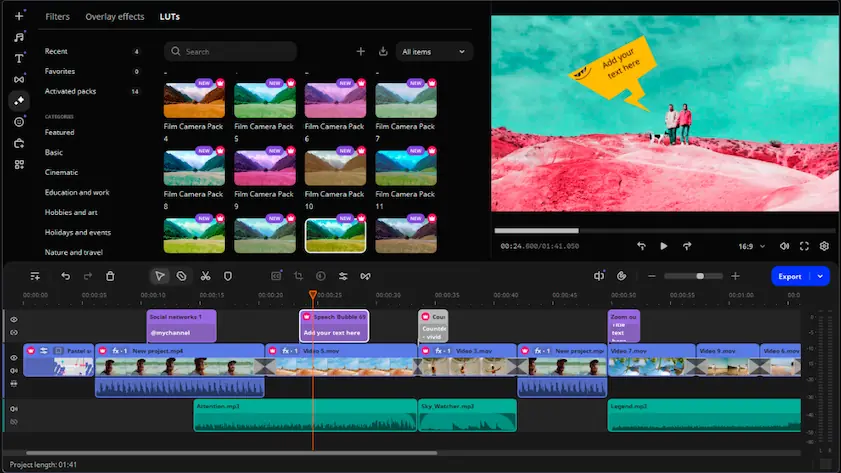
For those who cannot bear either one of these, there is always Movavi Video Editor as the option that is more straightforward. It is targeted at users who need to make a good video without being deeply involved in the whole professional process of post-production.
Among the features offered by Movavi Video Editor are cutting/trimming, cropping, titles, adding music, filters, transitions, overlay, stabilization, color correction, audio editing, and automatic subtitles. The tool can also have AI options, which might include background removal and noise reduction, depending on the specific package you are purchasing.
It certainly does not mean that it will try competing with professional software such as After Effects® in terms of complex compositing or even becoming the most technically challenging editor available. These are the benefits of the application. When it comes to YouTube videos, personal projects, educational content, product demonstrations, and other materials needed for small businesses, this video editor helps to take the first step towards success.
The version might have limitations, including but not limited to the presence of watermarks, restrictions for exporting videos, reduced time of audio recordings, or unavailable advanced options.

Final Cut Pro is better suited for editing, while After Effects® is better for animation and visual effects.
Not comfortably. After Effects® can combine sequences, but it is more efficient for motion graphic design and video effects rather than editing videos.
Certainly. One of the most common practices involves editing the video in Final Cut Pro and applying special visual effects in After Effects®.



1.5M+ users already subscribed to our newsletter