CapCut vs. Premiere® Rush: Features, Pricing, Performance Compared
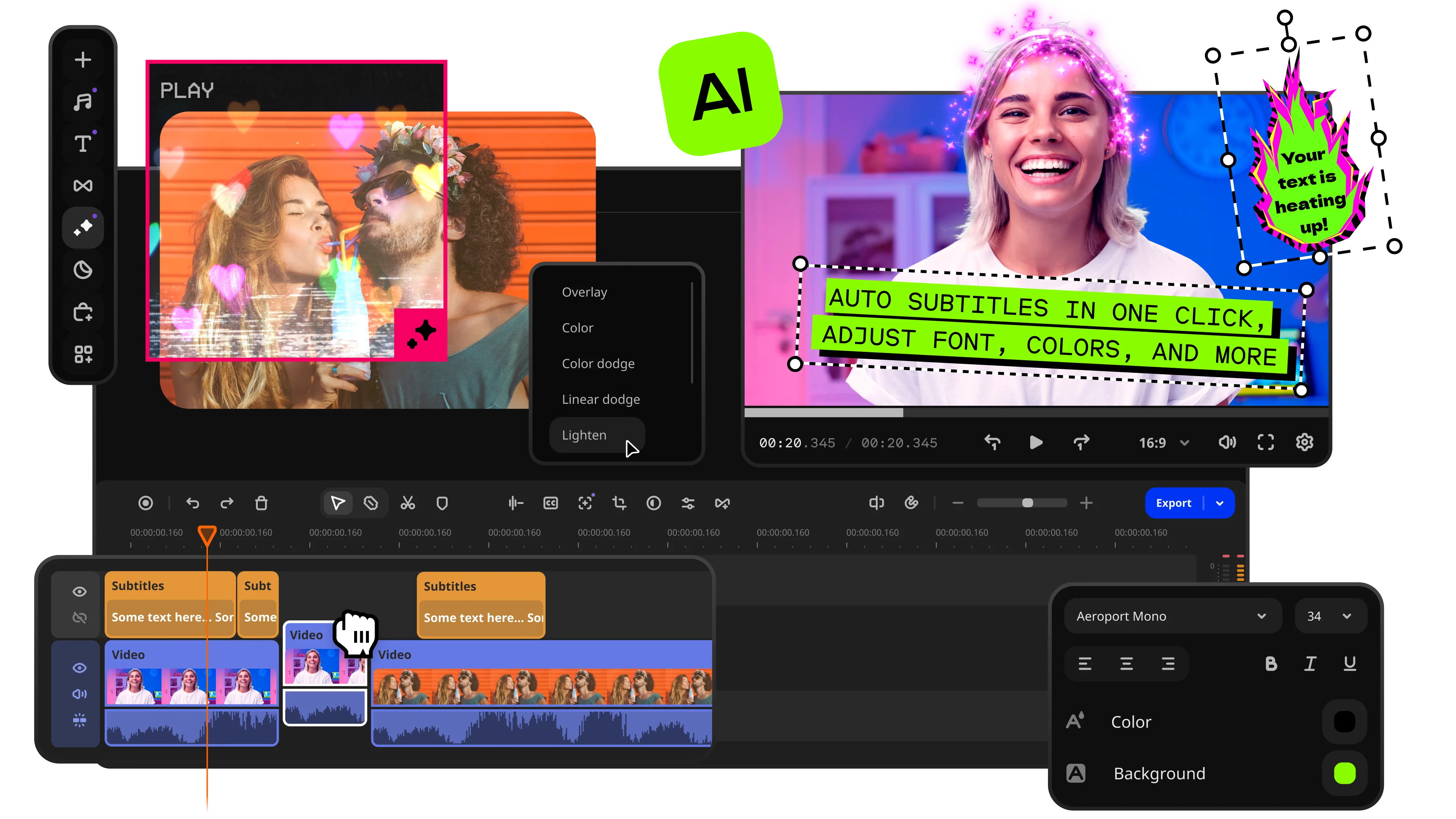
Fast and easy editing: cut, crop, adjust colors and speed
One-click AI tools: auto subtitles, noise removal, and more
Hundreds of filters, transitions, titles, overlays

Everyone seems to run a blog or social page today. To drop catchy clips, creators need software that stops the scroll instantly. CapCut and Premiere® Rush are the two main editors on every phone right now. Let us put them against each other and see where each one excels and fails. Read this comprehensive CapCut vs. Premiere® Rush comparison to find your ultimate editing match.
Quick summary
- Best for TikTok: CapCut wins instantly. It connects directly to the app and pulls the newest trending sounds for your clips.
- Best for beginners: CapCut keeps things simple. The drag-and-drop workflow allows total beginners to master the app within minutes.
- Best mobile workflow: CapCut runs a mobile-first upload pipeline. The vertical setup makes on-the-fly editing much faster on phones.
- Best free option: CapCut offers its main toolkit entirely free. You get advanced high-retention tools without paying a dime.
Ease of use
CapCut is built around a mobile-first workflow that feels instantly familiar to TikTok and Shorts creators. The interface uses a thumb-friendly drag-and-drop timeline with clear controls and automatic editing helpers that remove most technical barriers. New users can start trimming clips, adding transitions, and syncing music within minutes without watching tutorials. The layout feels optimized for quick social media editing rather than traditional post-production.
Adobe® Premiere® Rush takes a more classic editing approach inspired by desktop video editors. The interface is clean and organized, making it easier to understand than many professional Adobe products. Users can learn the workspace fairly quickly, especially if they already have experience with standard timeline-based editing. However, compared to CapCut, Rush feels more traditional and slightly less intuitive for creators focused on fast social content.
Winner: CapCut wins because its drag-and-drop mobile workflow allows complete beginners to edit videos almost immediately.
Features
In the CapCut and Premiere® Rush landscape, CapCut focuses heavily on modern creator tools and viral-style editing. The software includes transition packs, automatic subtitles, keyframe tracking, beat synchronization, trendy visual effects, text animations, and smart voice isolation. It also supports masking tools and AI-powered automation that speed up repetitive editing tasks. CapCut is designed specifically for fast-moving social media trends and short-form engagement.
Adobe® Premiere® Rush provides a simpler and cleaner feature set aimed at creators who prefer traditional editing. The software includes multi-track timelines, standard transitions, color correction sliders, and basic jump cuts. Rush also integrates directly with Adobe® Premiere® Pro through Creative Cloud®, allowing creators to continue advanced editing in a professional environment later. However, it lacks advanced AI tools, masking systems, and many of the viral-focused assets found in CapCut.
Winner: CapCut wins because it offers more modern creator-focused tools, built-in trend templates, and advanced automation features directly inside the app.
Performance
CapCut performs surprisingly well across phones, laptops, desktops, and web browsers. The software uses smart proxy optimization that keeps playback smooth even when users stack multiple text animations and visual effects. Exports remain fast, and the app stays responsive on most modern devices, including budget hardware.
Adobe® Premiere® Rush performs reliably on newer laptops and mainstream mobile devices, but older Android phones may experience lag during exports or timeline playback. The software handles standard editing tasks smoothly, but it lacks some of the optimization tricks that make CapCut feel faster during heavy social-media-style edits.
Winner: CapCut wins because it delivers smoother playback, faster rendering, and stronger optimization across a wider range of devices.
Pricing
CapCut provides a generous free version that includes 4K exports, text animations, transition packs, and many AI-based editing tools. Most standard exports remain watermark-free, although some premium templates require a paid subscription. The Pro version costs approximately $7.99 per month and unlocks additional premium assets and AI functions.
Adobe® Premiere® Rush offers a free starter plan, but it limits users to only a few exports and removes access to many premium features. The paid version costs around $9.99 monthly and mainly benefits creators already invested in the Adobe ecosystem.
Winner: CapCut wins because its free plan offers significantly more creative freedom without major export limitations or mandatory subscriptions.
Platform compatibility
CapCut supports Android, iOS, Windows, macOS, and web browsers, making it one of the most flexible editing platforms available today. Users can edit projects almost anywhere without installing heavy desktop software. The browser version especially increases accessibility for casual creators.
Adobe® Premiere® Rush works on Android, iOS, Windows, and macOS systems. However, unlike CapCut, Rush does not offer browser-based editing. Users must install the application locally on every device they use.
Winner: CapCut wins because it supports browser editing alongside mobile and desktop platforms while maintaining smooth cloud synchronization.
AI tools
AI automation is one of CapCut’s biggest strengths. The software includes auto-captions, automatic background removal, beat syncing, smart tracking, and one-click voice isolation. These tools dramatically reduce editing time for creators producing high-volume social media content.
In the Premiere® Rush vs. CapCut discussion, Adobe® Premiere® Rush includes only basic AI-assisted functionality, mainly limited to audio ducking and some simple automatic adjustments. Compared to CapCut, the platform lacks advanced AI-powered creator tools and automated social editing features.
Winner: CapCut wins because its AI-powered automation saves creators hours of repetitive manual editing work while simplifying complex social media production tasks.
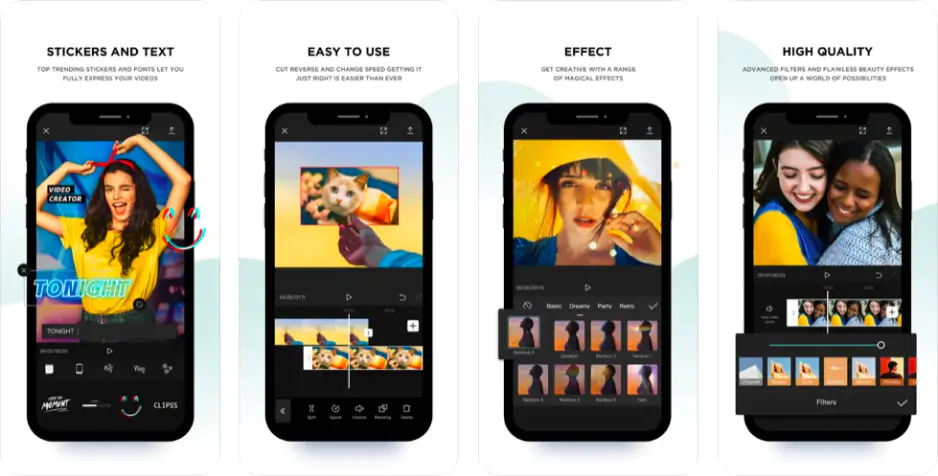
Pros:
Easy to use
Dynamic speed ramping
Automatic beat sync
Massive audio library
Cons:
Desktop app requires high RAM
Project links expire quickly
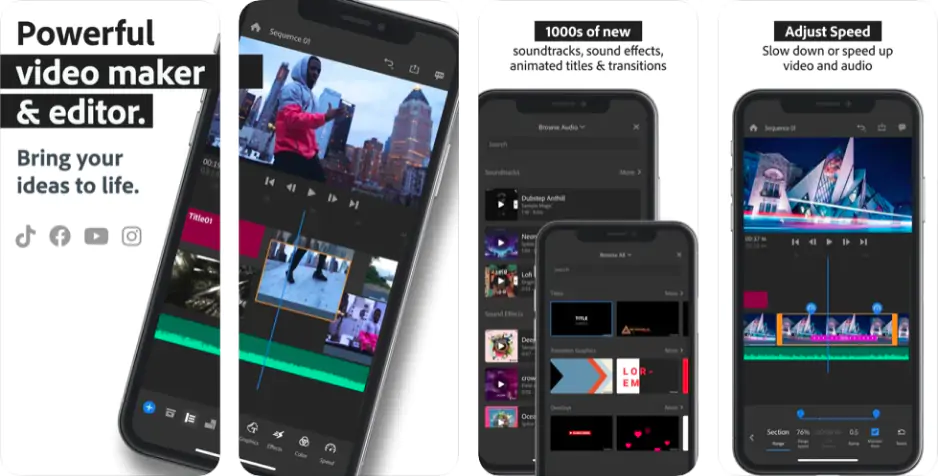
Pros:
Multi-track timeline
Accurate Lumetri color sliders
Clean audio level meters
Integration with other Adobe apps
Cons:
Free tier restricts export quantities
Zero automatic subtitle tools
Best use cases
CapCut is the ultimate playground for absolute rookies, casual creators, and edit accounts who live for vertical clips on TikTok, Reels, and Shorts. It gives you the exact fast pacing and high-retention setups that social media algorithms love. Premiere® Rush works better for traditional YouTube vloggers, business pros, and brand teams who just need clean, widescreen video files.
Final verdict
CapCut secures the top spot for fast, trend-heavy social media content. It gives you the necessary automated tools to win the modern attention economy. Premiere® Rush works well if you need a simple Adobe link for desktop color grading. The traditional software serves solo creators who prioritize clean, manual cuts over viral template patterns.
Alternative: Movavi Video Editor
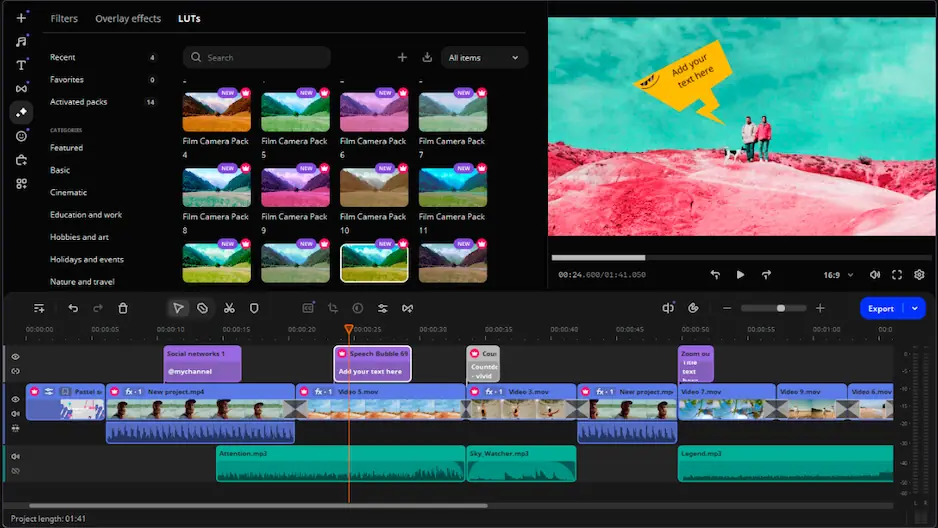
If neither Premiere® Rush or CapCut fits your style, try Movavi Video Editor instead. It mixes the fun AI features of CapCut with the traditional timeline view of Premiere® Rush. You can swap backgrounds instantly, track moving objects, and drop green-screen clips onto your tracks without digging through confusing nested submenus. The software flies on basic laptops and keeps things super simple for first-timers. You get clean, sharp uploads for widescreen screens or vertical mobile feeds without any complex tech headaches.
Movavi Video Editor
Create awesome videos easily

Frequently asked questions
Which app is better: Premiere® Rush or CapCut?
Which app is better: Premiere® Rush or CapCut?
CapCut wins for 90% of creators. It provides the exact auto-captions, fast cuts, and trending assets you need for viral growth. Premiere® Rush only makes sense if you need a basic mobile link for Adobe desktop programs.
Do Premiere® Rush and CapCut have a free version?
Do Premiere® Rush and CapCut have a free version?
Yes, both apps offer free tiers without watermarks on regular video exports. CapCut gives you its main tools for free, while Premiere® Rush limits your cloud assets and advanced premium color controls.
What to do if neither app meets my goal?
What to do if neither app meets my goal?
Try an alternative instead. For example, Movavi Video Editor gives you the fun AI features of CapCut alongside the traditional, steady timeline layout of Premiere® Rush, and without complex submenus! Like CapCut, it lets you swap backgrounds instantly and use smart AI tracking with one click. Like Rush, it offers a rock-solid desktop workspace that handles long horizontal projects perfectly. At the same time, it works speedily on weak laptops and is perfectly geared towards first-time creators.

Have questions?
If you can’t find the answer to your question, please feel free to contact our Support Team.
Join us for discounts, editing tips, and content ideas


1.5M+ users already subscribed to our newsletter