1. Movavi Video Editor
Best for: Muting a clip and finishing the entire video – subtitles, music, effects – without switching apps.
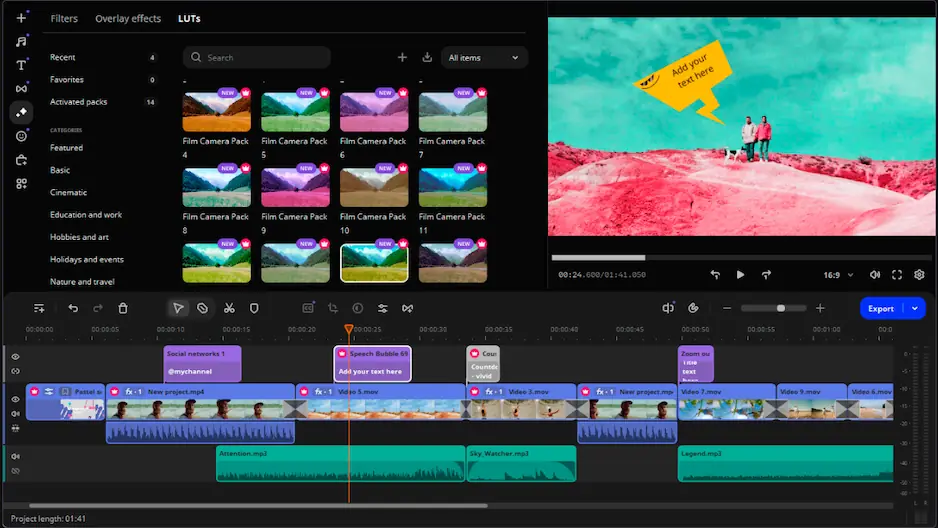
Why we picked it:
Movavi Video Editor combines fast sound suppression with a full desktop editing suite for Windows and macOS. You can mute an individual clip on the timeline in seconds by pulling its volume slider to zero or detaching and deleting the audio track entirely. If you want to tone down background distraction rather than kill the sound completely, its AI noise removal clears out wind, hums, and traffic while keeping dialogue crisp. Detached audio tracks can also be saved separately, making it easy to bring original recordings back later or swap them with voiceovers and royalty-free music. It remains the most versatile all-in-one desktop solution for silencing footage without sacrificing video quality or switching between apps.
Key features:
- Per-clip volume control to mute individual video sections without touching the rest of the project
- Audio detachment to separate, export, or permanently delete audio tracks from video footage
- One-click AI audio noise removal to eliminate wind, hum, and traffic instead of applying a hard mute
- Built-in audio tools, sound effects, and customizable templates to replace silenced tracks seamlessly