
Alternative: Movavi Video Editor

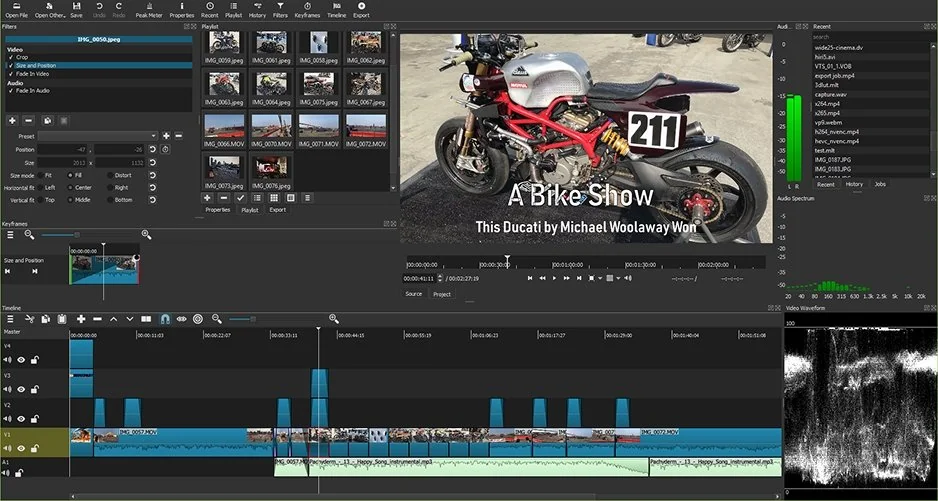
Because Shotcut is watermark-free by default, you don't need Movavi to escape a watermark – there simply isn't one to escape. But if Shotcut's aging interface and missing conveniences start to slow you down, Movavi Video Editor is an easy step up. It runs on both Windows and Mac and pairs a clean, beginner-friendly layout with a deeper toolkit: layered timelines, keyframe animation, motion tracking, and AI-assisted extras such as auto-captioning and background removal.
The honest caveat is pricing. Movavi offers subscription plans as well as a one-time lifetime license, and exact figures shift with region and promotions, so check the official store before buying. There's also a 7-day free trial that opens the full editor, but trial exports carry a watermark and a length cap, and the trial can auto-renew – set a reminder to cancel if you're only testing. In short, Movavi's watermark is a trial limitation you pay to lift, not a cure for a Shotcut watermark that never existed in the first place.
Shotcut is free, open source, and watermark-free – full stop. If a logo appears on your video, it came from your footage or your own filter, and you can hide it for free with the built-in tools rather than risky third-party software. Stick with Shotcut (or DaVinci Resolve) if budget is your priority; step up to a paid editor like Movavi only when you want more features, more platforms, and a smoother workflow – never to remove a watermark that was never there.




