
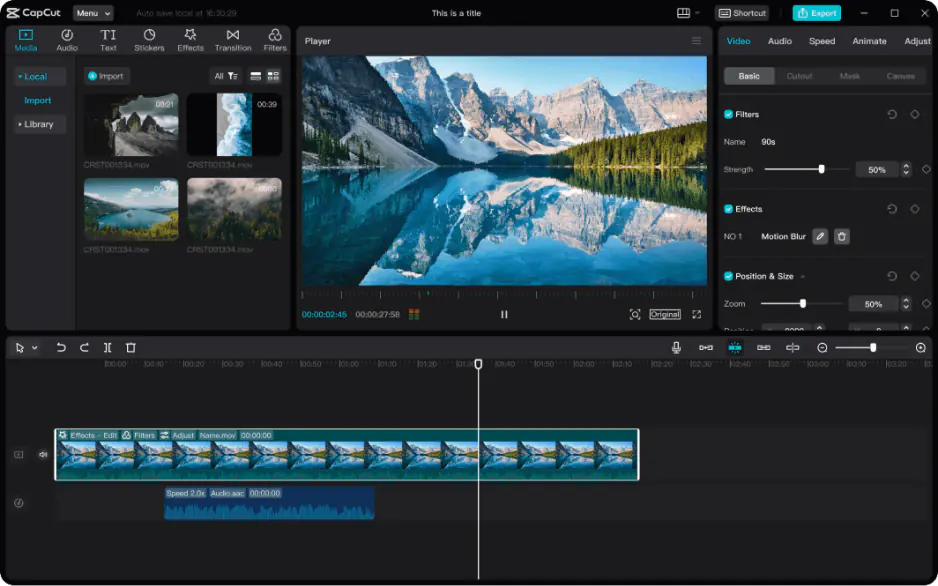
How to Remove a CapCut Watermark

Edited by
Ben Jacklin
6,137

Wondering how to remove a CapCut watermark from your videos? The simplest, safest route is upgrading to CapCut Pro, which legally removes it. Free workarounds like cropping or using third-party apps often reduce video quality or risk violating terms of service. Paid removal is fast and risk-free, while shortcuts can end up costing you quality or even your account.

Why CapCut adds a watermark

So, does CapCut have a watermark? Yes, by default, any video exported using the free version of CapCut includes a small logo in the corner, along with the app's name. This is a common practice among free editing tools, serving as both a branding strategy and a subtle promotion for the platform.

The CapCut watermark exists primarily as a marketing tool. Every time someone shares a watermarked video on social media, it acts as free advertising for the app, encouraging viewers to try it themselves. It also helps CapCut distinguish content created with its free tier from content made using paid subscriptions.

Additionally, the watermark helps offset the costs of offering a free, feature-rich editing platform. Since CapCut doesn't charge for basic use, the watermark serves as a trade-off. Users get powerful tools at no cost, while the app gains visibility.

The official way to remove the watermark

CapCut currently offers three tiers: Free, Standard, and Pro. In 2026, CapCut restructured its plans, so watermarks generally appear only on Pro-tagged templates and AI-generated exports rather than on standard edited videos. This means the CapCut free version watermark typically shows up on premium effects, filters, or AI features rather than basic cuts and trims.

To remove the CapCut watermark from these tagged exports, the Standard plan (around $9.99/month) is usually enough. This subscription plan unlocks premium templates, transitions, and text styles while eliminating watermarks tied to those elements. For creators who need 4K exports, expanded cloud storage, and the full AI toolkit (camera tracking, vocal isolation, voice cloning), the Pro tier (around $19.99/month, or $179.99/year) removes all watermark restrictions entirely.

Subscribing directly through the CapCut website rather than an app store is worth considering, since mobile app purchases often carry extra platform fees. Whichever tier you choose, paying for a subscription remains the only guaranteed, TOS-compliant way to eliminate watermarks permanently without risking quality loss or account restrictions that come with unofficial workarounds.

Is it possible to remove the watermark for free?

Technically, yes but it comes with real risks. A quick search will surface countless tools claiming to be a CapCut watermark remover, along with videos promising to teach you how to get rid of the CapCut watermark using cropping tricks, third-party apps, or browser extensions. While some of these methods might work temporarily, they're far from reliable or safe. These tools introduce far more problems than they solve making official channels the smarter long-term choice.

What could go wrong with third-party removal tools?

If you're searching for how to remove the watermark in CapCut without paying, you've likely stumbled across dozens of third-party apps and websites promising instant results. Unfortunately, many of these tools carry hidden dangers that outweigh their apparent convenience.

Many so-called CapCut watermark removal apps are riddled with malware, adware, or intrusive permissions that compromise your device's security. Others require uploading your video to unknown servers, raising serious privacy concerns about who else might access your content. When you upload a video to a third-party server for processing, you lose control over where that footage goes, how long it's stored, or whether it's used for other purposes without your consent.  Since these tools often require broad permissions or file uploads, you're essentially handing over control of your device or your content to unknown developers with no accountability.

Even when these tools function as advertised, they often degrade video quality through re-encoding or cropping, leaving you with a lower-resolution final product than what you started with.

Beyond the technical risks, using unauthorized methods to strip watermarks violates CapCut's terms of service, which could result in account suspension. For content creators who rely on CapCut for their livelihood, that risk simply isn't worth the money saved. The safest, most consistent way to get watermark-free videos remains an official subscription.

Try an alternative: Movavi Video Editor

If you'd rather sidestep the CapCut watermark debate entirely, Movavi Video Editor is worth considering. It's a beginner-friendly editing tool that offers a clean, intuitive interface without the steep learning curve of professional software.

Movavi Video Editor provides a solid range of features, including trimming, transitions, color correction, stabilization, and a library of stock effects and music. Exports are generally watermark-free once you purchase a license, and pricing tends to be straightforward. This makes budgeting easier, since you know exactly what you're paying for upfront.

For casual creators, vloggers, or small business owners producing occasional content, Movavi Video Editor strikes a nice balance between simplicity and functionality. If a clean, watermark-free export without complexity is your priority, it's a practical alternative worth trying.


Have questions?
If you can’t find the answer to your question, please feel free to contact our Support Team.
Join us for discounts, editing tips, and content ideas

1.5M+ users already subscribed to our newsletter

By signing up, I agree to receive marketing emails from Movavi and agree to Movavi's Privacy Policy.