
Final Cut Pro Cost

Edited by
Ben Jacklin
8,169

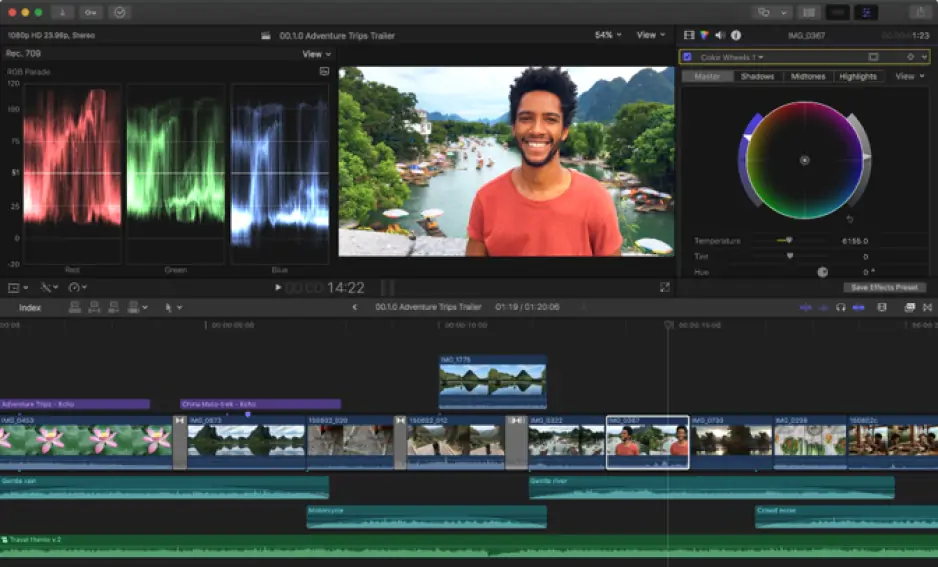
Final Cut Pro is a powerful video-editing tool built exclusively for Mac users, but understanding the full Final Cut Pro cost is essential before committing to it as your primary editing software. Unlike subscription-based competitors, Final Cut Pro follows a one-time purchase model, which can significantly affect your long-term budget planning. This section breaks down the pricing structure, licensing details, and overall value for money, helping you decide whether it's the right investment for your editing needs and workflow.

Final Cut Pro pricing breakdown

So, how much is Final Cut Pro? Understanding the Final Cut Pro price starts with recognizing that Apple offers more flexibility than most people expect. The standard option remains a one-time purchase of $299.99 for macOS, which grants lifetime access to the software along with all future updates at no extra charge. This model appeals to editors who prefer paying once rather than committing to ongoing fees, and it includes the ability to install the app across multiple Mac computers registered under the same Apple ID.

In 2026, Apple introduced a subscription-based alternative called Apple Creator Studio, which changed the overall Final Cut cost conversation. Priced at $12.99 per month (or $129 annually), this bundle includes Final Cut Pro alongside five other creative apps – Logic Pro, Motion, Compressor, MainStage, and Pixelmator Pro – and works across both Mac and iPad.

Choosing between these plans ultimately depends on how you edit and which devices you use. If you only need Final Cut Pro on a single Mac, the one-time purchase is more economical in the long run, since it costs less than 23 months of Creator Studio payments. However, if you want access to Apple's full creative suite across Mac and iPad, the subscription model offers greater flexibility and value for multitasking creators.

Things to consider before subscribing

While the Final Cut Pro subscription through Apple Creator Studio sounds straightforward on the surface, several details deserve closer attention before you commit. One important consideration involves canceling the plan: unlike the one-time purchase, subscription-based access stops working the moment your payment lapses, meaning you lose the ability to open or export projects until you resubscribe or switch to the standalone version..

Another factor is performance consistency across devices. Early testing from tech reviewers found that the iPad version bundled within the subscription occasionally experienced stability issues, including instances where project data stored with default settings failed to save properly. Editors relying on the subscription for cross-device workflows should back up projects regularly and avoid depending solely on default storage settings, especially for time-sensitive work.

Storage is also a hidden cost many subscribers overlook. Projects created on iPad through the subscription often rely on iCloud for syncing between devices, and heavy 4K or ProRes RAW footage can quickly consume free iCloud storage allowances. This may push users toward purchasing additional iCloud storage tiers, adding an extra expense that isn't reflected in the advertised monthly subscription price.

Finally, subscribers should understand that switching from the one-time purchase to Creator Studio doesn't automatically cancel any prior Final Cut Pro subscriptions tied to iPad. Users transitioning between plans need to manually manage overlapping subscriptions to avoid paying twice for the same functionality.

Student pricing and free trial options

Final Cut Pro doesn't offer a permanently free version, but Apple provides a generous 90-day Final Cut Pro free trial, giving new users far more testing time than most competing editors, which typically cap trials at a week. This Final Cut Pro trial includes full access to every professional feature, letting you evaluate color grading, audio tools, and export options risk-free before deciding whether to purchase the software outright or through a subscription plan.

For students, teachers, and verified educational institutions, Apple provides a discounted one-time purchase priced at $199, saving roughly $100 compared to the standard rate. This educational tier delivers the same full-featured application, making it an attractive entry point for anyone studying video production or teaching editing courses on a limited budget.

An education-specific version of Creator Studio is also available for $2.99 per month, offering the same cross-app access at a reduced rate for qualifying students and educators.

Is the investment right for your editing needs?

Is Final Cut Pro worth it? Whether the price feels justified largely depends on how you plan to use the software. Professional editors and content creators who produce videos regularly will likely recoup the cost quickly, since the one-time payment eliminates recurring fees that add up over years of subscription-based alternatives. For freelancers and small production studios, the ability to install Final Cut Pro on multiple Macs under one Apple ID adds further practical value.

Casual users and hobbyists, however, may find the upfront investment harder to justify. Someone editing occasional vacation clips or short social media videos might be better served by free tools like iMovie or lower-cost subscription editors, reserving Final Cut Pro for when their skills or output genuinely demand professional-grade features.

Students and educators occupy a middle ground, benefiting from discounted pricing that makes the software more accessible during a learning phase. For this group, the investment often pays off through skill development and portfolio-building, especially when paired with the Final Cut free trial to confirm the software fits their workflow before committing financially.

Budget-friendly alternative to Final Cut Pro

If Final Cut Pro's pricing feels out of reach, several alternatives deliver comparable editing capabilities at a fraction of the cost. One of the strongest options is Movavi Video Editor, which combines an intuitive, beginner-friendly interface with a powerful toolset, including AI-powered features like automatic subtitle generation, background removal, motion tracking, and noise reduction.

Movavi stands out because it offers flexible pricing structures, making it adaptable to different budgets and usage patterns. Casual creators, hobbyists, and small marketing teams often find its trimming, transitions, and audio-syncing tools more than sufficient for everyday projects, without the steep learning curve or high upfront investment associated with professional-grade software.

Before committing to a purchase, you can test Movavi Video Editor with a 7-day free trial, allowing you to explore its interface and core features firsthand.


Have questions?
If you can’t find the answer to your question, please feel free to contact our Support Team.
Join us for discounts, editing tips, and content ideas

1.5M+ users already subscribed to our newsletter

By signing up, I agree to receive marketing emails from Movavi and agree to Movavi's Privacy Policy.