
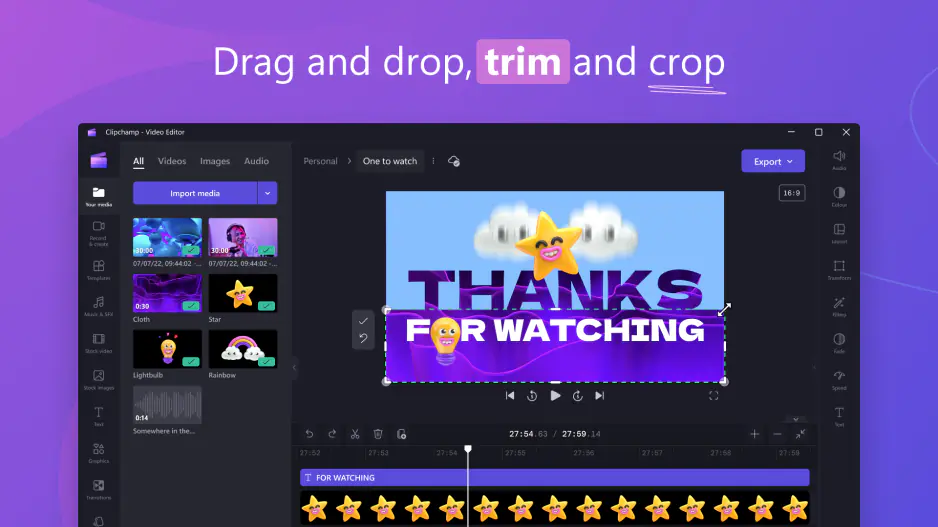
Clipchamp Free With a Microsoft Account: Login, Sign-In, and Account Explained

Edited by
Ben Jacklin
4,522

Clipchamp has quietly become one of the most popular browser-based video editors around, largely because it ships free with Windows and slots neatly into the wider Microsoft ecosystem. But if you've tried to open it recently, you may have run into a wall: a request to log in. Suddenly the free, friendly editor wants a Microsoft Clipchamp login before it will let you touch a timeline.

This guide walks through how the Clipchamp account system actually works today, why you're being asked to sign in, what your options are, and what to do if the whole thing feels like more data-sharing than you signed up for.

Why Clipchamp requires a Microsoft account

The short answer to "does Clipchamp require Microsoft account access?" is yes. Clipchamp began life as an independent Australian company, but Microsoft acquired it in 2021 and has spent the years since folding it into its product family. As part of that integration, the fact that Clipchamp requires Microsoft account credentials is now baked into the sign-in flow.

Microsoft's own support pages are blunt about it: Clipchamp is a Microsoft product, and all users will need a Microsoft account to log in. The company frames this as a way to give you a "seamless experience" alongside other services like OneDrive, Word and SharePoint. In practice, it means your projects, settings and any subscription live under one unified Microsoft Clipchamp sign in rather than a standalone Clipchamp account.

There's a history here that trips people up. For years, the older interface, sometimes called the Clipchamp classic login, let you register with a plain email address or a social account. Those non-Microsoft methods are being phased out. If you're an existing user who created a Clipchamp account with Google or email, Microsoft now nudges you to connect a Microsoft account. In fact, you can only upgrade to the paid premium plan after linking one, and the Windows desktop app won't let you in with anything else.

This is also why the phrase "Microsoft Clipchamp free with Microsoft account" keeps appearing. The base editor is genuinely free, but the price of admission is an account. Clipchamp is free with Microsoft account access in the sense that you don't pay money, though you do hand over an identity and agree to Microsoft's terms.

If you've suddenly hit this after months of untroubled editing, you're not alone. Plenty of longtime users report opening the app one day to find it demanding a Microsoft Clipchamp login where none was needed before. That's the rollout catching up with you, not a bug.

Can I use Clipchamp without a Microsoft account

This is where expectations and reality diverge. Many people search for a way to use Clipchamp without login at all, hoping to jump straight into editing the way you might with a simple online tool. Unfortunately, there's no supported guest mode. There's no genuine way to use Clipchamp without login to export finished videos; the Clipchamp sign-in step is mandatory before you can save or download your work.

That said, you do have some flexibility in how you sign in, at least for now:

  • In the browser. If you open Clipchamp in Edge or Chrome, you can still use a Google login. So while a Microsoft account is the future-proof route, Clipchamp sign-in with Google remains available on the web version at the time of writing. You may also still see a Clipchamp login with email option in the browser for older accounts.
  • In the Windows desktop app. This is stricter. The desktop app only accepts a personal or family Microsoft account. The Google and email routes that survive on the web do not work here, so if you rely on the app you'll need the Microsoft route regardless.

So if someone asks "can I use Clipchamp without a Microsoft account?", the honest answer is: partially, and probably not for long. The browser still tolerates a Google sign-in, but Microsoft has signaled that non-Microsoft methods are on the way out. Building a workflow around the Google option is fine for today, but don't be surprised when a future update asks you to connect a Microsoft account anyway.

A quick note on troubleshooting, because it's a common headache. If you can't sign into Clipchamp despite entering credentials you know are correct, the usual culprit is the verification step rather than a wrong password. Try entering your email, choosing other verification methods, and using an authenticator app, SMS code or email code instead of the password itself. Being bounced back to the login page repeatedly is a classic sign that Microsoft wants a second factor.

How to create a Microsoft account with minimal data

If you've decided the editor is worth it, the good news is that a Clipchamp create account flow is quick and free, and you can keep the data you share fairly lean. You don't need to surrender a phone number, a real name, or your everyday inbox if you'd rather not.

Here's a low-footprint approach:

  1. Use an email you're comfortable dedicating to it. When you go to create a Microsoft account, you can use an existing address, including a Gmail or Yahoo one, rather than being forced onto Outlook. If privacy matters, consider making a fresh email alias solely for your Clipchamp account so it isn't tied to your main identity.
  2. Skip the optional fields. Microsoft's signup collects a name and date of birth, but you're not obliged to over-share beyond what's required to pass verification. Fill in only the mandatory boxes.
  3. Prefer app-based verification. Where possible, verify with an authenticator app rather than handing over a phone number, which reduces the personal data attached to the account.
  4. Connect it in Clipchamp's profile page. Once the account exists, open your profile in Clipchamp and select Connect personal Microsoft account, then follow the prompts. Your existing projects and settings carry over when you link, so you don't lose past work.

The result is a functioning Microsoft Clipchamp login that unlocks the editor while keeping your exposure modest. It's a reasonable middle ground for people who want the tool but bristle at the idea that Clipchamp requires Microsoft account sign-in in the first place.

Do weigh the privacy trade-off honestly. Linking a Microsoft account ties your video projects to a broader identity that may surface your name alongside your content, and it connects the editor to services like OneDrive. For casual family videos that's usually a non-issue. For anything sensitive, a dedicated, minimal account is the sensible play.

Video editor without a required account: Movavi Video Editor

If the whole account requirement is a dealbreaker, you have a genuine alternative. Not every editor gates you behind a login the way Microsoft Clipchamp now does. Movavi Video Editor is a desktop app for Windows and Mac that you can download and start using without creating an account first.

Because it's installed software rather than a cloud service, there's no mandatory sign-in just to open the timeline. You download the program, accept the license agreement, choose an install location, and you're editing. A Movavi account only becomes relevant for managing purchases and activation keys, not for basic access, which is a very different model from Clipchamp's login-first approach.

What you get is a beginner-friendly but capable editor: cutting and cropping, transitions, titles, filters, color correction, audio tools, and one-click AI features like automatic subtitles, noise removal and background removal. It's aimed squarely at the same audience Clipchamp courts, people making vlogs, social clips and family movies without wanting a steep learning curve.

Which matters more depends on you. If you're happy to trade an account for a fully free browser tool, Clipchamp is hard to beat, especially since it's free with Microsoft account access already built into Windows. If avoiding a mandatory login is your priority and you don't mind a trial's limits (or eventually paying), Movavi removes that friction entirely.


Have questions?
If you can’t find the answer to your question, please feel free to contact our Support Team.
Join us for discounts, editing tips, and content ideas

1.5M+ users already subscribed to our newsletter

By signing up, I agree to receive marketing emails from Movavi and agree to Movavi's Privacy Policy.