
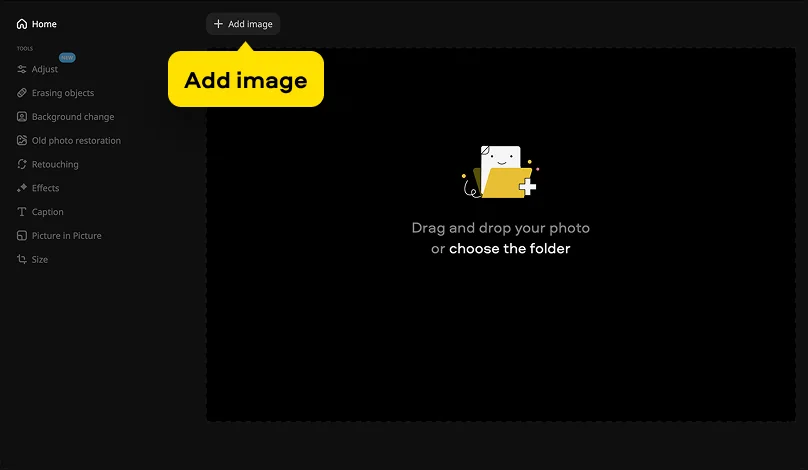
Step 1. Upload your file
Install and launch Movavi Photo Editor. Drag-and-drop the photo (or choose the specific folder) to upload your shot.
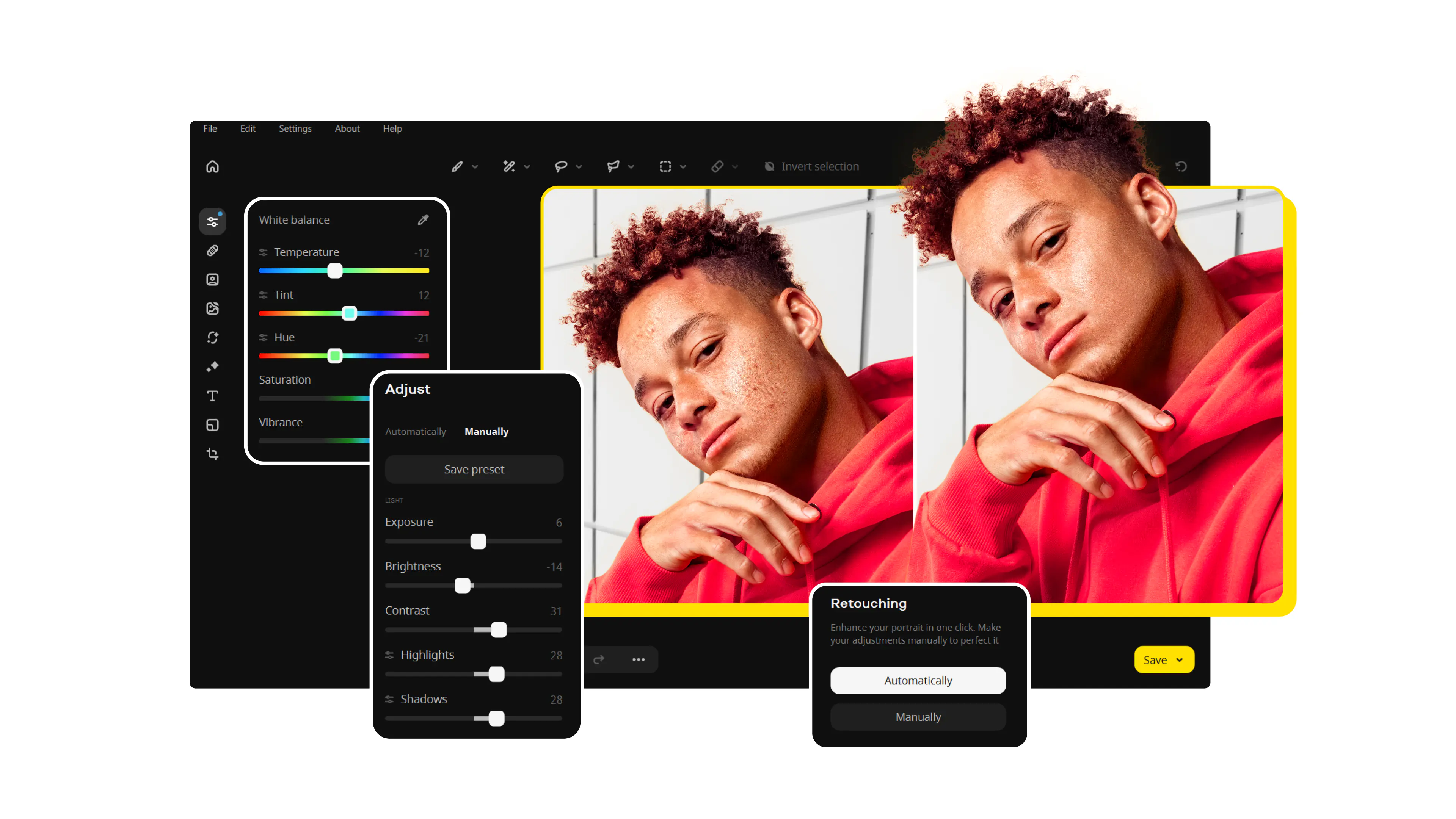
Movavi Photo Editor
Your professional blur tool for flawless photos
Movavi Photo Editor gives you a simple way to change the focus of any shot. You can download the software to edit high-resolution files on your own computer. Use these settings to clear up a blurry picture and restore lost details. You can also make a blurry image to hide messy backgrounds or private data. Specialized features allow you to add creative depth to any project. This approach ensures your final result looks like it came from a professional camera lens.
Install and launch Movavi Photo Editor. Drag-and-drop the photo (or choose the specific folder) to upload your shot.
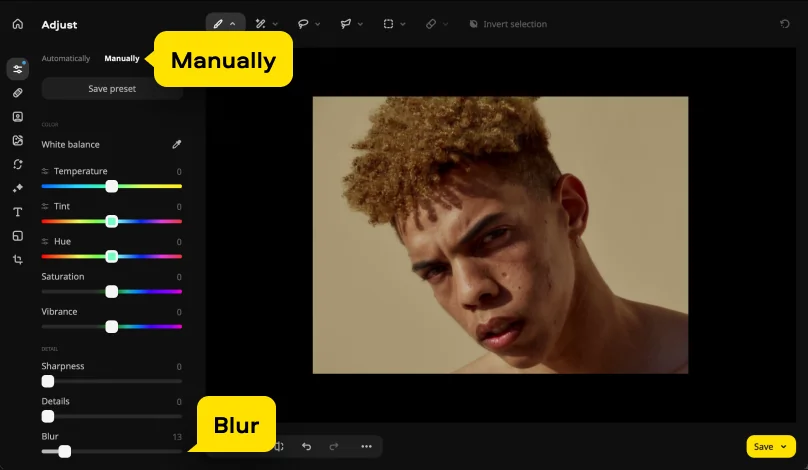
Head over to the Adjust tab to find the blur tool in the Manually tab. Move the line markers or use the brush, lasso or marquee tool to choose exactly what stays crisp. This step ensures that your blur photo looks realistic by keeping the main subject in clear focus. You can adjust the outer lines to control how the soft edges fade into the background.
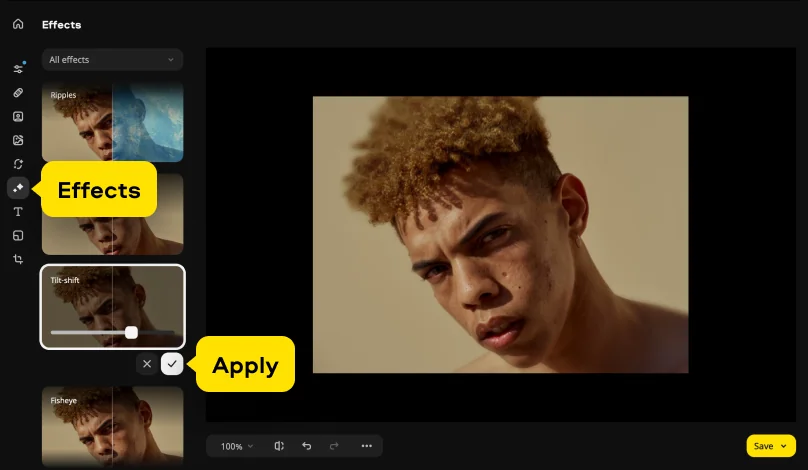
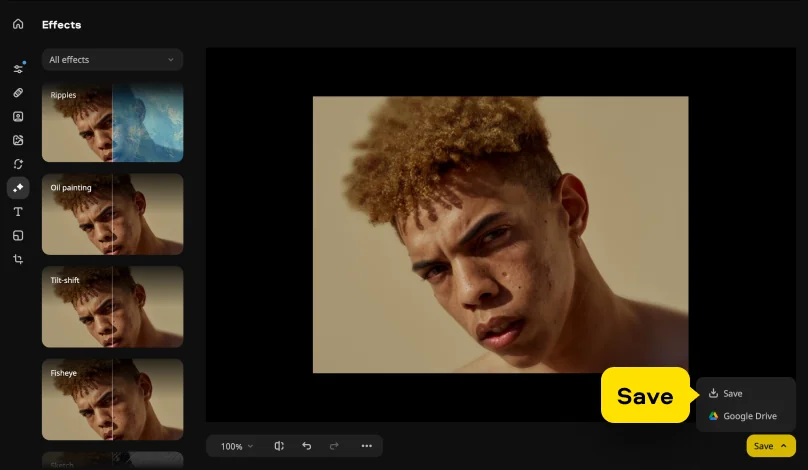
Move the slider to decide how much of the blur effect you want to apply. Check the preview – you may definitely want to know if you like the blurred picture before the project is finished. You can also pick a specialized Blur preset in the automatic mode or Tilt-shift effect in the Effects tab to blur the image automatically.
Click Save and specify the export settings. Use the Save button to download the final version to your computer. Now you know how to blur something in a picture using Movavi Photo Editor.
*The trial version of Movavi Photo Editor has the following restrictions: you can save up to 10 images with added watermark, screenshots are disabled.
We’re the #1 choice for millions of people from all around the world. Join our thriving community and create stunning content with incredible ease.
70M+


Open your file in Movavi Photo Editor and go to the Adjust tab to use the blur tool. You can soften the whole frame or paint over specific spots with a brush. This helps you hide messy details so your main subject stands out. It is the easiest way to make a simple shot look professional.
The camera app has a Portrait mode – it mimics an image blurrer by softening the background. If you have an existing shot, you might need to move it to a PC to fix the focus properly. Movavi Photo Editor gives you the control to clear up edges that mobile phones often miss. This ensures your mobile photography looks crisp and intentional.
Select your file in Movavi Photo Editor and click the Effects tab to find a unique blur effect. You can choose between manual and automatic modes to add energy to a flat shot. The software uses various tools to keep your subject sharp while the rest of the frame fades. This creates a realistic sense of depth in just a few clicks.
The messages app only has basic tools, so it cannot create a high-quality blur picture. You should edit the file in AI photo-editing software first to hide sensitive data or private info correctly. Once you finish, simply save the result and attach it to your text thread. This prevents your blurry picture from looking messy or unprofessional.



1.5M+ users already subscribed to our newsletter