
Best iMovie Alternatives for Windows, Mac, and Mobile

Movavi Video Editor
  • Fast and easy editing: cut, crop, adjust colors and speed

  • One-click AI tools: auto subtitles, noise removal, and more

  • Hundreds of filters, transitions, titles, overlays

By clicking the download button, you're downloading a trial version of the program.*

Edited by
Ben Jacklin
11,643

Key takeaways

  • What I did: I personally put every program on this list through a stress test. Using my own clips, I wanted to see which apps like iMovie can actually handle a real workload without crashing. I focused on finding a perfect iMovie alternative for Windows and Mac that balances power with a "no-techie" vibe.
  • The top choice: Movavi Video Editor is my favorite iMovie equivalent for Windows because it’s fast and easy to use for inexperienced editors. It fills the gap for anyone who wants a clean workspace and an easy tutorial-free start.
  • Wins and losses: these alternatives to iMovie offer better file support and more AI tricks than the original. However, keep in mind that an online app usually needs a strong web connection, and some free versions might tag your work with a watermark.
  • My pro tip: if you want your video to look expensive, definitely use the beat-sync feature. It is the fastest way to turn a basic edit into a professional production by matching every cut to the music.

People are constantly searching for a solid iMovie alternative because they're tired of being locked into a Mac-only world. To find the best options, I personally put over dozens of different programs through a "stress test" to see which ones could actually tackle a real workload. Eventually, I ended up with these 15 counterparts because they didn't crash when I piled on filters and transitions. Movavi Video Editor stood out as a top iMovie equivalent for Windows as per my discoverings. It remains snappy even when you’re a no-techie editor. Here is my honest rundown of the tools that actually made the cut after all my testing.

Comparison table: Best iMovie alternatives

Program

OS

Main advantages

Download

Windows, macOS, Linux

Hollywood-level color grading, free pro tools

Windows, macOS

No-techie workflow, fast AI tools, simple UI

iOS, iPadOS

Multi-track pro editing, 4K support, external drives

Top iMovie alternatives

Why I picked it: big movie studios use this exact engine for color.

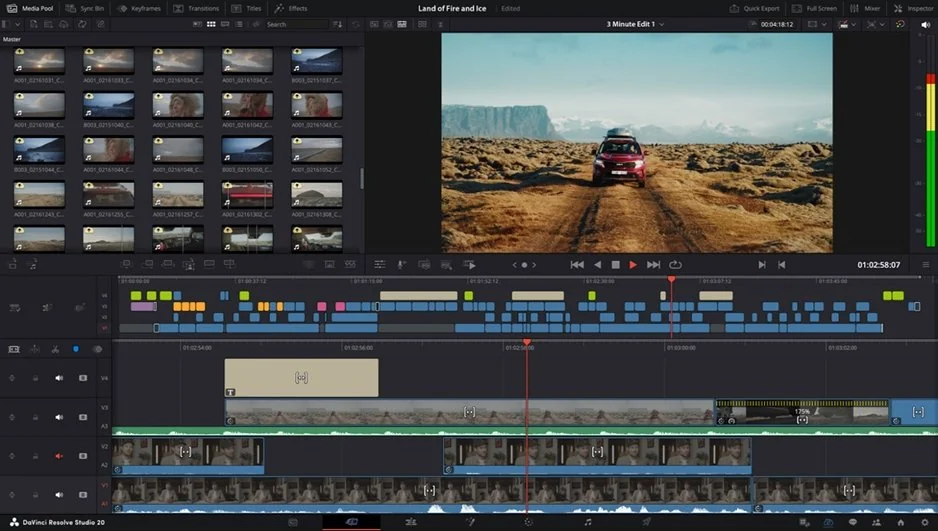
My list continues with a tool for people who want Hollywood results. DaVinci Resolve is a high-end post-production suite for Windows, macOS, and Linux that handles everything – from cutting to final delivery. It serves as a top iMovie alternative for Mac for users who want to grow beyond simple edits. You get a dedicated Cut page for quick assembly and a Color page for deep grading work. The latest version 21 updates have pushed its DaVinci Neural Engine even further, integrating next-gen AI tracking and automated spatial audio tools that simplify complex tasks.

It uses a node-based system for effects, which means you can change one specific color without ruining the rest of the shot. The software stays stable even with massive 8K files and uses your graphics card to speed up the final export process.

My experience with this tool involved fixing a dark landscape shot with the color wheels. I brought out the hidden details in the grass while the sky kept its deep blue tone, resulting in a professional look that basic filters cannot match.

Ratings

Pros:
  • Industry-standard color tools

  • Professional sound studio included

  • Great free version

Cons:
  • Needs a very fast computer

  • Steep learning curve for rookie editors

Why I picked it: it fills the gap between basic tools and needlessly complex pro software.

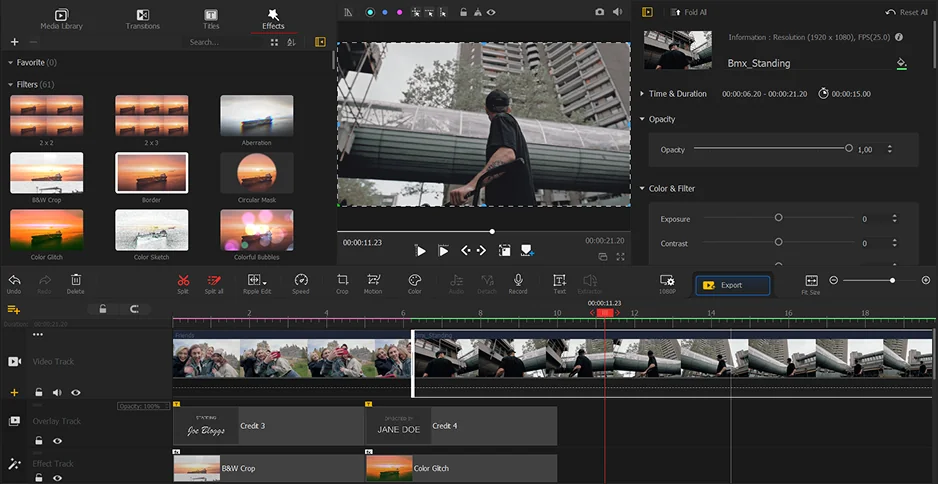
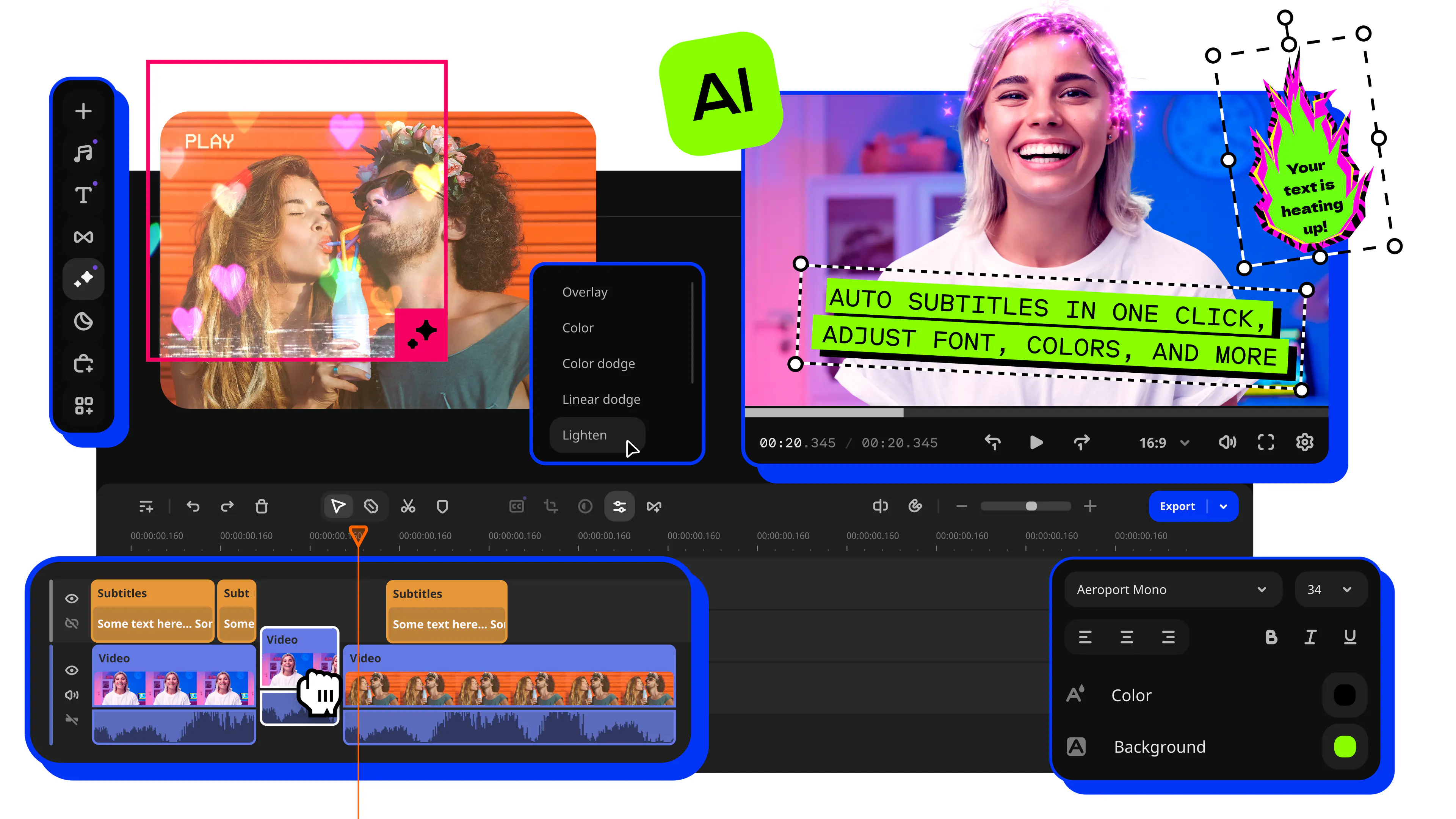
This handy iMovie equivalent for Windows is hard to miss. Movavi Video Editor works well for people who want a feature-rich and cross-platform way to cut clips. It serves Windows and Mac beginners or social media creators who need a fast workflow. The program bridges the gap between basic tools and complex pro software. It offers a 2026 AI-driven toolset and stays fast on basic laptops. This is a great iMovie alternative because it avoids the limited Mac-only focus. No-techie editors will find the large buttons easy to use. Everything sits right where I expect it to be: trimming, transitions, filters, and that satisfying timeline drag-and-drop motion.

You get a library of music and stickers built right into the interface. The software does not freeze when you add filters or transitions. I used this app to clean up a shaky GoPro clip from my bike ride. The stabilization tool fixed the jittery horizon in one click and let me share the footage immediately.

Ratings

4.7/5

Pros:
Cons:
  • Extra cost for some effects

Why I picked it: desktop editing logic finally fits on a tablet screen.

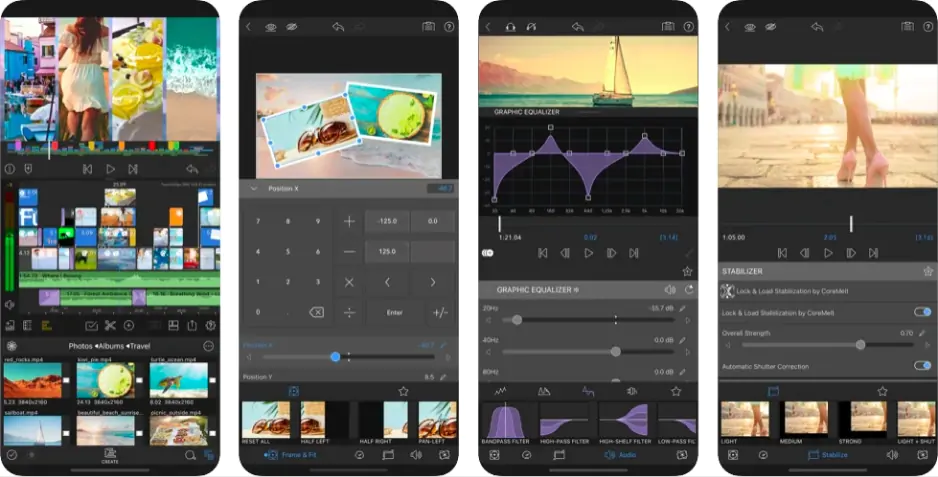
I open my roundup of the best iMovie for PC options with this famed brand. LumaFusion is a pro-level video editor for your phone or tablet that gives you desktop power without a monthly subscription. It works as a solid iMovie alternative because it offers more than two tracks. You can stack six layers of 4K video at once, which beats the basic layering in most mobile tools.

The developers recently added advanced features like speed ramping and enhanced keyframing for better control over movement. It feels snappy on Apple silicon chips and lets you edit directly from external drives to save space. The interface provides a clear view of every audio channel for precise mixing on the go. I used this app to sync a three-camera interview while sitting in a coffee shop. The magnetic timeline kept my clips perfectly aligned even when I cut out long pauses, so the project stayed organized without extra effort.

Ratings

3.9/5

Pros:
Cons:

Why I picked it: this tool sits right in your Windows start menu and feels like the most natural spot for a quick project.

Clipchamp is the default, web-based, "freemium" video editor for Windows 10/11. Its purpose is to make editing accessible to beginners. It’s graced with drag-and-drop editing, AI tools (voiceover, captions), screen recording, and royalty-free stock assets. Also, it allows for 1080p export without watermarks, and is integrated directly into Microsoft 365.

Clipchamp appears as a direct iMovie alternative for Windows for it comes pre-installed on modern PCs. It provides a straightforward workspace for any online or desktop task with a focus on vertical video. The dev team is humming with work and recently pushed out 2026 updates that include AI-powered noise suppression. You also get an automated subtitle generator that turns speech into text in seconds. Casual creators will find the massive library of royalty-free stickers and stock music very helpful. It lets you finish a video without searching the web for assets.

Testing software is my daily routine, and to test this, I decided to turn a long screen recording into a short tutorial for a friend. The AI silence remover found every awkward pause in my voiceover and chopped them out, which saved me from a long afternoon of manual trimming.

Ratings

4.1/5

Pros:
  • Built into Windows 11

  • Fast AI auto-captions

  • Deep stock media library

Cons:
  • 4K exports require payment

  • Performance depends on the internet speed

Why I picked it: it feels like the developers built this specifically for people who own a camera but hate slow render times.

Next on the line is VideoProc Vlogger, a popular free video editing software. Its target audience is the beginners, vloggers, and creators who need fast rendering, professional speed ramping, and high-quality 4K/HDR editing. This program is a top-tier iMovie alternative for Mac and Windows because it prioritizes hardware acceleration. It handles large 4K files from GoPro or DJI drones without making your computer fans scream.

The team is humming with work and recently launched its mobile version for iOS to help creators edit on the move. You get a visual timeline that makes it easy to match your cuts to the beat of a song. It includes specialized tools for lens correction and denoising that often cost a fortune in other suites. The software provides advanced features like motion crop and speed ramping to give your footage a professional look.

To see what this iMovie alternative can do, I imported a vertical clip from my latest hiking trip. I applied the motion blur effect to the background, and the video looked ready for my social feed in seconds.

Ratings

Pros:
  • Excellent 4K hardware speed

  • Advanced speed ramping tools

  • Completely free with no watermark

Cons:
  • Audio editing is basic

  • Lacks a large stock library

Why I picked it: cloud processing means your old laptop doesn't have to do the heavy lifting anymore.

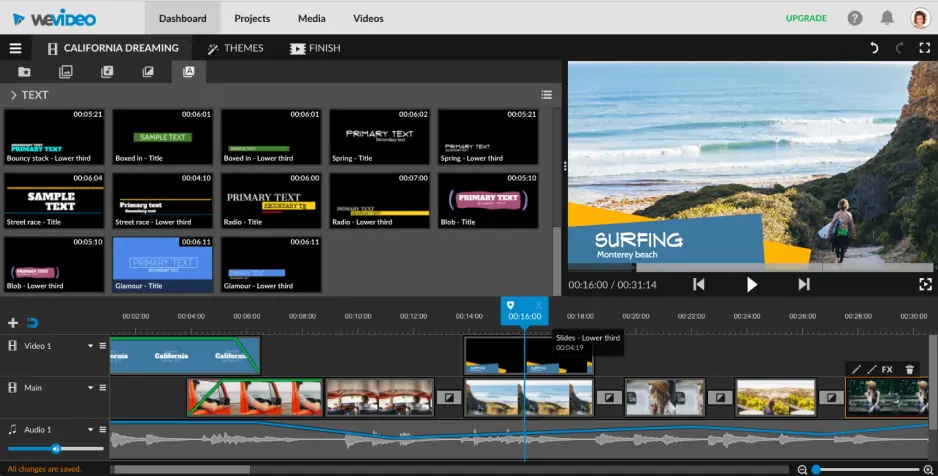
It is time to discuss online platforms because not all of us love fiddling with installations. I want to open this category of the best iMovie counterparts with WeVideo, a popular cloud-based video editing platform. It’s praised for its accessibility, ease of use, and collaborative features.

This browser platform is well-qualified for a reliable iMovie alternative due to it runs entirely in a web tab. It provides a multi-track timeline that feels much more capable than basic mobile editors. The development team is humming with work and introduces new perks nearly every season. You can store your file library in the cloud and access projects from any Windows or Mac machine. The interface focuses on a drag-and-drop workflow that stays clear even when you add several layers of text and audio.

To see what this iMovie equivalent carries, I opened a shared project on my Chromebook to finish a group presentation video. I pulled high-quality b-roll from their built-in library and exported the final cut to Google Drive without downloading a single megabyte.

Ratings

Pros:

Why I picked it: a rich library of ready-made assets means you never have to start a project from a blank screen.

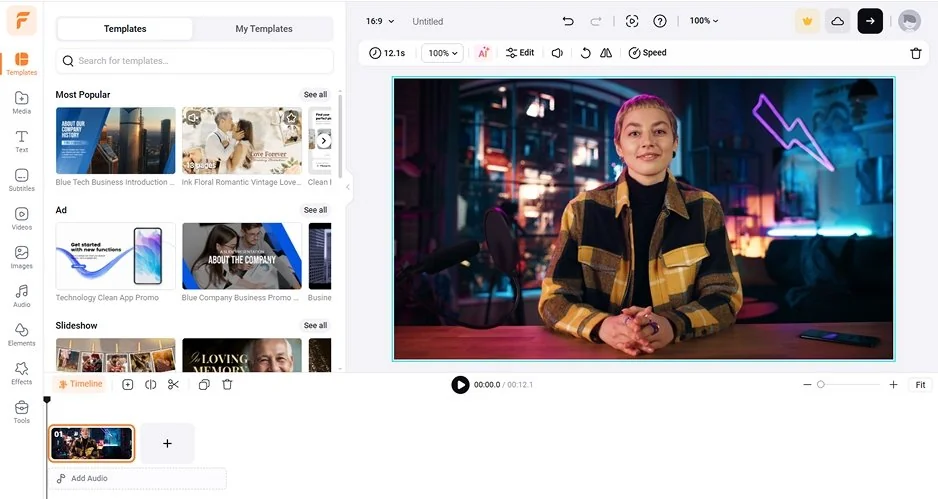
FlexClip is a nice pick for quick, high-quality video creation. Editors will find it ideal for personal projects, marketing videos, and social media content. This browser tool functions on both Windows and Mac without any local setup. It’s pretty fair to name it one of the best iMovie alternatives, thanks to its vast collection of royalty-free stock clips and audio tracks.

The dev team is really active and recently rolled out new AI tools to quicken the creative cycle. You get a visual timeline to trim footage or apply text animations with just a few clicks. It also supports various aspect ratios to fit different social media feeds perfectly.

I live for digging into new software, so I tested this by making a 30-second cooking reel. I used the auto-subtitle tool to name the ingredients, and the timing was spot on without any manual tweaks.

Ratings

Pros:
Cons:

Why I picked it: this tool quickly changes a pile of rough clips into a finished movie.

InVideo is a beginner-friendly, AI-powered cloud video editor. Among software editing nerds, it’s well known for quickly creating social media content from text prompts using a massive stock media library. This online service acts as a powerful iMovie alternative that lives entirely in your browser.

It serves Windows and Mac users who need to create social media content without downloading heavy files. You get a flexible timeline with support for layers and masks. All the heavy processing happens on their servers, so even a basic laptop stays cool during the export.

The company's blog is replete with news, updates, and tutorials – a great sign of a well-cared-for project. I took this program for a spin by building a quick promo for a local brand. I pasted a link to their website, and the software automatically suggested a storyboard and added matching background music.

Ratings

Pros:
Cons:
  • Restrictive credit-based system

  • High subscription costs

Why I picked it: this software makes animation accessible for anyone who cannot draw or code.

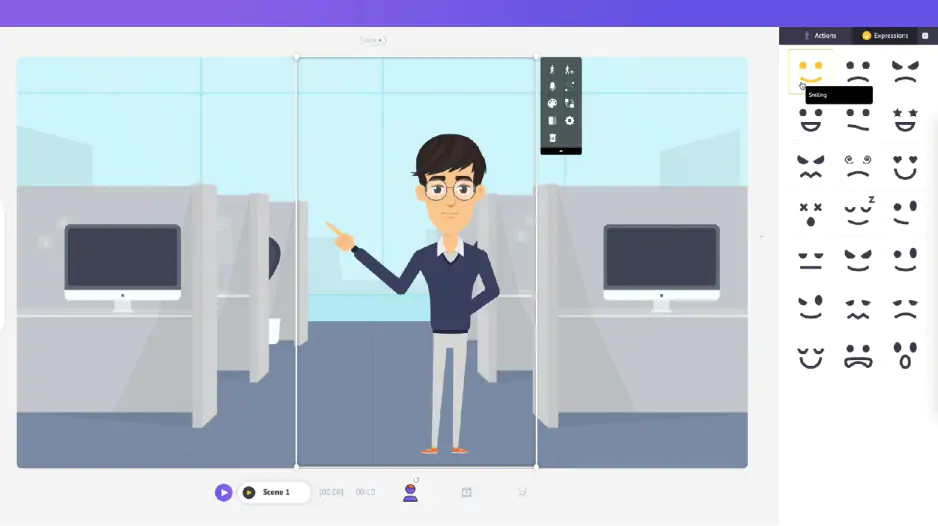
Animaker is a cloud-based DIY animation tool. It caters to both amateurs and marketers who create 2D animations, explainer videos, and social media content without technical skills. In my opinion, it’s a unique iMovie alternative because it focuses on animated characters and high-end stock assets. It works perfectly on Windows and Mac since all the rendering happens on external servers.

The team is in overdrive and, in late 2025, launched the world’s first AI Infographics Video Maker. You can now upload a raw CSV file to generate complete data stories with charts and voiceovers automatically. The interface stays light and fast, which helps you finish a project without any technical lag.

I ran a stress test on this interface by creating a short explainer video for a charity event. I used the character builder to design a custom mascot, and the software animated the movements to match my voice recording perfectly.

Ratings

Pros:
  • World-class character customization

  • Auto-lip sync for voiceovers

  • Massive library of 4K assets

  • The drag-and-drop interface is self-explanatory

Cons:
  • Steep price for high-resolution exports

  • Free version includes a watermark

Why I picked it: this little app removes the friction of moving heavy files between your phone and computer.

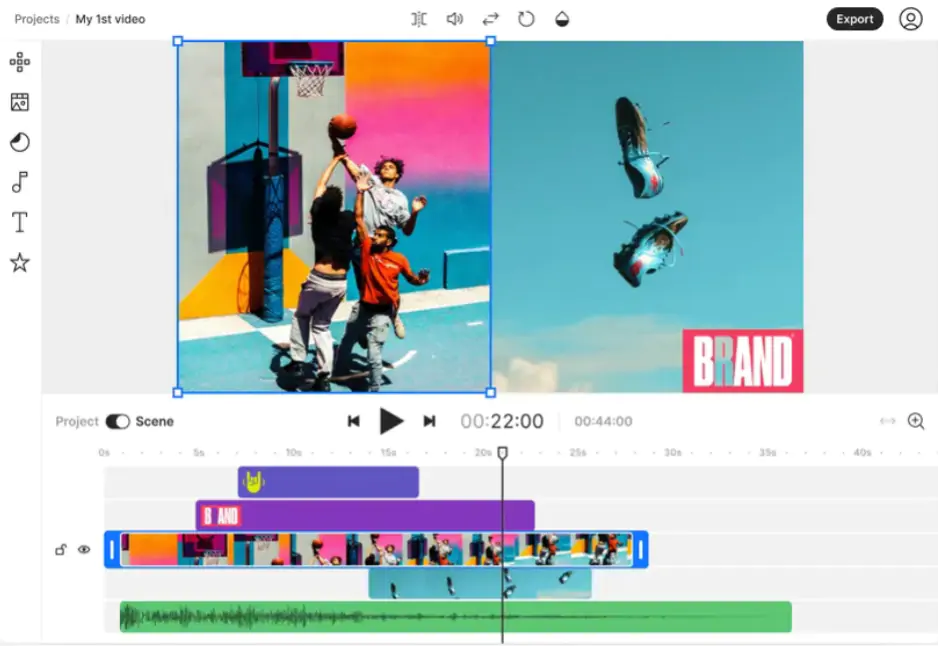
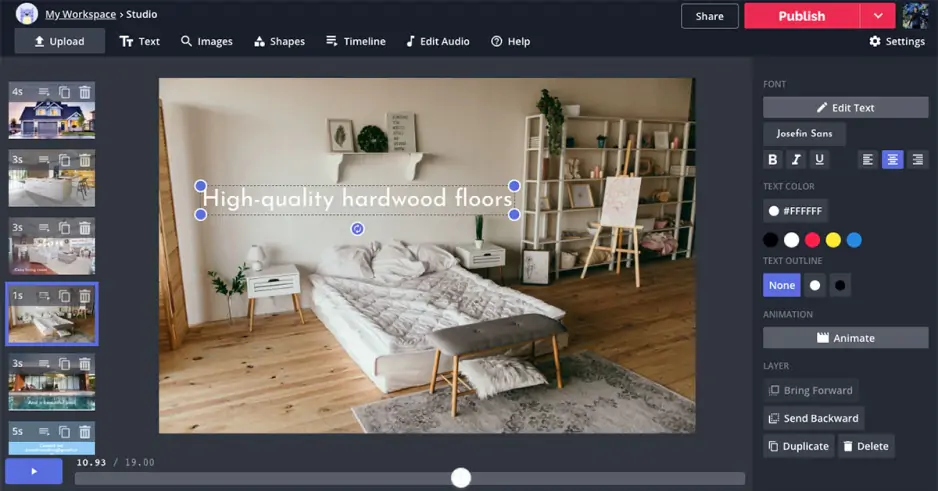
Kapwing is a browser-based content creation platform and video editor enhanced with AI utilities. It’s best known for its speed, uncomplicated interface, and auto-subtitles for social media content. Its primary audience is creators, meme-makers, and internet fans who like quick edits without much technical expertise. This online platform easily fits the definition of a reliable iMovie alternative given that it operates entirely inside your web browser.

You can use it on Windows or Mac to trim clips and add text without any local installation. Since everything happens in the cloud, you can start an edit on one machine and finish it on another. The development squad is resourceful: they bring out new updates nearly every season to stay on-trend.

I tasked Kapwing with assembling a quick gadget review. I dropped my raw clips into the window, and the software synchronized subtitles to my voice perfectly, which saved me from a tedious manual task.

Ratings

Pros:
  • No installation required

  • Smart AI silence removal

  • Excellent for team projects

Cons:
  • File size limits on free tier

  • Requires a constant web connection

11. CapCut

Why I picked it: high-end production doesn't always require a desk when you have such a capable tool right in your palm.

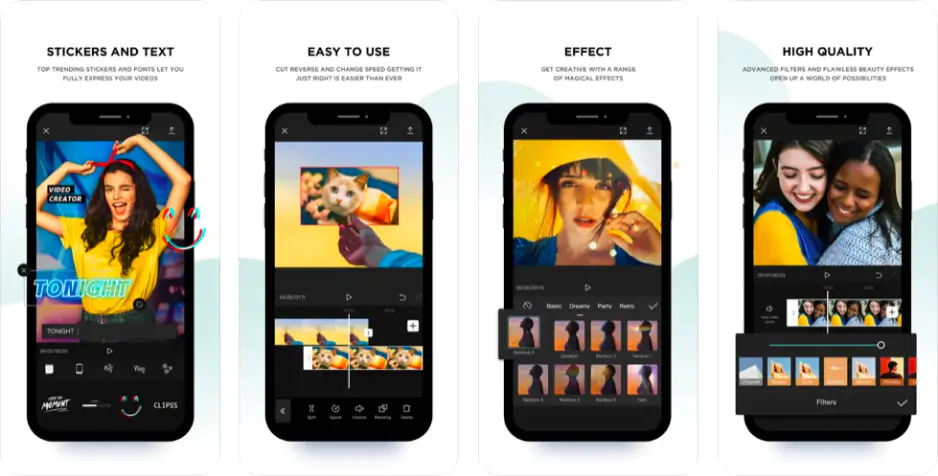
It is time to look at mobile products because they let you finish a project while you are away from your desk. CapCut is my go-to for making social media videos look high-end without needing a degree in editing. It’s intuitive, too and goes packed with all those viral AI effects and templates that make your TikToks or Reels pop instantly.

No diggity, this app is a decent iMovie alternative. It provides important features like auto-captions and background removal for free.

It works on Android, iOS, Windows, and Mac – meaning you can switch between your phone and your computer. You get a huge library of trending music and stickers that help your clips look modern without extra effort. CapCut makes your clips look like they were edited by a pro influencer without any added stress.

As for the news, the team has recently revamped CapCut APK software for Android, bringing new utilities and improvements to make video editing even better.

To evaluate this iMovie analog, I decided to make a vertical reel for a local event. I used the Body Effects tool to add a neon glow around a dancer, and the software tracked the movement perfectly without any manual keyframes.

Ratings

Pros:
Cons:

Why I picked it: it proves you can handle complex, multi-layered storytelling without ever touching a desktop computer.

Next on my list of the best free iMovie alternatives for a smartphone is KineMaster. It is a nice mobile video editor for iOS and Android packed with pro-level tools. I think this app is a top-tier iMovie alternative for Android and iOS because it offers a professional horizontal timeline on a small screen. You can stack multiple video layers, blend modes, and use chroma key effects that usually require a PC.

The team strives to keep pace and actively integrates AI into the workflow to help you work faster and better. with KineMaster, you get a massive asset store with music and stickers that help your project look unique.

To see if this software holds up under pressure, I tried to edit a complex green-screen sequence while riding the train. I swapped the background for a moving cityscape and used the keyframe tool to animate a text overlay that followed my hand movements perfectly.

Ratings

Pros:
  • Precise frame-by-frame trimming

  • Professional blending and layering

  • Huge asset store for effects

  • Contains advanced tools like chroma key, audio mixing, and more

Cons:
  • Monthly subscription for 4K

  • Busy interface on small phones

  • Adds a noticeable watermark in a free version

Why I picked it: I love a timeline that stays out of my way while giving me exactly what I need.

VN Video Editor (VlogNow) is a free, professional-level video editing application available on mobile (iOS/Android) and desktop (Windows/Mac). Its best benefit is that it allows users to create high-quality videos without watermarks. It can easily be called the best iMovie alternative thanks to VN Video Editor gives you high-end tools for free across all operational systems you might work on. It serves as a reliable bridge between basic trimming and complex storytelling.

The team stays busy and recently added AI auto-captions and a background removal tool. You also get fifteen new voice effects and better noise reduction to keep your audio clean. What really won me over was the lack of watermarks on exported files, which is a rare find in the mobile world.

I dove headfirst into the menus to see how it handles a vertical cooking tutorial and used the custom transition effects to make the ingredients pop during every cut.

Ratings

Pros:
  • No watermarks on the free version

  • Advanced speed ramping curves

  • Full support for custom fonts

Cons:
  • Occasional ads in the mobile app

  • Large projects can lag on older hardware

Why I picked it: I'm a big fan of a workspace that keeps things tidy while still packing a serious punch under the hood.

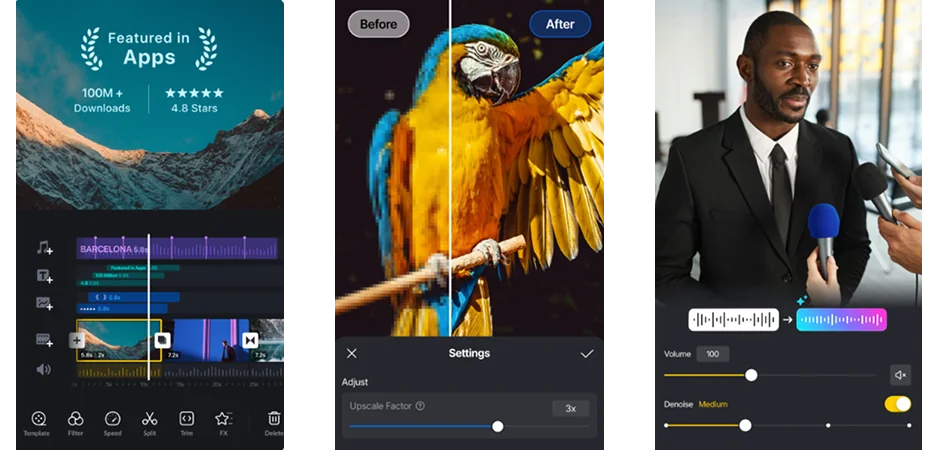
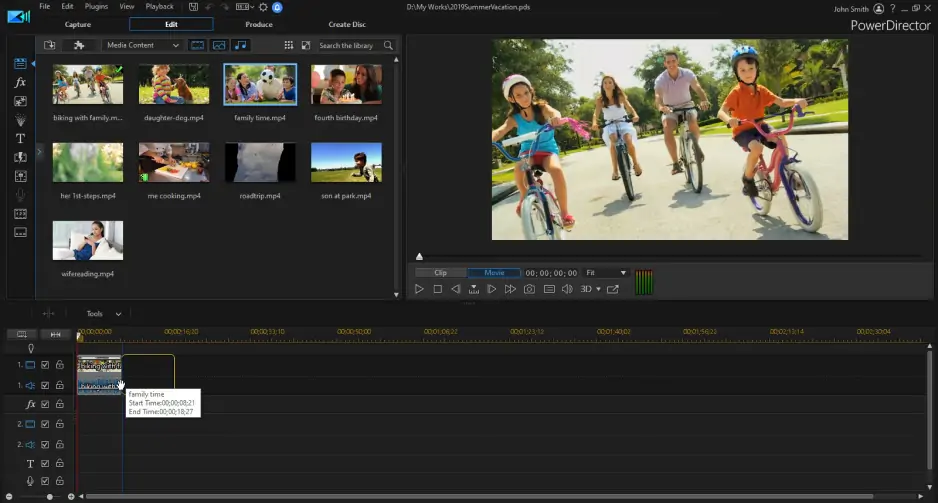
CyberLink PowerDirector is a comprehensive, consumer-to-prosumer video editing software. Available for computers, as well as iOS and Android phones, it’s built for fast editing and comes with AI tools, 4K support, and multi-track timelines. This software is a great iMovie equivalent for Windows and Mac, but it also has a mobile version that handles heavy tasks with ease. It provides a horizontal timeline that gives you plenty of room to breathe while you cut your footage.

The engineers are keeping their noses to the grindstone and recently added voice cloning and support for new AI models like Kling 3 and Flux.2 Pro. You can now use a natural language search to find the right sticker or preview transitions with your own footage in real time. It stays snappy even when you work with 4K file sizes or multiple video layers at once.

I took this program for a spin to create a quick recap of a family birthday party. I tested the AI search sticker feature to find a party popper icon instantly and dropped it onto the cake cutting scene without scrolling through menus.

Ratings

Pros:
Cons:

Why I picked it: it feels like having a director in your pocket who shows you exactly how to film and then does the editing for you.

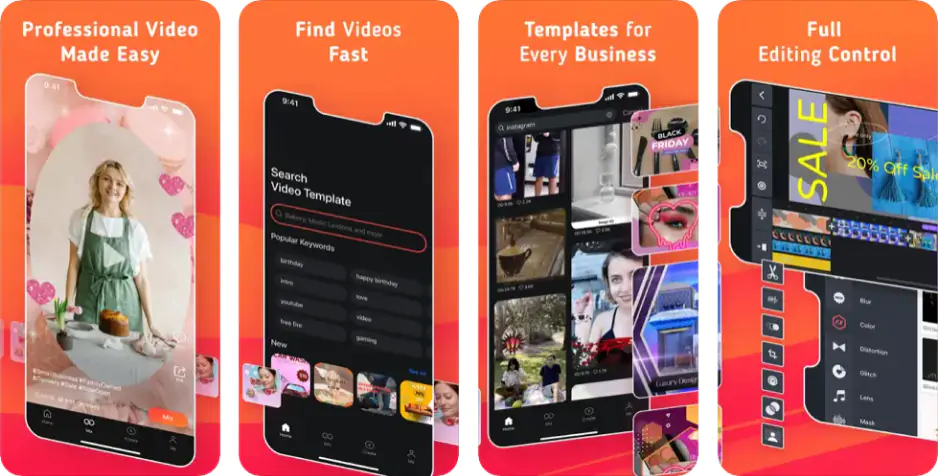
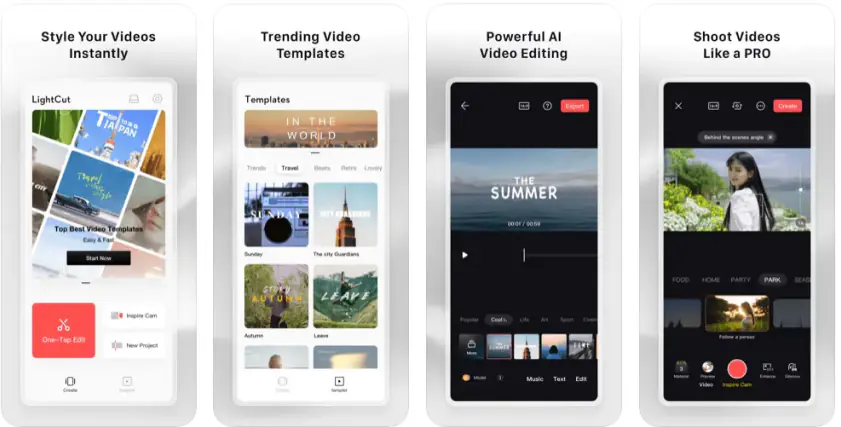
LightCut is a free AI video editor for Android and iOS that helps you build stylish vlogs and clips without any manual struggle. This software is among the best free alternatives to iMovie, I think. Why? Because it uses artificial intelligence to turn your photos and clips into high-quality stories with one tap. It includes a special Inspire Cam mode that gives you a step-by-step guide on how to shoot footage like a pro.

What gets me hooked is the massive library with hundreds of fully licensed music tracks. You can trim, merge, and split files while adding stylish filters and transitions through a very simple layout. A major perk is that the software stays completely free without any ads or watermarks on your work.

To give LightCut a whack, I imported a vertical clip of my dog playing in the grass. I hit the One-Tap Edit button, and the AI instantly matched my footage to a high-energy beat and added professional text overlays in seconds.

Ratings

Pros:
  • Totally free with no watermarks or ads

  • Smart AI builds videos automatically

  • Step-by-step shooting guides included

  • Rich asset library with templates, transitions, and sound effects

Cons:
  • Requires a fairly modern, fast phone

  • Not many options for deep manual tweaks

How to choose the best iMovie alternative

You’ve got the whole pack of 15 tried and true options right in front of you. To find your perfect match, you need to look at your specific project and the machine you’re using.

If you want a classic desktop program, Movavi Video Editor is the best iMovie equivalent for Windows for anyone who hates messy menus. It stays snappy on basic laptops and handles every file without a hitch. For those needing Hollywood power on a mac or PC, DaVinci Resolve offers industry-standard color tools for free.

If you prefer working online, FlexClip is a great iMovie substitute – it gives you a massive stock library right in your browser. For social media pros, Kapwing is a smart app choice since it can auto-trim silences and supports real-time team collaboration.

For creators on the move, CapCut is the ultimate iMovie for PC and mobile crossover, loaded with viral filters. If you need pro layers on a phone, VN Video Editor is a top iMovie alternative for Windows and mobile because it exports 4K footage without any watermarks.

To get the best results, always check the system support requirements first so your hardware doesn't lag. My personal tip: don't just guess, watch a quick tutorial on keyframes or beat-syncing. These small tricks are the fastest way to make your alternatives to iMovie look like high-end productions.

Another thing to remember is that even a great iMovie alternative for Mac or PC can't save bad audio as easily as it can fix a dark clip. If the sound is muffled or noisy, your whole project will feel "cheap," so grab a decent mic if you can.

Also, keep your timeline organized by naming your folders. Hunting for one specific clip in a pile of unnamed files is the fastest way to kill your creative flow. Finally, try to use "proxy editing" if your computer starts to stutter; this lets you edit with low-res copies while the final export remains high-quality.

Movavi Video Editor
Create awesome videos easily

*The free version of Movavi Video Editor may have the following restrictions depending on the build: watermark on exported clips, 60-second video or 1/2 audio length limit, and/or some advanced features unavailable when exporting videos.

Frequently asked questions

What is the best alternative to iMovie?

Movavi Video Editor is arguably among the best iMovie alternative software for Windows and Mac right now. It is the perfect middle ground because it doesn't overwhelm you with buttons; yet it has enough power to handle 4K footage. While other tools try too hard to look professional, Movavi keeps a clean layout. This lets you actually enjoy the process instead of fighting with the menus.

Is CapCut or iMovie better?

This really depends on where you plan to share your work, but for most creators, CapCut is the superior app. Apple's editor is fine for a simple family slideshow, but CapCut is loaded with trending transitions and AI tricks. These features make your videos look like they belong on a social media feed. It connects your phone and your desktop much better than Apple's system does today.

What has replaced iMovie on a Mac?

Technically, iMovie still exists, but most users are moving toward more capable analogs to iMovie like Movavi Video Editor or DaVinci Resolve. The reason people switch is that the built-in software has not seen a massive update in years. If you find yourself hitting a wall with basic titles and limited tracks, it is a sign that your creativity has outgrown what Apple provides for free.

What replaced iMovie on an iPhone?

Apple still offers iMovie, but the Photos app has mostly taken over for quick daily tasks like trimming or adjusting colors. For anything more creative, many creators have moved to apps like iMovie such as CapCut, VN Video Editor, or KineMaster. These tools emerge as the modern standard because they provide better support for vertical social media formats and AI-driven effects. They let you turn a raw file into a finished project with a level of speed and flair that the original iMovie interface just doesn't match.

Have questions?
If you can’t find the answer to your question, please feel free to contact our Support Team.
Join us for discounts, editing tips, and content ideas

1.5M+ users already subscribed to our newsletter

By signing up, I agree to receive marketing emails from Movavi and agree to Movavi's Privacy Policy.