
Adobe® Premiere® Pro®
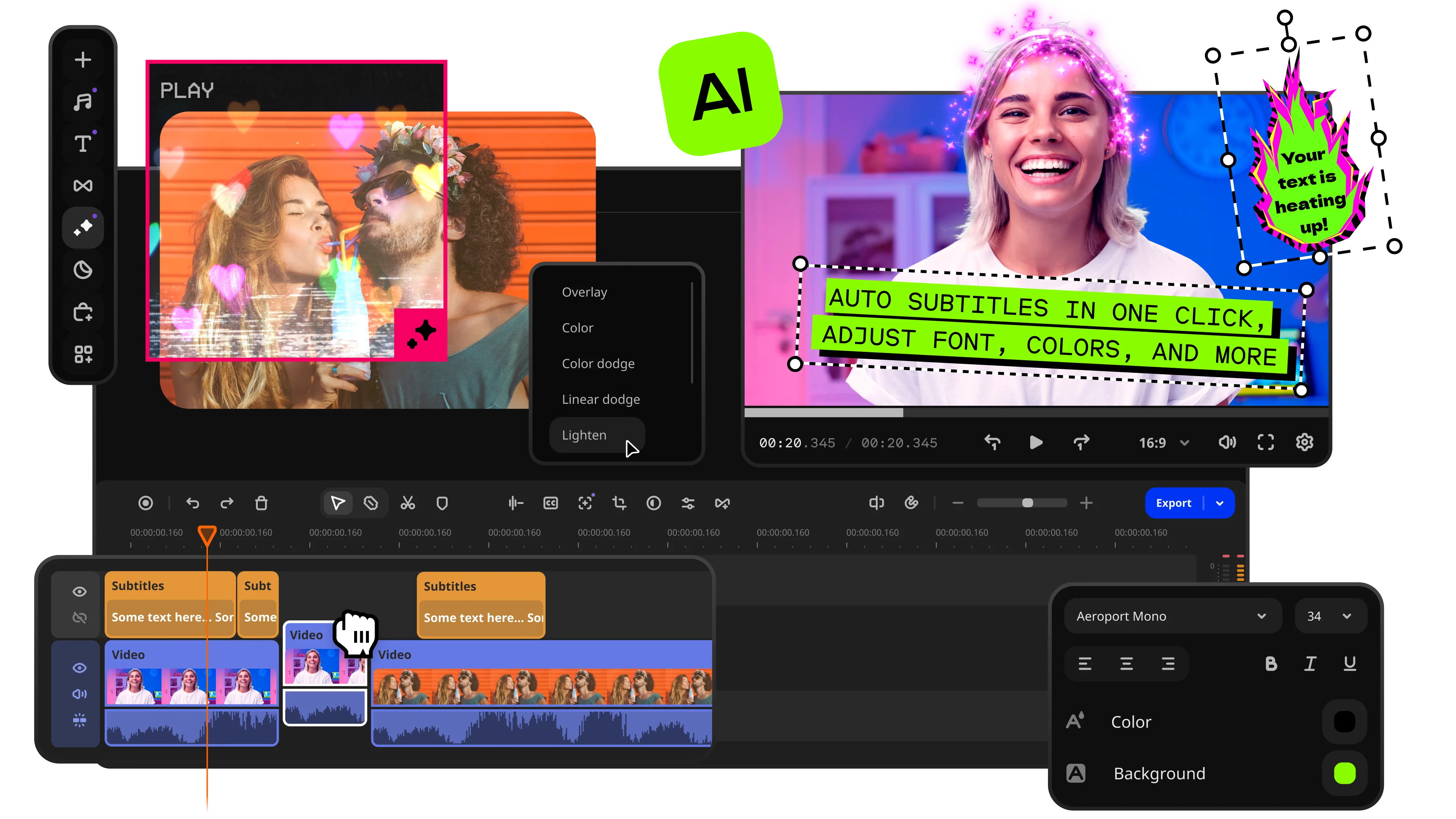
Fast and easy editing: cut, crop, adjust colors and speed
One-click AI tools: auto subtitles, noise removal, and more
Hundreds of filters, transitions, titles, overlays
When I first opened Premiere® Pro and Adobe® Premiere® Rush® side by side, it became clear surprisingly quickly that Adobe® had designed them for completely different moments in the editing process rather than different levels of the same workflow. Premiere® Pro behaves like a full production environment built for filmmakers, professionals, and anyone willing to spend time mastering advanced editing, color work, audio tools, and complex workflows, while Premiere® Rush® was created as a lighter, faster option for social content, quick edits, and mobile-first creators. The biggest difference today is not even a feature list: Adobe® has discontinued Premiere® Rush®, which means users looking for a long-term editing platform are no longer choosing between two actively developed products. Looking back at how both applications approached editing, Rush® excelled at simplicity and speed, whereas Premiere® Pro (the current name is Adobe® Premiere®) continues to dominate when projects demand flexibility, professional tools, and room to grow beyond basic content creation.
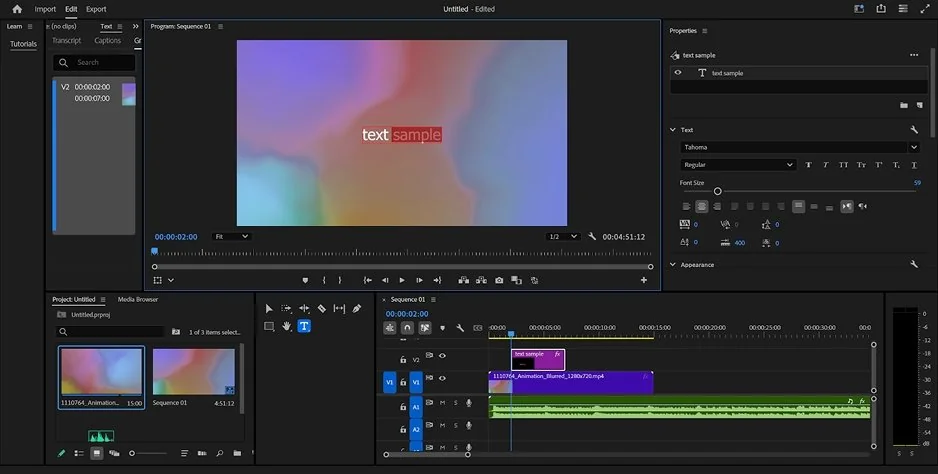
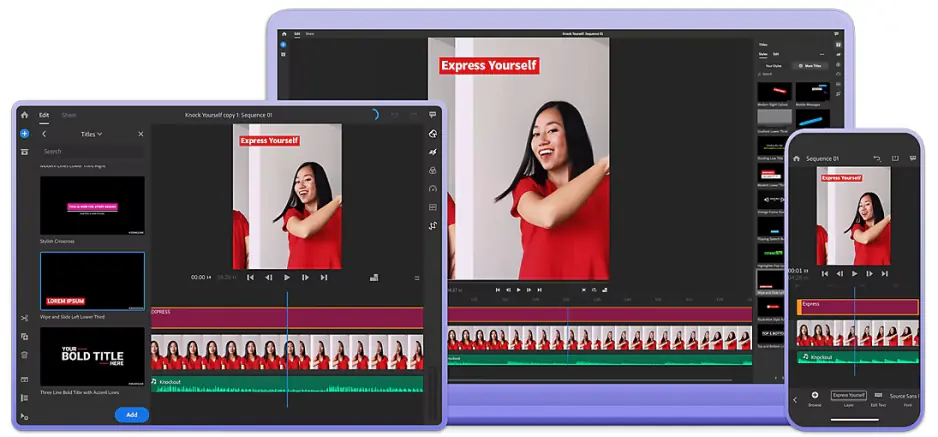
Moving between Adobe® Premiere® Rush® and Premiere® Pro felt a bit like walking into two very different workplaces. Premiere® Rush® keeps the interface compact, trims away most of the complexity, and makes it easy to understand where to click next, even for someone opening a video editor for the first time. Premiere® Pro takes the opposite approach and places a much larger toolkit on the screen from the start, which creates more possibilities but also more opportunities to wonder what half the panels actually do.
That contrast stayed visible throughout. Rush was built to get users editing quickly, while Premiere® Pro expects a longer relationship with the software before everything starts feeling natural. The reward for learning Premiere® Pro is significantly more power, but in terms of onboarding and day-one usability, Rush® simply asks less of the person sitting behind the keyboard.
Winner: Adobe® Premiere® Rush®
For interface simplicity, faster onboarding, and a gentler learning curve, Premiere® Rush® comes out ahead.
When comparing Premiere® Pro vs. Adobe® Premiere® Rush®, the feature gap between these editors is not subtle. Premiere® Rush® was designed to keep editing approachable, so the timeline stays simple, effects remain limited, and most tools focus on getting content ready for publishing without slowing the process down. Premiere® Pro takes a very different route and opens the door to multicam editing, advanced color grading, detailed audio mixing, motion graphics workflows, broad codec support, masking, and professional production tools that can carry a project from rough cut to final delivery.
What stood out most was how differently the software scales. Rush® feels comfortable when a project needs to be finished quickly, while Premiere® Pro seems built on the assumption that edits will become more complicated over time. The further I pushed into larger timelines and more demanding workflows, the wider the distance between them became.
Winner: Premiere® Pro
For advanced editing, professional workflows, and long-term creative flexibility, Premiere® Pro operates on an entirely different level.
Adobe® Premiere® Rush® vs. Premiere® Pro performance competition tells a more nuanced story than the feature list. Premiere® Rush® stays light on its feet, launches quickly, runs comfortably on less powerful hardware, and handles short-form projects without much drama. Premiere® Pro asks considerably more from the system, but it also brings stronger GPU acceleration, better optimization for demanding workflows, and the ability to manage larger timelines without running out of room to grow.
The difference becomes clearer as project complexity increases. Rush® feels faster when the goal is a quick edit and export, while Premiere® Pro starts showing its strengths once multiple tracks, higher-resolution footage, effects, and longer timelines enter the picture. One is optimized for convenience, the other for scale.
Winner: Premiere® Pro
For stability on larger projects, stronger hardware utilization, and performance under heavier workloads, Premiere® Pro takes the lead.
Pricing feels slightly unusual here because one of these products is no longer moving forward. Premiere® Pro continues as a subscription-based application, available through Adobe® Creative Cloud®, with ongoing updates and access to the latest features. Premiere® Rush® was previously included in Creative Cloud® plans and offered a free starter option, but since Adobe® has discontinued the product, the conversation is less about choosing a pricing model and more about choosing a platform with a future.
Neither editor was built around watermarked exports for paying users, but the value equation has shifted. Premiere® Pro remains an active investment with new features, AI tools, and long-term support, while Premiere® Rush® has effectively reached the end of its development journey.
Winner: Premiere® Pro
For continued updates, active development, and long-term value, Premiere® Pro is the more practical choice.
Platform support reveals one of the original ideas behind Premiere® Rush®. Premiere® Pro stays focused on desktop editing, running on Windows and macOS with the expectation that serious production work happens behind a larger screen and a more powerful machine. Premiere® Rush® was built around a broader ecosystem and extended to iOS and Android, making it possible to move between phones, tablets, and computers with much less friction.
That wider reach gave Rush® a flexibility Premiere® Pro never really pursued. Capturing a clip on a phone, making edits on the move, and finishing later on a desktop felt like part of the product's DNA rather than an added feature. Even though Rush® has been discontinued, its cross-device approach remains one of the clearest distinctions between the two editors.
The AI conversation feels surprisingly one-sided. Premiere® Rush® arrived before Adobe®'s recent push into generative and AI-assisted workflows, so its automation features remained relatively modest, focusing on conveniences such as auto reframing and quick adjustments for social content. It was designed to help users publish faster, not to reinvent how editing works.
Premiere® Pro now occupies a very different place in Adobe®'s ecosystem. Features powered by Adobe® Firefly®, AI-driven transcription, text-based editing, audio enhancement, scene detection, auto reframing, and tools such as Generative Extend make the software feel increasingly comfortable handing repetitive tasks to algorithms. What stood out to me was not any single feature, but how many small editing chores simply disappeared from the workflow.
Comprehensive professional editing environment with advanced tools
Excellent color grading through the Lumetri Color panel
Strong audio mixing and post-production capabilities
Powerful AI features, including transcription, text-based editing, and Generative Extend
Broad codec support and extensive export options
Deep integration with other Adobe® applications such as Adobe® After Effects® and Adobe® Audition®
Well suited for large, complex, and collaborative projects
Steeper learning curve than most consumer-focused editors
Subscription-only pricing can become expensive over time
Requires relatively powerful hardware for the best experience
Interface may feel overwhelming for occasional editors
Clean and approachable interface
Easy to learn, even for first-time editors
Strong mobile editing experience across multiple devices
Fast workflow for social media content and quick projects
Cross-device syncing was convenient for creators working on the move
Lower hardware requirements than Premiere® Pro
Discontinued by Adobe® and no longer under active development
Limited editing depth compared to professional editors
Basic color grading and audio tools
Minimal support for advanced workflows and larger productions
Fewer AI-powered features and creative options
Not designed for long-term growth into professional editing environments
What interested me most was not which editor could do more, but where each one seemed most at home. Premiere® Rush® was clearly designed around quick-turnaround content: TikTok clips, Instagram posts, YouTube Shorts, and projects that needed to move from idea to upload without much delay. Premiere® Pro operates in a different space altogether, thriving when videos become longer, workflows become collaborative, and the final result needs more than a few cuts, transitions, and captions.
The dividing line is not really experience level; it is project ambition. Rush® favors speed and accessibility, while Premiere® Pro assumes that sooner or later the timeline will become crowded and the demands will increase.
Quick breakdown:
Looking at these editors today, the decision feels less balanced than it once did. Premiere® Rush® succeeded at making video editing faster and more approachable, but its discontinuation changes the conversation significantly. Premiere® Pro remains actively developed, gains new AI capabilities, and continues to expand as a professional editing platform. If I were choosing between them now, I would view Rush® as a snapshot of Adobe®’s past approach to creator-focused editing, while Premiere® Pro is clearly where the company is investing its future.
Somewhere between Premiere® Pro’s professional complexity and Premiere® Rush®’s discontinued simplicity sits an option that takes a different route altogether. Movavi Video Editor focuses on keeping editing approachable without reducing everything to the bare essentials, combining AI-powered features such as auto subtitles, background removal, and enhancement tools with a workflow that never seems eager to overwhelm the user. What caught my attention was how quickly projects started moving without the feeling that I was sacrificing useful functionality in exchange for convenience. For creators who find Premiere® Pro too demanding and Premiere® Rush® too limited (or simply no longer viable), Movavi Video Editor occupies a practical middle ground that feels much more current than either extreme.
*The free version of Movavi Video Editor may have the following restrictions depending on the build: watermark on exported clips, 60-second video or 1/2 audio length limit, and/or some advanced features unavailable when exporting videos.

That depends on what role the software plays in your workflow. Premiere® Rush® can still handle simple edits and social media content, but the lack of active development changes the equation. The longer I thought about it, the harder it became to ignore the value of ongoing updates, new features, and long-term support.
Technically, yes, but the experience is different. Premiere® Pro can do everything Rush® was designed for and much more, although it arrives with a larger interface and a steeper learning curve. For some creators, that extra depth is useful immediately; for others, it can feel like bringing a film studio to a short-form video project.
This is where the gap widens considerably. Premiere® Rush® was built around simplicity and fast publishing, while Premiere® Pro leaves much more room for progression into advanced editing, color grading, audio work, and professional production workflows. If the goal is to keep expanding what an editor can do over time, Premiere® Pro offers a much longer runway.



1.5M+ users already subscribed to our newsletter