
Kdenlive vs. Shotcut: Features, Pricing, Performance Compared

Edited by
Ben Jacklin
9,622

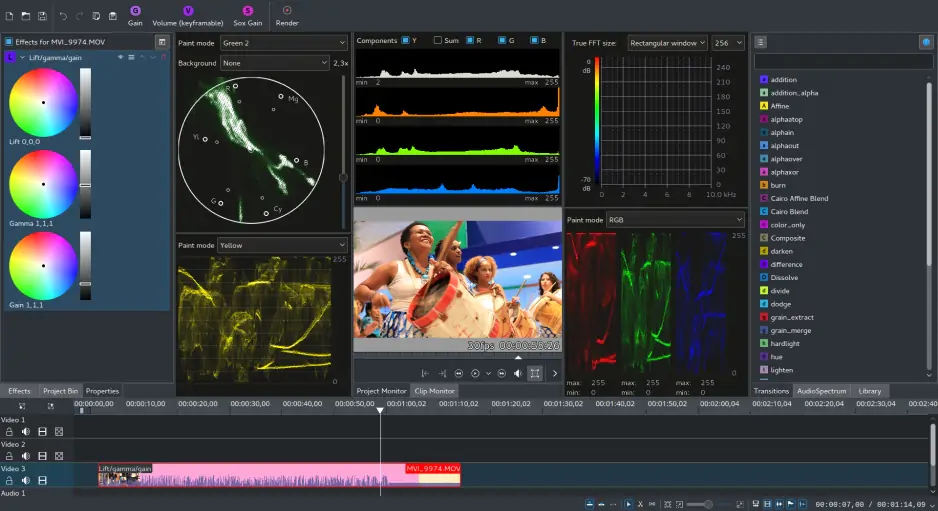
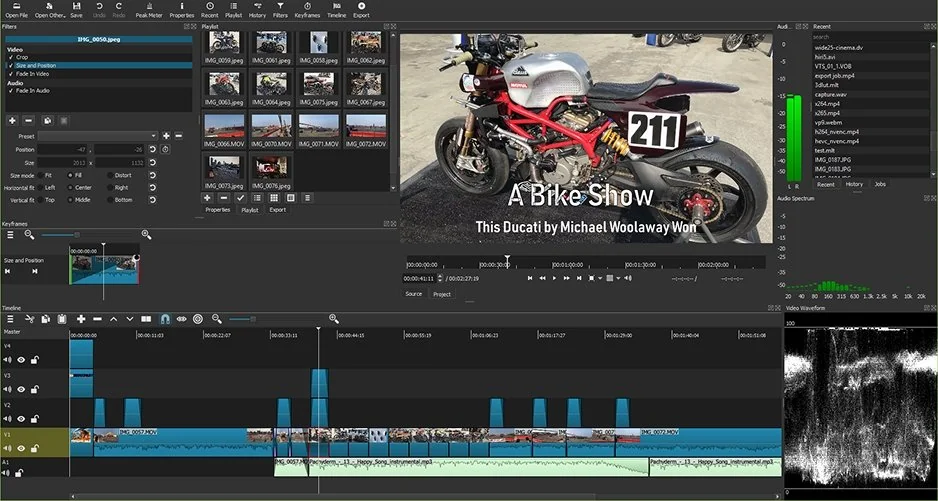
I expected Kdenlive and Shotcut to overlap so heavily that choosing between them would come down to small preferences, but the gap widened the longer projects stayed open. Kdenlive gave me the impression of an editor already thinking a few steps ahead, with tools and workflow choices that seemed more comfortable around layered timelines and larger edits, while Shotcut stayed closer to flexibility and let me shape the experience more freely. Neither editor tries particularly hard to simplify things for beginners, although they reward different kinds of patience: Kdenlive with deeper editing possibilities, Shotcut with broad compatibility and fewer restrictions. By the end, the divide looked less like feature lists and more like priorities, because Kdenlive seemed aimed at users building more ambitious workflows, whereas Shotcut fit those who prefer open-source editing with a stronger focus on adaptability.

Comparison parameter

Kdenlive

Shotcut

Who it's for

Intermediate users, open-source enthusiasts, creators growing into advanced editing

Beginners to intermediate users, hobbyists, users who prefer flexible open-source tools

Supported platforms

Windows, macOS, Linux

Windows, macOS, Linux

Ease of use

More structured interface, but can feel crowded initially

Simpler layout, though less guided for beginners

Quick summary

Best for professional workflows
Kdenlive takes this category because the workflow feels more prepared for longer projects and layered timelines. The deeper I moved into larger edits, the more comfortable it seemed handling complexity.

Best for color grading
Neither editor is chasing high-end cinematic grading, but Kdenlive gives more room for detailed adjustments. Shotcut keeps things flexible, while Kdenlive feels slightly more deliberate.

Best for advanced editing
The separation becomes clearer once projects stop being simple. Kdenlive offers stronger multitrack editing, proxy workflows, and tools that suit users building more demanding editing habits.

Best overall performance
Shotcut stayed lighter and more adaptable across different systems. Kdenlive handled heavier workflows better, but Shotcut often asked less from the machine underneath.

Ease of use

Kdenlive

Shotcut

The first hour of comparing Shotcut and Kdenlive says quite a lot about who they expect their users to be. Kdenlive offers a more structured workspace with panels and tools arranged around larger projects, although that organization also makes the interface feel denser at the beginning. Shotcut stays more open and slightly easier to approach, with fewer elements competing for attention, but it also provides less guidance on where new users should go next. Neither editor is especially interested in holding a beginner’s hand, though Shotcut asks for less adjustment before the workflow starts feeling familiar. The difference stayed consistent over time: Kdenlive rewards users willing to learn deeper workflows, while Shotcut lowers the barrier to getting started. Community discussions often describe Shotcut as the easier entry point, whereas Kdenlive is viewed as stronger once projects become more ambitious.

Winner: for onboarding, interface simplicity, and reaching a comfortable editing rhythm sooner, Shotcut has the advantage.

Features

In the Kdenlive vs. Shotcut competition, the gap in features becomes more noticeable once projects start growing beyond basic edits. Kdenlive brings a stronger toolkit for multitrack timelines, proxy editing, multicam workflows, audio adjustments, and handling larger projects where organization matters as much as the edits themselves. Shotcut stays highly flexible and supports a broad range of codecs through FFmpeg, with keyframes, filters, and customization options that appeal to users who prefer building their own workflow. Both editors cover the essentials well, but they prioritize different things: Kdenlive leans toward structured editing depth, while Shotcut emphasizes openness and adaptability. That difference keeps resurfacing as complexity increases. Kdenlive appears more prepared for layered projects and advanced workflows, whereas Shotcut gives users more freedom but fewer tools designed around scaling up.

Winner: for multicam editing, workflow depth, and handling more demanding projects, Kdenlive takes the lead.

Performance

The Shotcut vs. Kdenlive performance contest separates these editors less by raw speed and more by how they behave as projects become heavier. Kdenlive benefits from proxy editing and workflow tools designed to keep larger timelines manageable, which becomes increasingly useful once edits start involving multiple tracks or higher-resolution footage. Shotcut often feels lighter at first and runs comfortably on modest systems, but efficiency can depend more heavily on configuration choices, codecs, and hardware acceleration settings. Both support GPU acceleration to varying degrees through underlying technologies, though neither hides the technical side particularly well. Over longer sessions, Shotcut stays flexible and relatively lightweight, while Kdenlive appears better prepared for sustaining larger projects without the workflow becoming difficult to manage.

Winner: for stability on complex timelines, proxy workflows, and handling larger editing projects, Kdenlive comes out ahead.

Pricing

This category becomes unusually quiet because neither editor spends much time asking for money. Kdenlive and Shotcut are both free, open-source projects with full functionality available from the start, no subscription layers, and no paid versions hiding extra features behind upgrades. Exports remain free of watermarks in both cases, which immediately removes a limitation many commercial editors introduce during trials. The real difference is not cost, but where users invest instead: time spent learning workflows, adjusting settings, or shaping the editing environment around personal preferences.

Winner: neither editor asks for payment, subscriptions, or compromises around watermarks, so there is little separating them on price alone.

Platform compatibility

Platform support turns into one of the least dramatic categories because both editors cover the same ground. Kdenlive and Shotcut run on Windows, macOS, and Linux, which makes them unusually flexible compared to many commercial editors tied more closely to specific ecosystems. That shared compatibility matters more than it first appears, especially for users moving between devices, working in mixed environments, or simply preferring open-source software without operating system restrictions. Neither editor creates much friction here because both seem built around accessibility rather than platform loyalty.

AI tools

The AI category becomes surprisingly short because neither editor places much emphasis on automation. Kdenlive and Shotcut rely far more on manual workflows, traditional editing tools, and user control than on features designed to generate subtitles, remove backgrounds, or automate repetitive tasks. That approach may feel outdated beside newer commercial editors, but it also means users stay closer to the editing process itself rather than handing decisions over to algorithms. The trade-off is clear: more control, fewer shortcuts. Small experimental features and community-driven additions appear occasionally in open-source ecosystems, but neither Kdenlive nor Shotcut currently builds its identity around AI-assisted editing.

Pros & cons

Kdenlive

Pros:
  • Completely free and open source, with no subscriptions or paid upgrades

  • Strong multitrack editing tools suited to larger and more layered projects

  • Proxy editing support helps improve performance on demanding timelines

  • Available on Windows, macOS, and Linux

  • More structured workflow for users moving into advanced editing

  • Active development with strong open-source community support

Cons:
  • Interface can feel crowded for new users

  • Learning curve is steeper than in simpler editors

  • AI-powered tools and automation features are largely absent

  • Some workflows require more setup before editing feels efficient

Shotcut

Pros:
  • Free and open source with no watermark on exports

  • Broad codec support through FFmpeg integration

  • Available across Windows, macOS, and Linux

  • Flexible workflow with strong customization potential

  • Lighter interface that can feel easier to approach initially

  • Good option for users who prefer manual control over editing environments

Cons:
  • Fewer tools designed around advanced project management or larger workflows

  • Interface still requires adjustment time for beginners

  • Limited AI features and automation compared to commercial editors

  • Some configurations and advanced settings can slow down the editing process

  • Less structured approach may feel disorganized on complex projects

Best use cases

These editors begin separating themselves once projects move beyond simple exports and into habits, routines, and the kind of work people return to repeatedly. Shotcut feels more at home with creator workflows that value freedom and quick adaptation: YouTube uploads, occasional social videos, or editing sessions where flexibility matters more than structure. Kdenlive changes the picture when timelines grow, edits become more layered, and projects start demanding organization rather than improvisation. Neither editor clearly belongs to beginners or professionals alone, but one leans toward experimentation while the other seems built for gradually increasing complexity.

Final verdict

The longer I moved between these editors, the clearer it became that they are solving different problems rather than competing for the exact same user. Shotcut keeps editing open, flexible, and relatively easy to shape around personal preferences, which makes it appealing for everyday projects and users who value control without spending money. Kdenlive takes a more structured route and starts showing its strengths once timelines become heavier, projects last longer, and editing turns into something more demanding than occasional content creation. Neither editor tries particularly hard to simplify the process, but they reward different kinds of patience. If I wanted an environment that stays adaptable, I’d choose Shotcut; if I expected projects to become more complex over time, Kdenlive would be the direction I’d follow.

Alternative: Movavi Video Editor
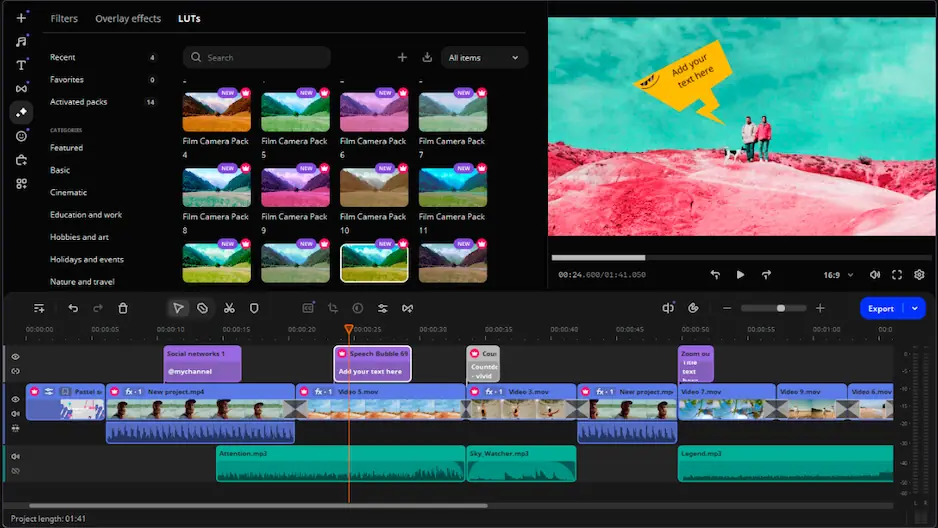
There was a point while switching between Kdenlive and Shotcut when I started wondering what sits between open-source flexibility and a workflow that does not require much negotiation. Movavi Video Editor fits surprisingly well into that space. The interface feels more guided, AI tools such as auto subtitles and background removal shorten routine tasks, and the overall experience seems designed for people who want editing to become productive quickly rather than gradually. For users who find Kdenlive too structured or Shotcut too manual, Movavi Video Editor offers a different balance: less configuration, fewer obstacles, and a faster route from raw clips to finished videos.


Frequently asked questions

Is Kdenlive better than Shotcut for larger projects?

The difference started becoming noticeable once timelines stopped staying simple. Kdenlive seemed more comfortable around layered edits, longer projects, and workflows where organization matters as much as creativity. Shotcut can absolutely handle demanding edits too, but Kdenlive appears more prepared when complexity begins accumulating.

Which editor is easier for beginners: Kdenlive or Shotcut?

Neither editor behaves like software built around instant familiarity, although Shotcut lowers the barrier slightly. The interface feels more open at first, while Kdenlive asks users to spend longer understanding panels, workflows, and project structure. The learning curve exists in both cases, but one arrives more gradually.

Does free and open-source software mean sacrificing editing features?

That assumption held up less than expected. Both Kdenlive and Shotcut support multitrack editing, broad format compatibility, effects, filters, and workflows capable of handling more than casual projects. The compromise appears elsewhere: fewer AI shortcuts and more reliance on manual control.

Have questions?
If you can’t find the answer to your question, please feel free to contact our Support Team.
Join us for discounts, editing tips, and content ideas

1.5M+ users already subscribed to our newsletter

By signing up, I agree to receive marketing emails from Movavi and agree to Movavi's Privacy Policy.