
DaVinci Resolve
Fast and easy editing: cut, crop, adjust colors and speed
One-click AI tools: auto subtitles, noise removal, and more
Hundreds of filters, transitions, titles, overlays
DaVinci Resolve vs. VEGAS Pro is a comparison between two powerful video editors built for very different creative styles. DaVinci Resolve stands out with cinematic color grading, professional post-production tools, and advanced AI features, while VEGAS Pro focuses on fast editing, a smoother learning experience, and flexible workflows for content creators. Resolve is often the better choice for filmmakers and advanced editors, whereas VEGAS Pro suits YouTubers, solo creators, and users who prefer a faster and more straightforward editing process.
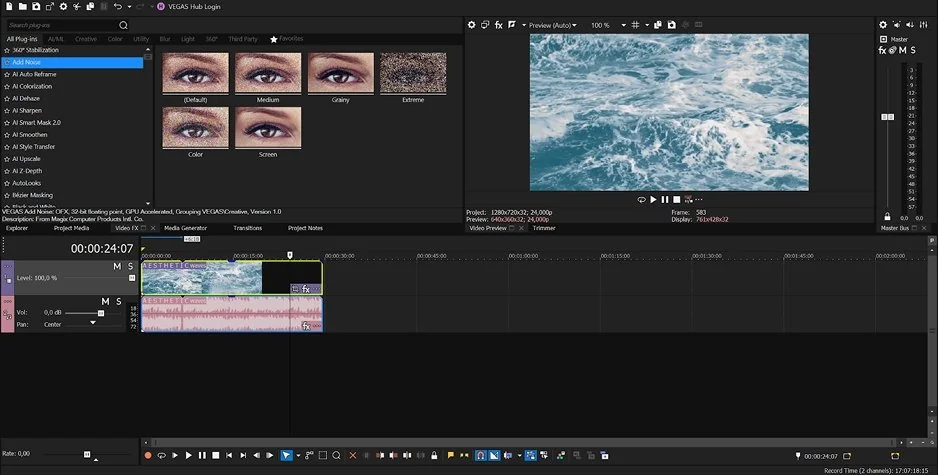
VEGAS Pro keeps most editing tools inside one workspace, which makes the workflow feel more direct. You can trim clips, adjust audio, add transitions, and manage effects without constantly switching between separate sections. The timeline also stays clean visually, even on projects with multiple tracks.
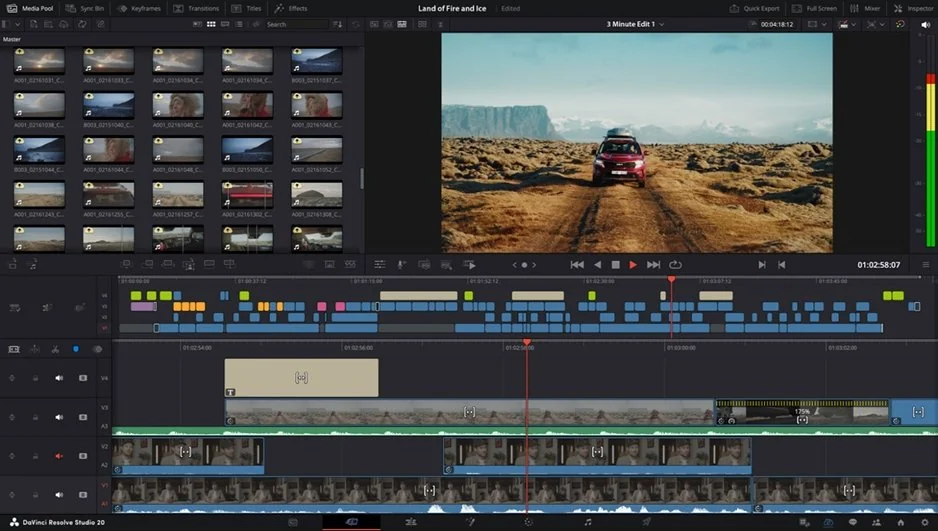
Compared to VEGAS Pro, DaVinci Resolve is more segmented. Editing, color grading, audio, visual effects, and export are divided into dedicated pages like Edit, Fusion, Color, and Fairlight. That structure works well for professional post-production, but it slows down smaller editing tasks because tools are spread across different workspaces. Fusion is one of the biggest hurdles. Its node-based compositing system offers far more control, though it takes time to understand if you are used to traditional layer-based editors.
Resolve feels more organized on complex productions. VEGAS Pro feels faster and less technical during everyday editing work.
Winner: VEGAS Pro is easier to navigate because most tools remain accessible inside a single editing environment.
DaVinci Resolve provides a more specialized toolset across editing, color, audio, and finishing. Its timeline supports advanced trimming modes, adjustment clips, compound clips, proxy workflows, multicam synchronization, and detailed timeline versioning. Color grading is built around a node-based system with precise masking, motion tracking, HDR controls, and scene-based corrections that are difficult to match in standard layer-based editors.
Fairlight gives Resolve a stronger audio-production environment. It supports ADR, surround mixing, automation curves, bus routing, and detailed dialogue processing directly inside the editor. Fusion adds node-based compositing and motion graphics with 3D tools, particle systems, and keying controls typically associated with dedicated VFX software.
VEGAS Pro focuses more on editing speed and direct timeline control. Its multicam editing is reliable, audio tools remain strong, and codec support is broad enough for most commercial and online workflows. However, compositing, motion graphics, and color tools are less extensive compared to Resolve’s dedicated modules.
Winner: DaVinci Resolve offers a more complete professional toolset for editing, grading, audio production, and compositing.
DaVinci Resolve relies heavily on the GPU, which helps with playback, color processing, noise reduction, and high-resolution exports. On a strong workstation, it handles 4K timelines, RAW media, and effects-heavy sequences with impressive consistency. The trade-off is hardware demand. Systems with limited VRAM or older graphics cards can struggle, especially when using Fusion effects or AI tools.
VEGAS Pro is less demanding in smaller projects and often feels responsive on mid-range Windows PCs. Recent versions have improved GPU acceleration and timeline playback, particularly with common formats such as MP4 and AVC/HEVC footage. Rendering speed can be solid, though results depend heavily on the GPU, driver version, and chosen codec.
For long projects, Resolve is usually steadier when the hardware is powerful enough. VEGAS Pro can perform well, but large timelines with plugins and mixed media may require more manual optimization.
Winner: DaVinci Resolve is more dependable for demanding projects on properly equipped hardware.
DaVinci Resolve has a fully functional free version that includes editing, color grading, Fairlight audio tools, Fusion compositing, and exports without watermarks. Most users can complete professional projects without upgrading. The Studio version costs $295 as a one-time purchase and adds advanced AI tools, HDR workflows, collaboration features, and additional effects.
VEGAS Pro uses both subscription and perpetual license pricing. The software offers a 15-day free trial with full access to the editor. Some AI tools, Boris FX plugins, and bundled effects are limited to higher-tier packages such as VEGAS Pro Suite.
Resolve gives users far more access before requiring payment.
Winner: DaVinci Resolve offers a more capable free version and avoids ongoing subscription costs.
DaVinci Resolve supports Windows, macOS, Linux, and iPadOS. The software maintains near-identical functionality across platforms, including Fusion compositing, Fairlight audio tools, color management, and GPU-accelerated processing. Linux support is particularly relevant in professional post-production environments, where Linux-based workstations are still common for finishing and color workflows. Resolve is also optimized for Apple Silicon systems and supports shared project libraries across multiple operating systems.
Unlike DaVinci Resolve, VEGAS Pro is limited to Windows. The software supports modern GPU acceleration APIs and works well with current NVIDIA and AMD hardware configurations, but there is no native support for macOS, Linux, or mobile devices. Project portability is therefore tied entirely to Windows-based systems.
The difference is mostly structural. Resolve is designed for cross-platform production environments, while VEGAS Pro remains focused on Windows-only editing workflows.
DaVinci Resolve integrates AI features through the DaVinci Neural Engine. Most of its AI tools are tied directly to editing, color correction, dialogue processing, and timeline automation rather than template-driven content creation workflows.
DaVinci Resolve AI tools:
VEGAS Pro focuses more on transcription, editing automation, and AI-assisted cleanup tools integrated directly into the timeline workflow.
VEGAS Pro AI tools:
Resolve places more emphasis on post-production automation and scene analysis, while VEGAS Pro concentrates on transcription-driven editing and workflow acceleration.
Advanced color grading and HDR tools
Fairlight audio-production features
Fusion compositing and VFX tools
Supports Windows, Mac, Linux, and iPadOS
Free version exports without watermarks
Strong RAW and color-management support
Demanding GPU requirements
Fusion takes time to learn
Some AI tools require Studio version
Linux setup can be less straightforward
Responsive timeline editing
Strong VST audio support
Reliable multicam editing
Broad codec compatibility
Lower hardware demands
Direct single-window workflow
Windows-only software
Less advanced color grading
Limited compositing tools
Some AI and Boris FX tools cost extra
The differences between VEGAS Pro and DaVinci Resolve become clearer when you look at the kind of projects people actually use them for day to day.
YouTube production: VEGAS Pro works well for commentary videos, tutorials, gameplay content, and regular upload schedules. The timeline is quick to manage, audio adjustments are easy to access, and rendering common delivery formats does not require much setup. Resolve fits better when projects involve heavier color correction, RAW footage, or more polished visual finishing.
TikTok & social content: VEGAS Pro is faster for short-form editing and quick exports. Resolve supports vertical timelines and social formats too, but its workflow is still built around broader post-production tasks rather than rapid social editing.
Beginner editors: VEGAS Pro is easier to understand because editing, effects, and audio tools remain inside the same workspace. Resolve expects users to understand separate workflows for editing, compositing, color, and sound.
Professional workflows: Resolve is more suitable for commercial post-production, color finishing, multicam projects, and shared studio environments.
Business & casual editing: VEGAS Pro works well for training videos, product demos, presentations, and everyday editing tasks where speed matters more than advanced finishing tools.
VEGAS Pro vs. DaVinci Resolve feels less like a question of which editor is stronger and more like a question of how much structure you want around the editing process itself. Resolve separates nearly every production stage into its own workspace. That gives compositing, audio processing, and delivery tools more room, but it also changes the pace of editing. VEGAS Pro keeps more actions tied directly to the timeline, so projects move with fewer interruptions. Resolve suits editors who prefer refining footage in detail. VEGAS Pro fits workflows where maintaining momentum matters more than dividing work into separate production stages.
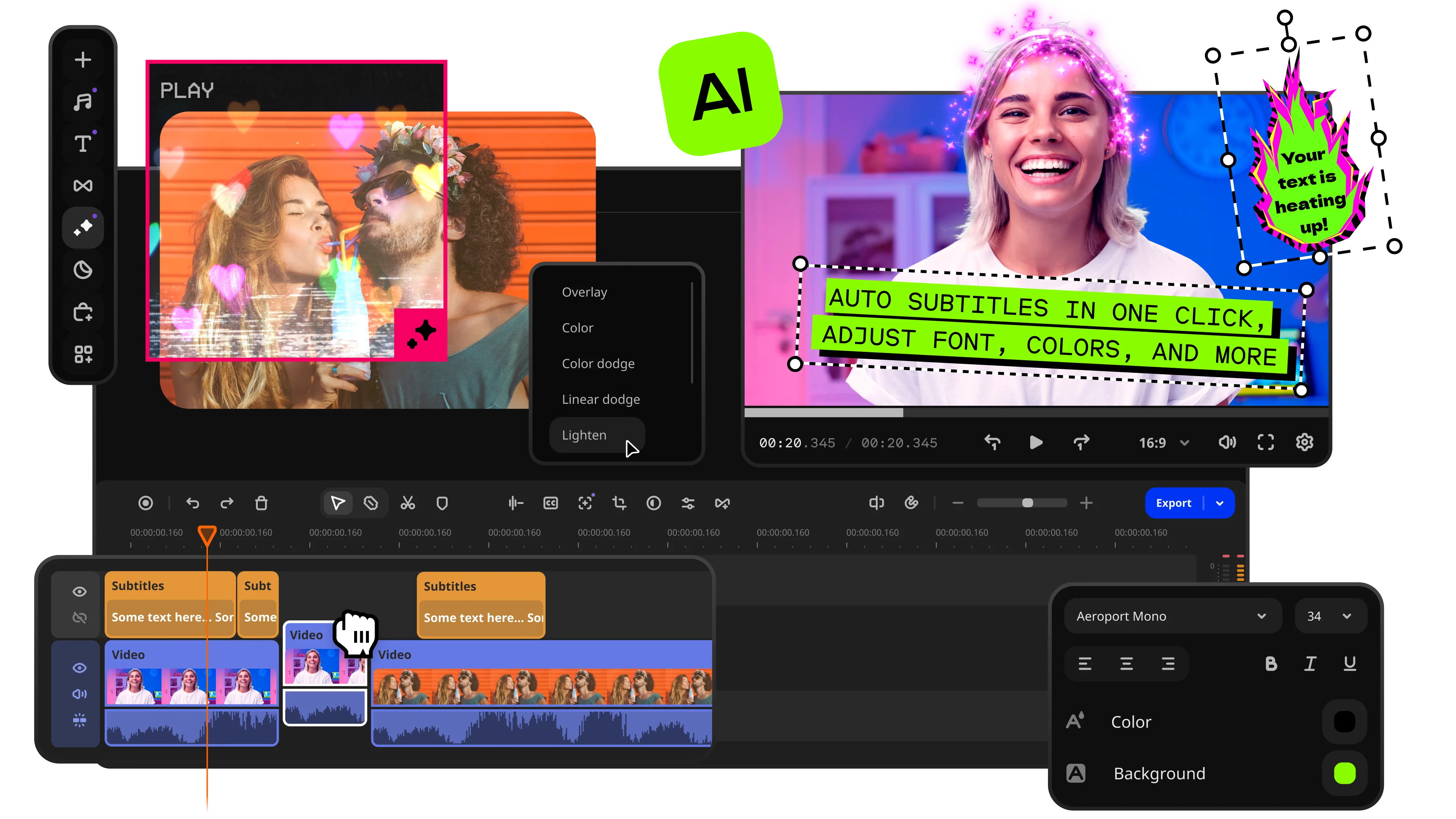
Movavi Video Editor makes sense for users who find DaVinci Resolve too technical and VEGAS Pro too production-focused. The interface is simpler, but it still includes practical tools like automatic subtitles, background removal, screen recording, motion tracking, and ready-made effects. It also handles tutorials, presentations, YouTube videos, and casual editing comfortably with very little preparation. Resolve and VEGAS Pro offer more technical depth, but Movavi is easier to manage when the goal is to edit quickly instead of organizing projects across multiple production tools and workspaces.
*The free version of Movavi Video Editor may have the following restrictions depending on the build: watermark on exported clips, 60-second video or 1/2 audio length limit, and/or some advanced features unavailable when exporting videos.

Yes, and the free version is surprisingly complete. You get editing, color grading, Fusion effects, Fairlight audio tools, and watermark-free exports. A lot of editors use it for serious projects before ever considering the Studio upgrade.
For most people, it is. VEGAS Pro keeps editing, effects, audio, and exports close to the timeline, so the workflow feels more immediate. Resolve takes a different approach and separates many tools into dedicated workspaces.
It depends on the type of channel when you choose between VEGAS Pro and DaVinci Resolve. VEGAS Pro fits fast upload schedules, tutorials, and gameplay content well. Resolve works better for videos that need polished color work, cleaner sound, or more detailed finishing.



1.5M+ users already subscribed to our newsletter