Best Audio Converters – Free Desktop & Online Tools

Try Movavi Video Converter!

  • Lightning-fast file conversion

  • Powerful video compression

  • AI video upscaling: up to 8X

Edited by
Ben Jacklin
35,795

Key takeaways

  • I tested everything from browser tools like Audio Convert and Convertio to heavyweights like FFmpeg and Audacity, and the choice of the best audio converter depends entirely on how much control you actually want.
  • The pattern in looking for the best free audio converter is clear: simpler tools such as Zamzar or Hamster Free Audio Converter trade power for speed, while advanced options like Fre:ac or Switch Audio File Converter reward patience with precision.
  • If I had to name standouts, I kept circling back to Movavi Video Converter, MediaHuman Audio Converter, and Freemake for their balance between usability and capability.
  • Most tools share the same trade-offs: free versions come with limits, online services depend on your connection, and the more powerful the software, the steeper the learning curve tends to be.
  • My takeaway after all this testing is simple: pick speed for quick jobs, pick control for serious audio work, and always check your output settings twice if you care about quality.

It started with a simple task and somehow turned into me stress-testing a pile of audio converters like it was a personal experiment gone slightly too far. Somewhere between the tenth MP3 and a stubborn FLAC file, I realised audio converters are a strange mix of magic and frustration. Some tools feel like they read your mind, others make you work for every single click.

So, in search for the best free MP3 converter, I went all in and tested everything I could get my hands on, from lightweight browser tools to command line beasts that look like they belong in a different decade. I pushed them with real files, large batches, and the kind of messy inputs people actually deal with. What came out of that was not just a list, but a shortlist of tools that genuinely hold up.

Comparison table: Best audio converters

Program

OS

Main advantages

Download

Windows

Easy to use, wide format support, can extract audio from video

Web

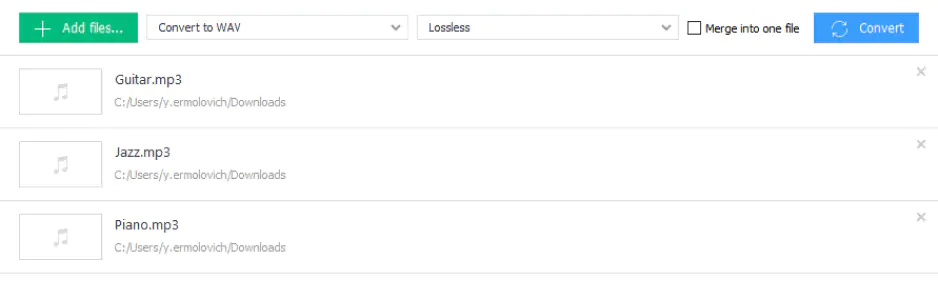
No installation, quick conversions, simple interface

Windows, macOS

Fast batch processing, many formats, clean interface

Top audio converters

1. Freemake

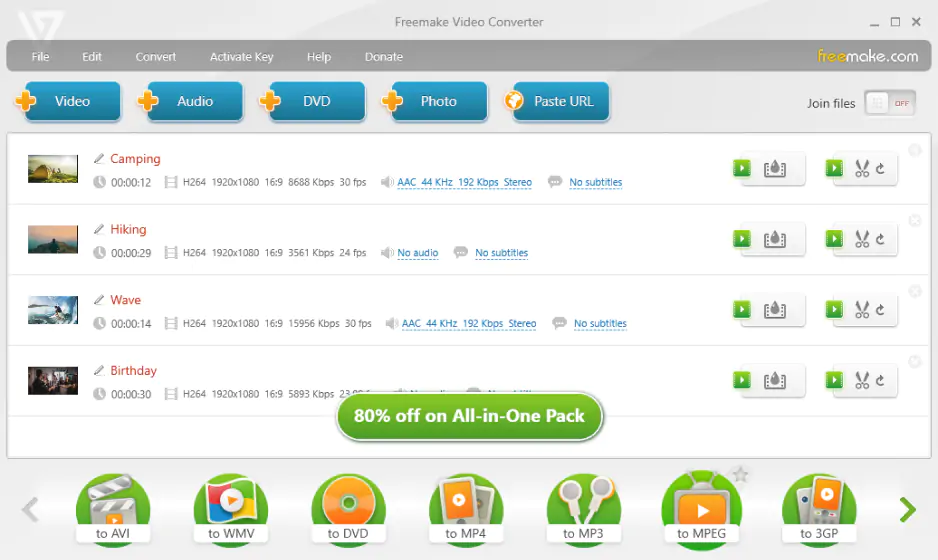
Why I picked it: I kept coming back to Freemake because it makes messy format juggling feel almost effortless.

Freemake feels like software that has been around long enough to understand what users actually need. In my testing, it handled audio conversion and audio extraction from video without much friction, and the approachable interface meant I could start converting almost immediately. Cloud integration also made it easier to move files between devices without adding extra steps.

Still, it is not entirely free in spirit. Longer files can trigger restrictions unless you upgrade, which interrupts the workflow. Even so, it stayed reliable with mixed media and felt practical, dependable, and familiar rather than flashy.

Ratings

Cons:

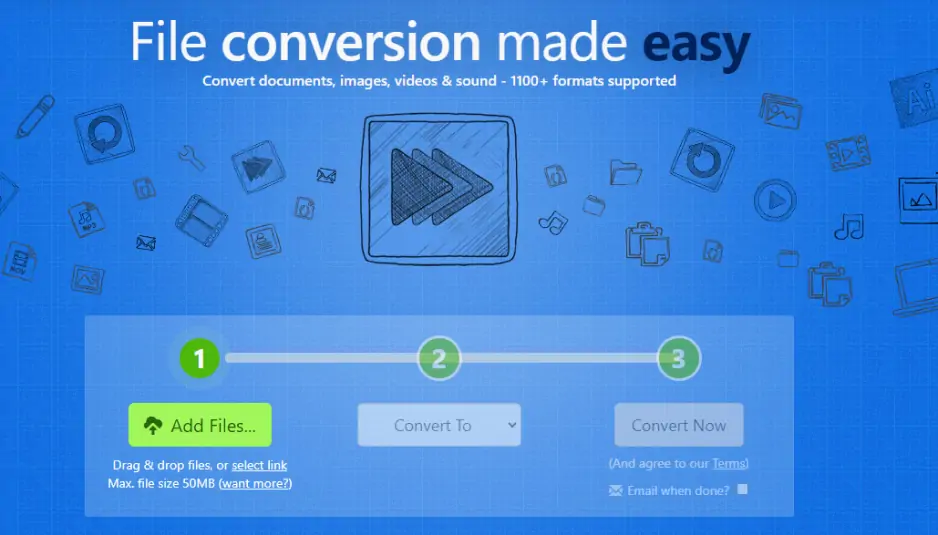
2. Audio Convert

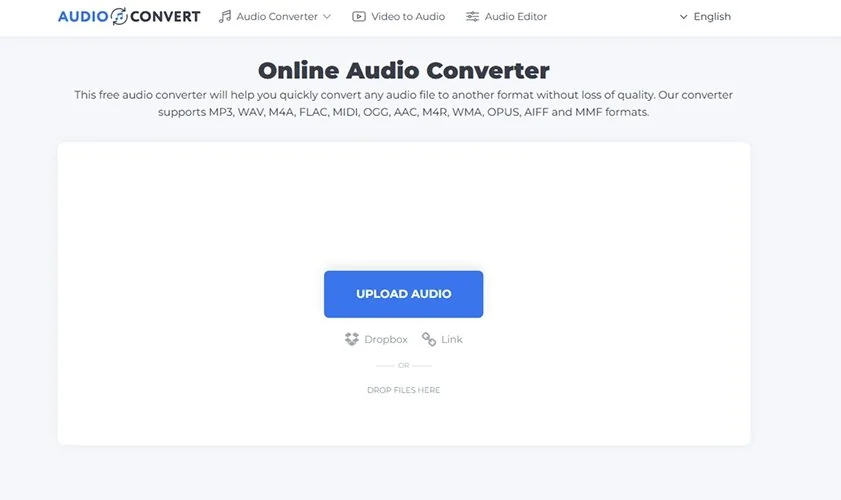
Why I picked it: I liked how Audio Convert let me skip installations entirely and just get straight to converting in my browser.

Audio Convert is a browser-based tool that seems almost too simple to take seriously. You upload a file, choose a format, and let the cloud do the rest. In my tests, it handled common formats without hesitation, and the lack of installation made it genuinely convenient across devices.

That simplicity has limits. I wanted more control over bitrate and output quality, especially with larger files. For quick, casual conversions, it works well, but for more serious audio work, it feels efficient rather than flexible.

Ratings

Pros:
  • Works entirely in browser with no installation

  • Supports many file formats and simple workflow

  • Beginner-friendly and quick to use

3. Movavi Video Converter

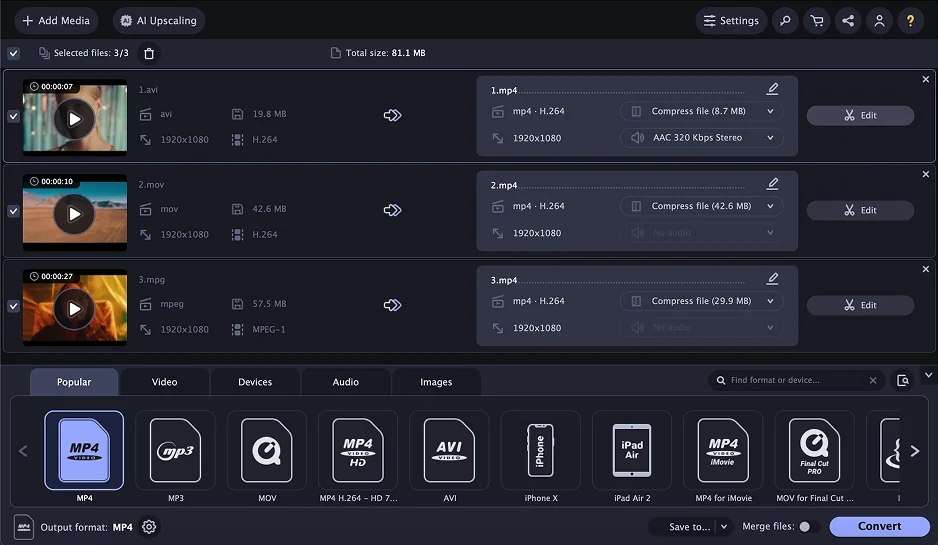
Why I picked it: I picked Movavi Video Converter because it handled everything I threw at it quickly and easily.

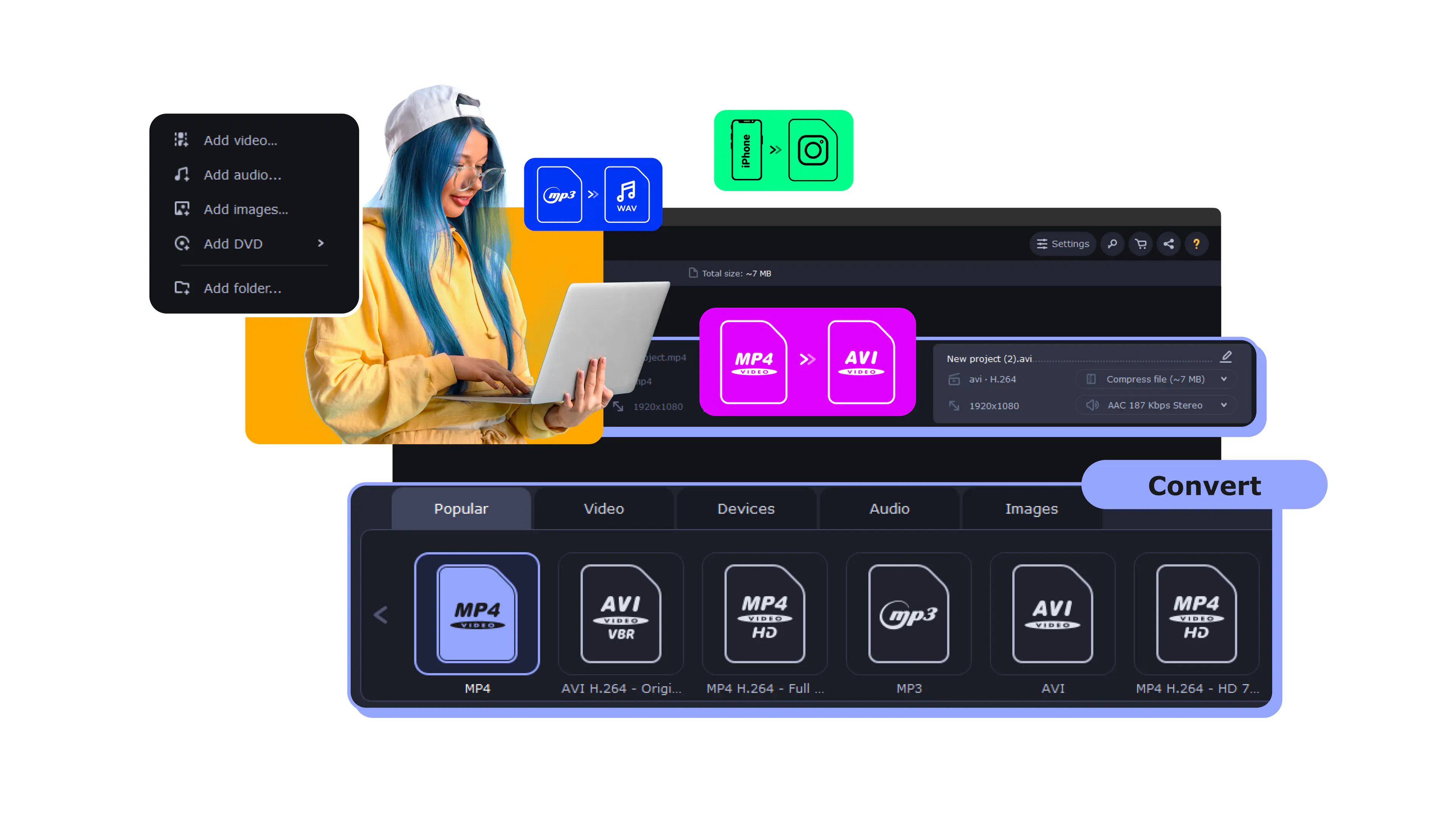
Movavi Video Converter surprised me because, despite the name, it handled audio tasks very smoothly. I used it to extract audio tracks and convert them into different formats, both on Windows and on Mac, and batch processing stayed fast and stable even with larger files. The interface feels polished in a way that makes the whole process predictable.

What stood out most was how little effort it required. I rarely needed to touch the settings, and the default output quality was consistently good. It may be more than some users need for simple jobs, but it feels refined enough to become part of a regular workflow.

Ratings

Pros:
Cons:

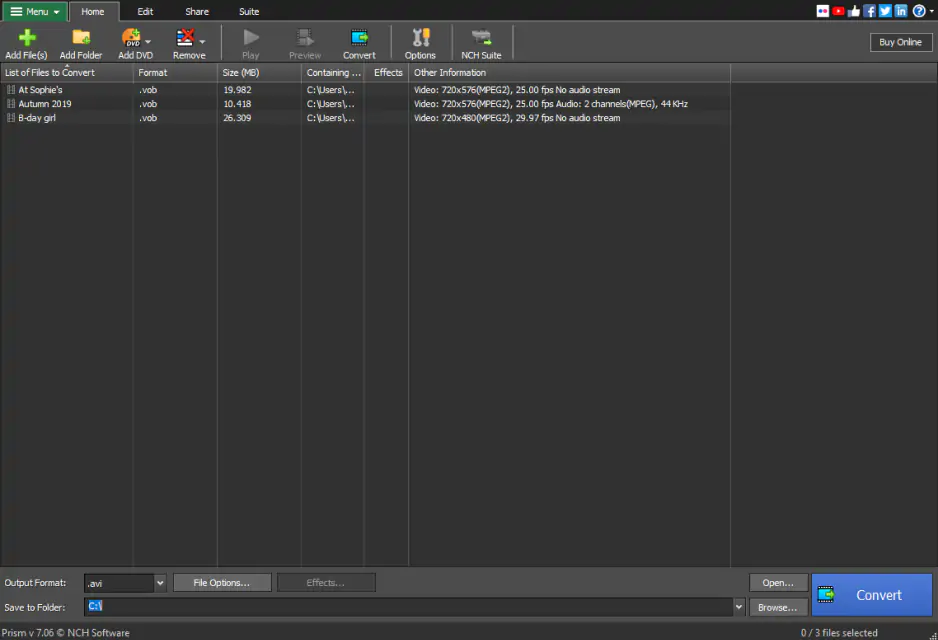
4. Switch Audio File Converter

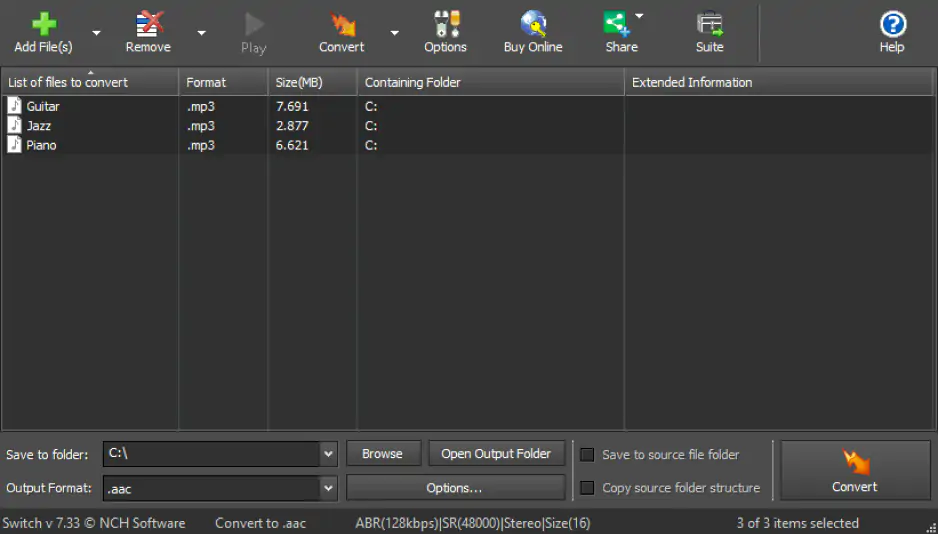
Why I picked it: I appreciated Switch for quietly powering through large batches without slowing me down.

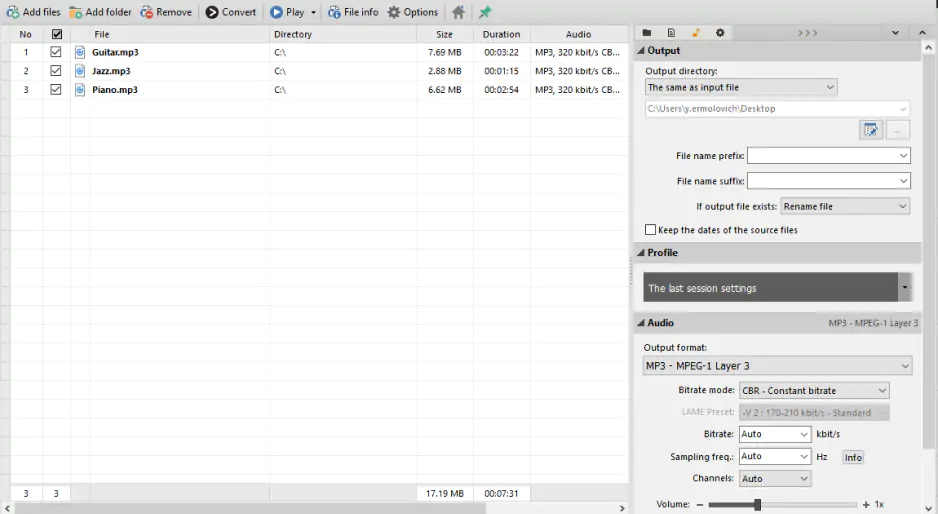
Switch looks like a straightforward utility at first, but it revealed more depth the longer I used it. Batch conversion worked reliably, drag-and-drop made the workflow feel natural, and the basic editing options added useful flexibility during testing.

Visually, it does not try to impress. The interface is functional rather than elegant, but once I understood it, it stayed out of the way. I found it especially useful for large collections of audio files that needed consistent formatting.

Ratings

4.8/5

Pros:
  • Supports dozens of audio formats

  • Reliable and lightweight

5. Free Audio Converter by DVDVideoSoft

Why I picked it: I liked it for its no-nonsense approach to simple conversions that just work.

This program gave me the kind of control online converters often lack because everything happens locally. In testing, it handled batch conversions smoothly, kept results consistent across formats, and made it easy to manage multiple files without confusion.

Its simplicity is the point. The basic audio joiner is useful, but advanced features are limited. Still, for users who want something straightforward, private, and predictable, its restraint becomes part of the appeal.

Ratings

3.5/5

Pros:
  • Simple and easy to use

  • Batch conversion

  • Supports a lot of formats

6. Wondershare UniConverter

Why I picked it: I chose Wondershare UniConverter because it feels fast, focused, and surprisingly refined for everyday use.

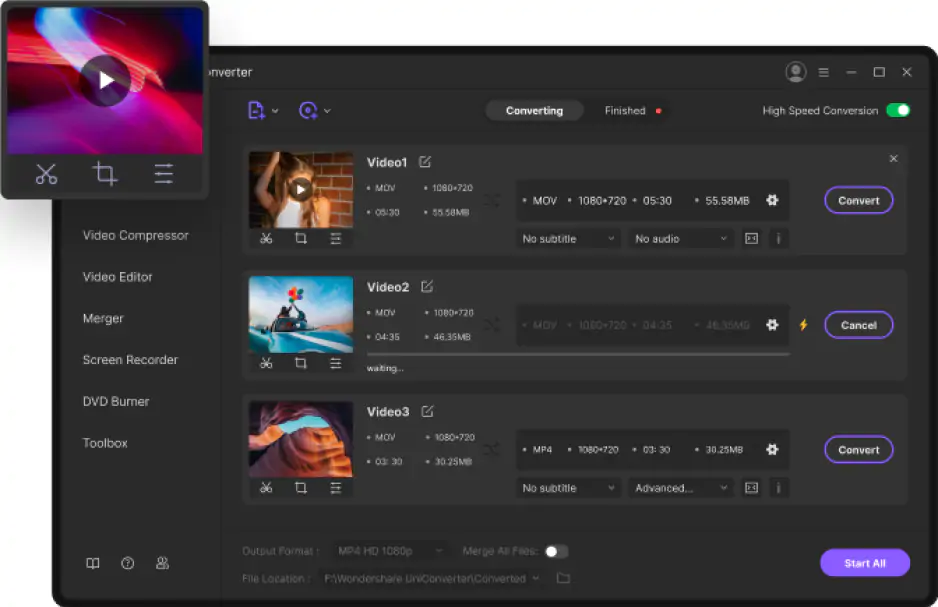
Wondershare UniConverter feels more focused than many of the tools I tested. It is well-designed, and that shows in the speed of its conversions, the smooth batch processing, and the simple drag-and-drop workflow. Output quality also stayed consistently high.

It also extracts audio from video efficiently, which makes it more versatile than it first appears. The whole experience feels carefully designed rather than overloaded. It strikes a strong balance between simplicity and capability.

Pros:
  • Fast conversion speeds and batch processing

  • High output quality

  • Useful features like trimming and normalization

Cons:
  • Paid features required for full functionality

7. FFmpeg

Why I picked it: I respected FFmpeg for giving me absolute control, even if it made me earn it.

FFmpeg is a completely different experience from the rest. There is no friendly interface, no visual guidance, just a command line and a huge amount of power. At first, it feels inaccessible, but once I learned the basics, its flexibility became obvious.

I used it for detailed conversions with specific parameters, and it handled everything without hesitation. It can process almost any format and automate tasks that graphical tools struggle with. The catch is the learning curve, which makes it better for patient users than casual ones.

Ratings

4.6/5

Pros:
  • Extremely powerful and flexible

  • Supports nearly all audio and video formats

  • Ideal for automation and advanced workflows

8. Fre:ac

Why I picked it: I stuck with Fre:ac because it treats audio conversion with the kind of precision I rarely see.

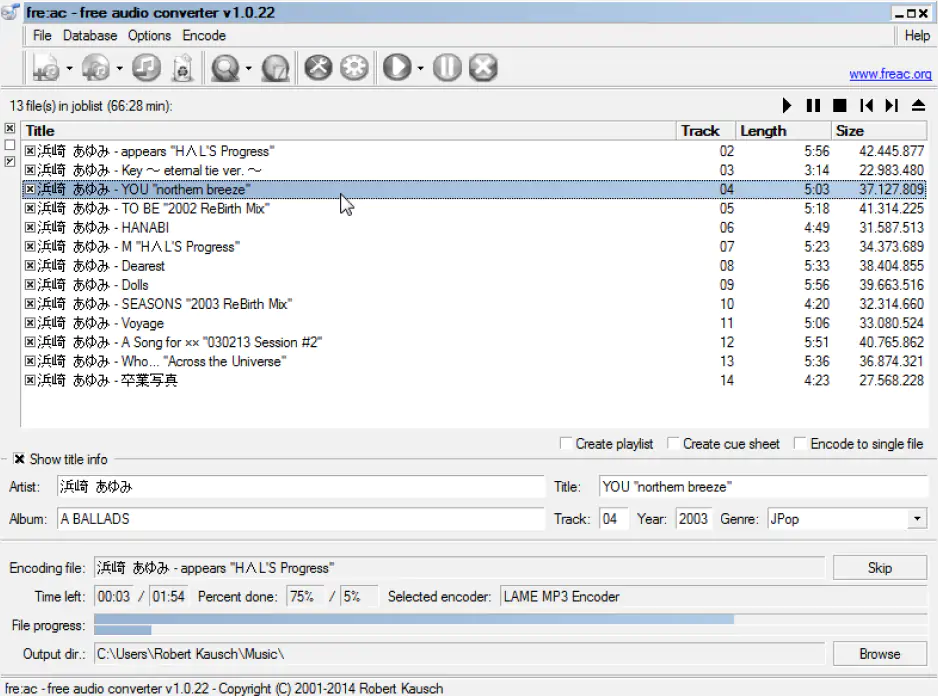
Fre:ac has an old-fashioned character that becomes more appealing the longer you use it. The interface feels dated at first, but the app itself is reliable, with support for many formats, CD ripping, and metadata handling. It dealt with archival audio files consistently in my tests.

Its strength is precision rather than polish. The encoding settings give you detailed control, which is useful for more demanding work. It may not look modern, but it feels built for people who care about accuracy.

Ratings

4.5/5

Pros:
  • Free and open source

  • Supports many formats and CD ripping

  • Allows simultaneous output to multiple formats

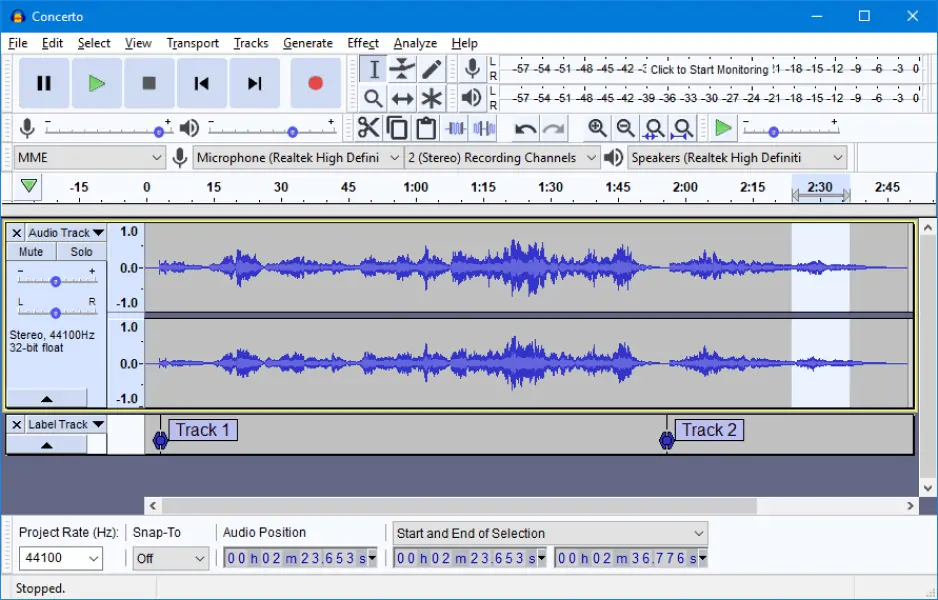
9. Audacity

Why I picked it: I used Audacity because it let me fix and convert audio in one deliberate workflow.

Audacity is not strictly an audio converter, and that becomes clear immediately. It is an editor first, with conversion as part of the export process. That means you are expected to inspect the waveform, adjust settings, and make decisions before saving the final file.

In testing, it worked best when conversion was part of a larger cleanup job. Trimming, adjusting levels, and improving audio before export gave it an advantage over simpler tools. It is not ideal for fast batch work, but for careful editing, it offers much more control.

Ratings

Pros:
Cons:
  • Can be overwhelming for beginners

  • Not optimized for batch conversion

10. Convertio

Why I picked it: I liked Convertio for how quickly it turned quick online conversions into a routine task.

Convertio feels like a modern web tool built around accessibility. It doesn’t matter where you open the tool, it works well for PC, smartphone with Android, iPhone and iPad, you name it. I used it in the browser, uploaded files, and converted them quickly without installing anything. Its broad format support and cloud storage options made the process even more convenient.

The limits appear when you push it harder. File size restrictions and internet speed shape the experience, and large files can slow things down. For quick everyday conversions, it works well, but heavy use exposes its constraints.

Ratings

4.4/5

Pros:
  • Easy to use online converter

  • Supports many formats

  • No installation required

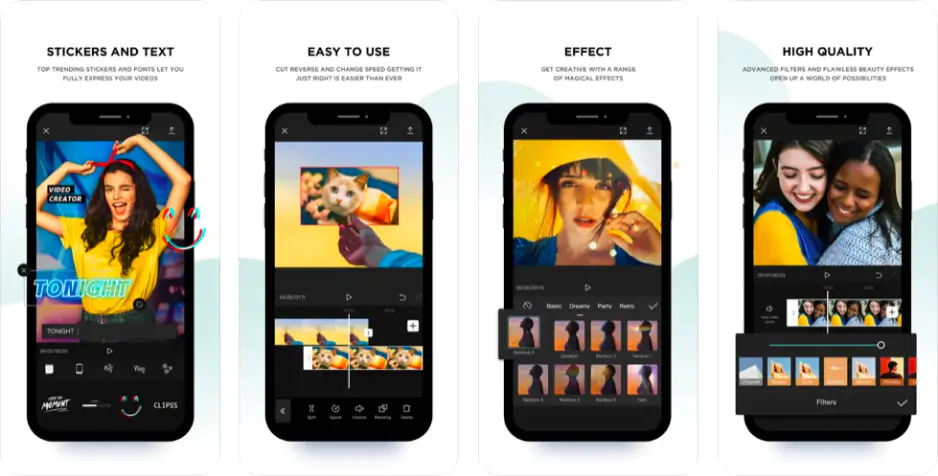
11. CapCut

Why I picked it: I picked CapCut because it blurs the line between editing and converting in a way that feels modern.

CapCut is not a traditional audio converter, but it surprised me in this role. I used it from a video-editing angle, importing clips and extracting audio tracks, and the process felt intuitive. It is clearly built for modern content workflows rather than old-school file management.

Its conversion features are tied closely to editing. That gives you flexibility, but it also adds complexity if all you want is a simple format change. I found it useful for audio inside video projects, but less convincing for bulk conversions.

Ratings

4.0/5

4.0/5

4.0/5

Cons:
  • Not a dedicated audio converter

  • Interface limitations and permissions concerns

12. Zamzar

Why I picked it: I relied on Zamzar when I wanted something simple that works almost anywhere.

Zamzar feels like one of the older names in online conversion, and it still does the basics well. I uploaded different files, chose output formats, and got results with minimal effort. The process is simple, and its broad format support remains useful.

Its age shows in places. File size limits and slower processing can interrupt the flow, especially with larger files. Even so, it remains dependable for quick tasks when you do not want to install anything.

Ratings

4.5/5

Pros:
  • Very easy to use

  • No installation required

  • Supports many file formats

Cons:

13. Pazera Free Audio Extractor

Why I picked it: I chose Pazera because it extracts audio from video with quiet efficiency.

Pazera Free Audio Extractor is focused in a way many tools are not. It is built to extract audio from video files and convert it into usable formats, and in my testing it did that quickly and reliably. Batch processing made it practical for handling several files at once.

The interface is simple and slightly dated, but it offers enough settings to adjust output quality without becoming overwhelming. It is not a tool for every audio task. But when extraction is the job, it performs with quiet confidence.

Ratings

5.0/5

Pros:
Cons:
  • Limited documentation

  • Some reports of stability or security concerns

14. MediaHuman Audio Converter

Why I picked it: I liked MediaHuman for its clean design and steady, dependable performance.

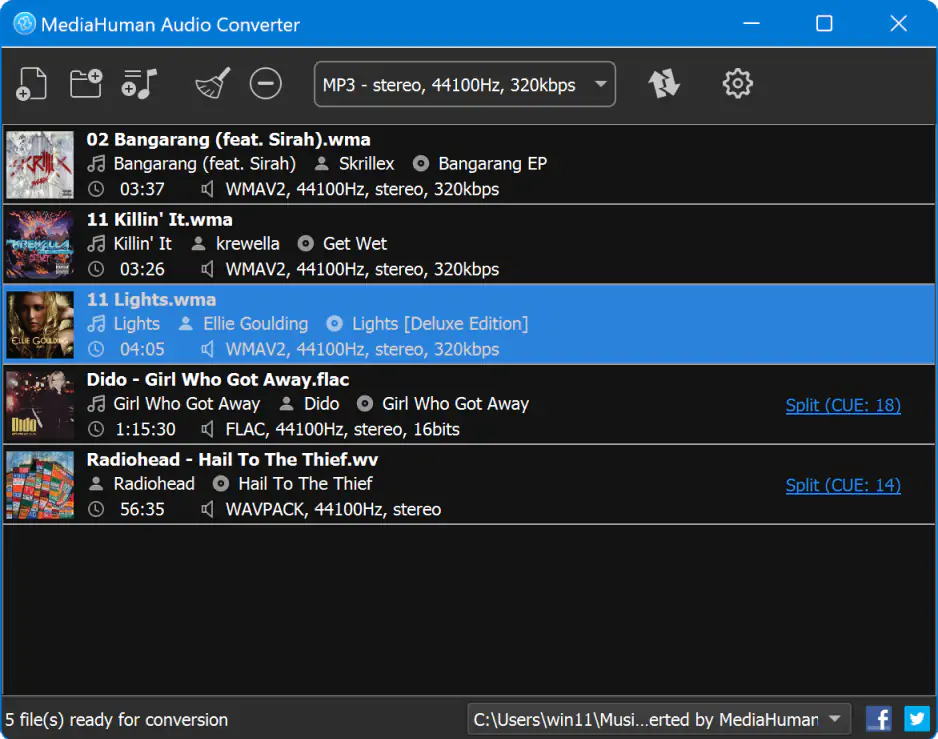
MediaHuman Audio Converter looks clean and modern, and that impression held up during testing. I converted multiple files across different formats, and the process stayed smooth. The interface is minimal without feeling empty, and batch processing worked with ease.

What stood out was its balance. It gives enough control over output settings without burying the user in options. I found it especially useful for larger music libraries where consistency matters more than spectacle.

Ratings

4.5/5

Pros:
Cons:
  • Limited editing features

  • No support for online audio sources

15. Hamster Free Audio Converter

Why I picked it: I picked Hamster because it makes audio conversion feel unintimidating from the start.

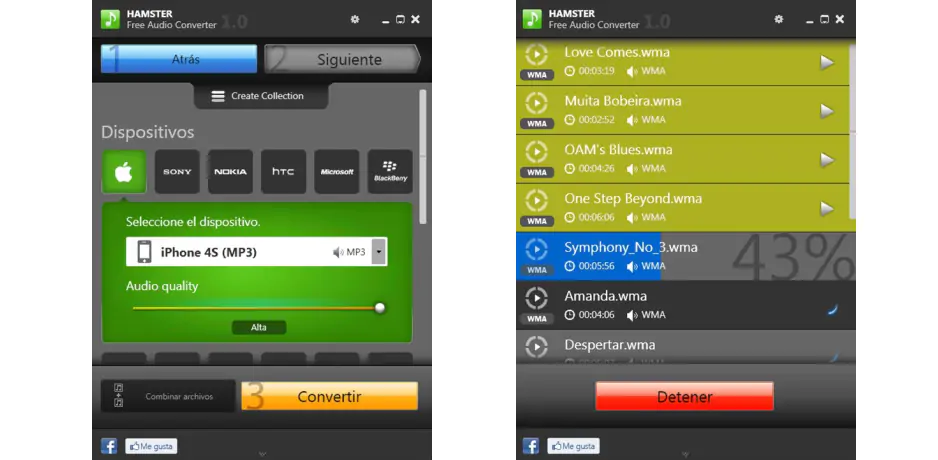
Hamster Free Audio Converter focuses heavily on accessibility. The interface feels built for beginners, with clear steps and very little confusion. It supports multiple formats and includes device presets, which makes the process easier if you do not want to think about technical settings.

That simplicity also limits flexibility. There is less room for customization when you need specific output settings. Still, for straightforward conversions and casual users, it is approachable, quick, and refreshingly unintimidating.

Pros:
  • Very beginner-friendly interface

  • Supports multiple formats and device presets

  • Batch conversion available

How to choose the best audio converter

After testing all of these, I stopped looking for a single “best” tool, because it simply does not exist. What matters is the job in front of you. If I just need a quick format switch without thinking, I reach for something like Audio Convert or Convertio and get it over with in a browser tab. No commitment, no setup, just results.

When things get slightly more serious, like converting a whole library or keeping quality intact, I lean toward Movavi Video Converter or MediaHuman Audio Converter. They hit that rare balance where speed, stability, and control actually coexist. And if I am working with messy source material or need to clean things up before exporting, Audacity quietly becomes the most important tool in the room.

Then there is the deep end. If you want absolute control, automation, or just enjoy bending software to your will, FFmpeg is impossible to ignore. It is not friendly, but it is powerful in a way most tools only pretend to be.

I also found a place for more specific tools. Pazera Free Audio Extractor is perfect when all you need is to pull clean audio from video, while Fre:ac feels like it was built for people who care about precision and structure. Even something like CapCut makes sense if your audio lives inside video projects rather than standalone files.

In the end, choosing an audio converter is less about features and more about friction. The best tool is the one that disappears while you are using it. After all this testing, that is what I kept noticing, the tools I liked most were the ones I stopped thinking about entirely.

Movavi Video Converter
The ideal way to get your media in the format you need!

Frequently asked questions

Which is the best audio converter?

I tested enough of them to stop believing in a single best option. If I had to pick one that covers most situations, I would go with Movavi Video Converter because it balances speed, simplicity, and reliability without much effort from me. But when I need full control, FFmpeg quietly takes over, even if it demands more patience. In reality, the best tool is the one that matches how much control you want versus how quickly you want to finish.

Which music converter is the best?

For pure music conversion, I found myself returning to MediaHuman Audio Converter more often than expected. It is fast, clean, and handles large music libraries without turning the process into a chore. If I need something more precise, Fre:ac gives me tighter control over encoding. It really depends on whether you value convenience or precision more.

How can I convert audio files for free?

The easiest way is to use browser tools like Audio Convert or Convertio, where you upload a file and download it in a new format within minutes. If I want something offline, Audacity or Fre:ac do the job without costing anything. The trade-off is usually between convenience and control, and you feel that pretty quickly. Still, there are plenty of solid free options if you know where to look.

How do I convert low quality audio to high quality?

This is where expectations need adjusting, because no converter can truly restore lost quality. What I can do is use tools like Audacity to clean up noise or improve clarity before exporting at a higher bitrate. It can make the file sound better, but it will not magically turn it into studio-grade audio. In practice, the best fix is always starting with a better source file in the first place.

Have questions?
If you can’t find the answer to your question, please feel free to contact our Support Team.
Join us for discounts, editing tips, and content ideas

1.5M+ users already subscribed to our newsletter

By signing up, I agree to receive marketing emails from Movavi and agree to Movavi's Privacy Policy.